

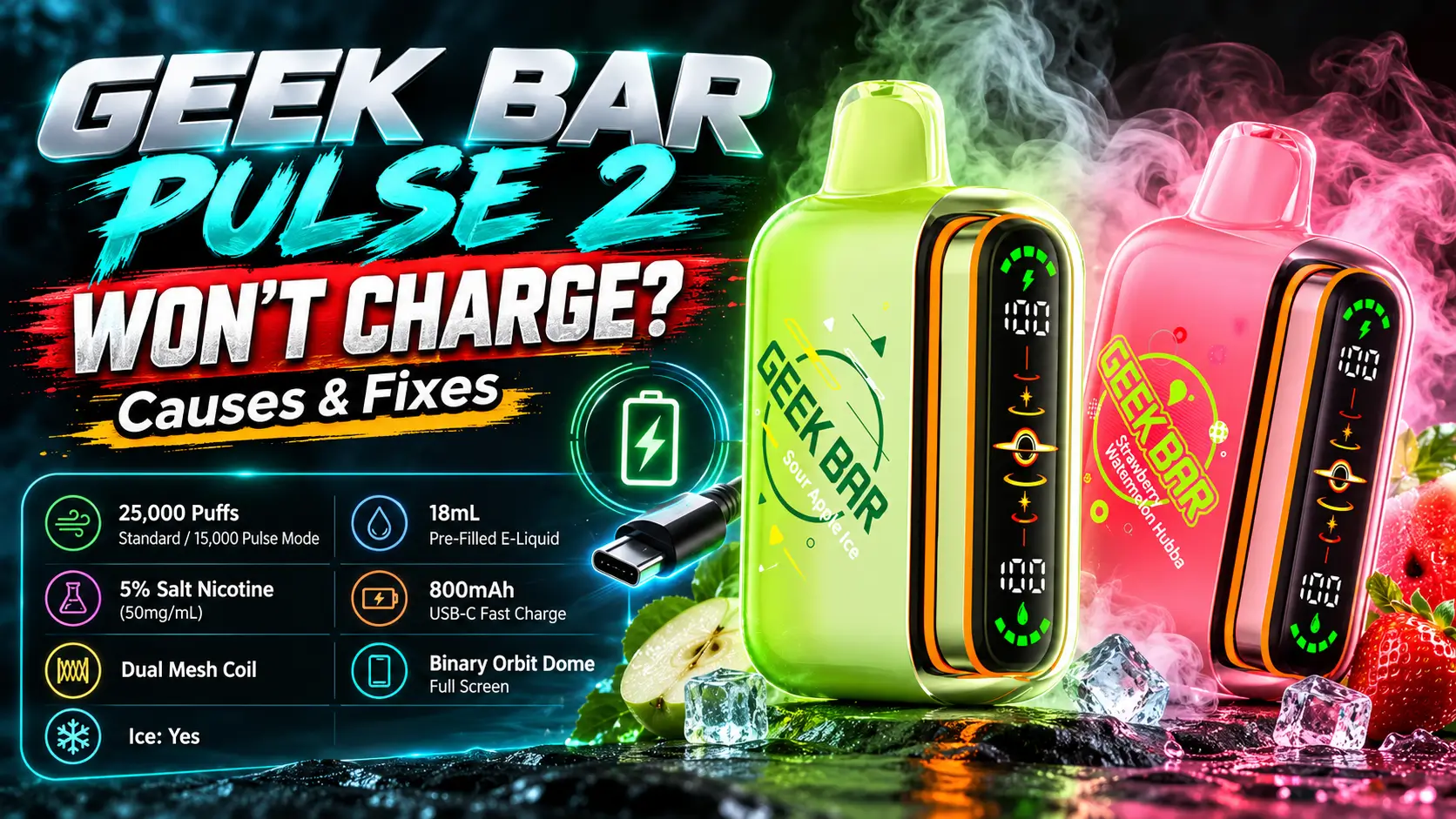
A Geek Bar Pulse 2 won't charge for a short list of reasons, and most take under five minutes to fix. A worn cable, a weak wall adapter, or a port packed with pocket lint causes far more cases than a dead battery does.
The Geek Bar Pulse 2 carries an 800mAh battery and promises 80% in about 15 minutes, so a dark screen after half an hour means something between the plug and the cell is off. This guide walks you through each fix from easiest to last resort, then tells you when to stop and replace the device.
21+ only. This product contains nicotine, which is addictive.
📋 Table of Contents
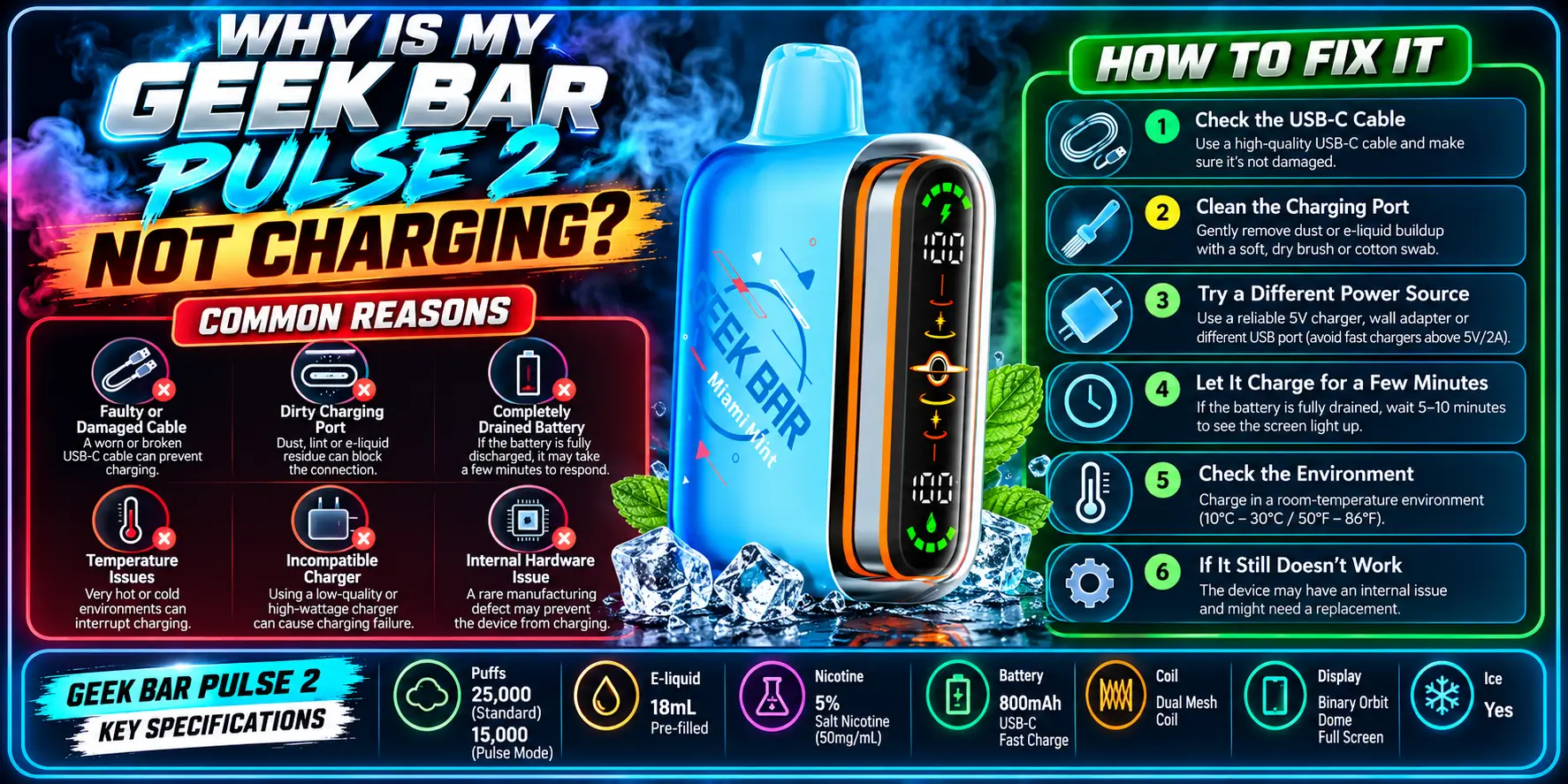
Four things cause most charging failures: a faulty cable, a low-output power source, a dirty USB-C port, or a battery that dropped so low its protection circuit stopped accepting power. Work through them in that order, because each check is quicker than the next.
Think of it like a phone that refuses to wake up. Before you blame the phone, you check the outlet.
The cable is the usual culprit. Cheap or bent USB-C cables often carry data but deliver almost no power, so the plug fits and nothing happens.
Dirt comes second. A USB-C port is a narrow slot, and lint compresses into the back of it every time you pocket the device. Once that lint blocks the connector, the cable never seats fully.
Temperature and deep discharge round out the list. Lithium-ion cells dislike extreme cold, and charging them below freezing can cause permanent damage, according to battery research group Battery University. A cell run completely flat can also trigger its built-in protection circuit, which blocks charging until the voltage recovers.
Knowing what "normal" looks like helps you spot a problem fast. Here is the full spec sheet, with the charging details first.
| Spec | Detail |
|---|---|
| Battery | 800mAh |
| Charge Speed | 15 minutes to 80% (50% faster than original) |
| Charging Port | USB-C |
| Puff Count (Regular Mode) | 25,000 puffs |
| Puff Count (Pulse Mode) | 15,000 puffs |
| Nicotine Strength | 50mg (5%) |
| Coil | Dual Mesh Coil (0.8Ω) |
| E-Liquid Retention | +30% more efficient (VPU upgrade) |
| Puff Output Increase | +32% more effective puffs (VPU upgrade) |
| Vapor Volume | +23.7% greater than Pulse 1 |
| Display | Dome Full Screen with Binary Orbit Light |
| Airflow | Adjustable slider with fully closed position |
| Dimensions | 86mm H × 28mm W × 53.4mm L |
| Weight | 83.4g |
The 15-minute-to-80% figure is the one to remember. If the device sits on a working charger for 20 to 30 minutes and shows no sign of power, the problem is not patience.
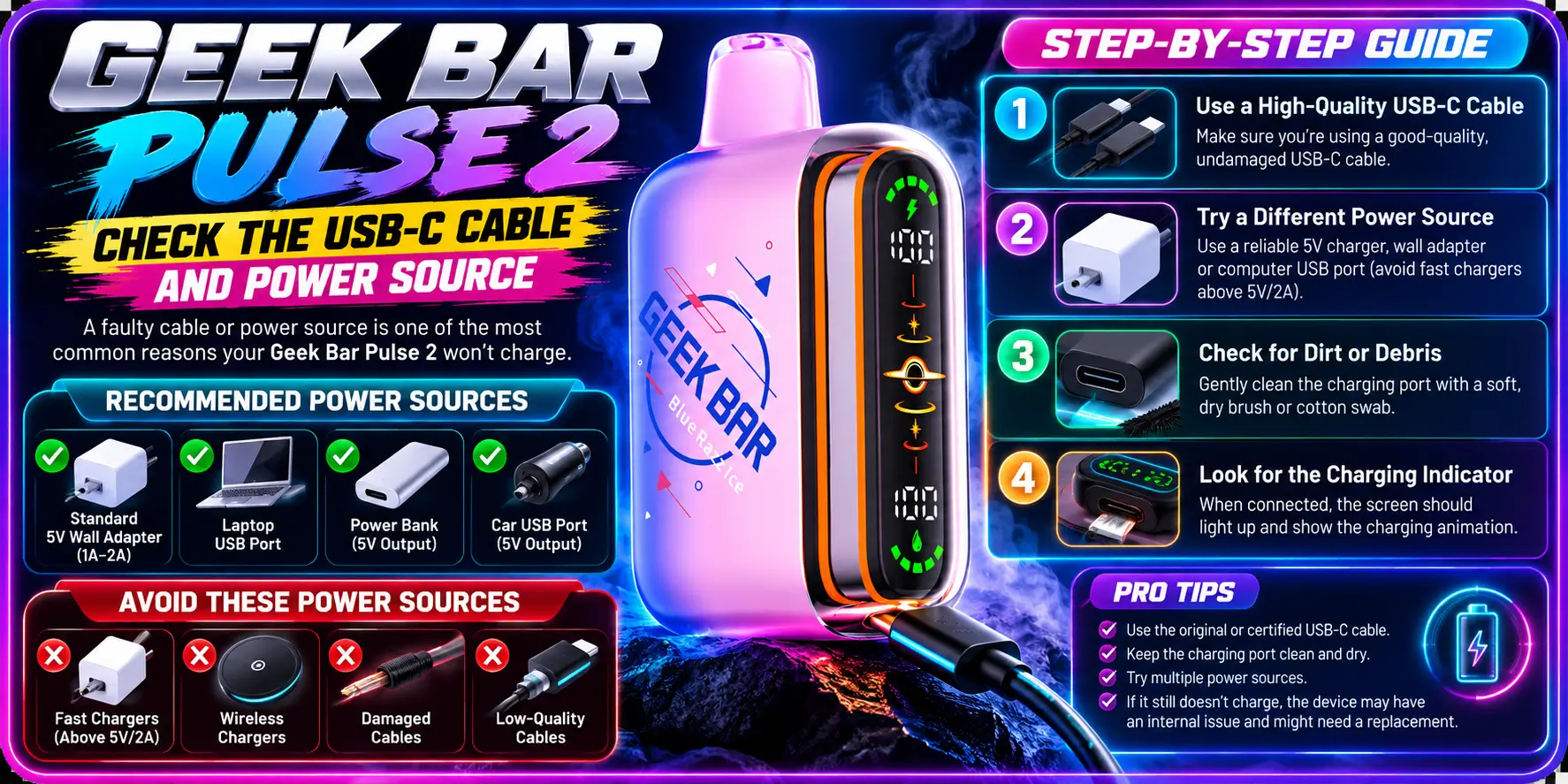
Swap the cable and the power source first. Use a different USB-C cable and a different wall adapter or port, and test again. Ideally, use the cable that shipped with the device.
This one step fixes more "dead" devices than any other. It also costs nothing.
Plug the same cable into your phone. If the phone charges slowly or flickers, the cable is worn out. Look at the plug too: bent metal, a loose fit, or a frayed jacket all mean it is time to replace it.
The FDA advises vapers to use the charger that came with their device, because mismatched chargers raise the risk of battery trouble. That advice applies here. A random gas station cable is a gamble.
A standard wall adapter or a laptop USB port both work. Skip weak sources such as old car ports, cheap hub extenders, and keyboard USB ports, which sometimes deliver too little current to wake a drained cell.
Try a second outlet as well. Power strips and loose wall sockets fail more often than people expect. If you want the full routine from start to finish, our Geek Bar Pulse 2 Charging Guide covers correct charging habits step by step.
Yes. Charge on a hard, flat, dry surface at room temperature. A device left in a hot car or a freezing garage may refuse power until it returns to normal temperature.
Never charge it on a bed, couch, or pillow. Soft surfaces trap heat. The FDA also warns against leaving a charging vape unattended.
Sometimes. If you let the device die completely and it ignores the cable, plug it in and leave it alone for 10 to 15 minutes before judging the result. Many lithium-ion battery protection circuits need a short recovery window before they allow normal charging.
Do not keep unplugging and replugging every few seconds. That restarts the check each time and makes a healthy device look broken. Give it one clean, uninterrupted attempt, then move on to the port.
To avoid this scenario, recharge when the display shows a low battery rather than running it flat. Your battery will thank you, and so will your patience.
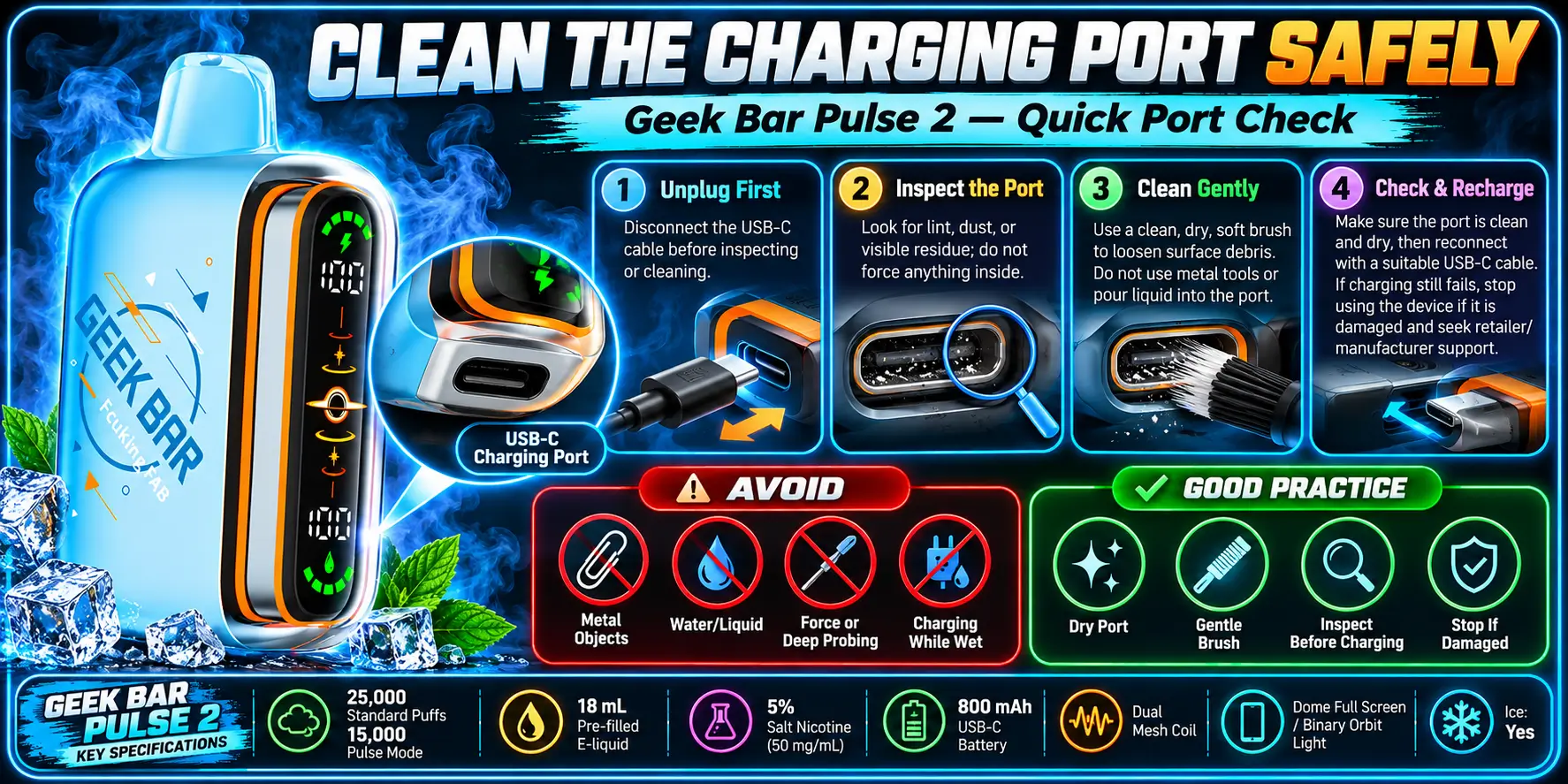
A dirty port stops the cable from seating properly, and a gentle cleaning often restores charging right away. Unplug everything first, then use only dry, non-metal tools.
Safety matters more than speed here. A slip with a metal pin can short the contacts.
A wooden toothpick, a plastic dental pick, or a soft dry brush all work. Compressed air from a short distance also helps. Hold the device with the port facing down so debris falls out instead of settling deeper.
Never use paper clips, needles, or any metal tool. Never pour liquid or alcohol into the port, and never try to pry the device open. Moisture and a lithium-ion cell do not mix.
If the port looks bent, cracked, or scorched, stop. Cleaning will not fix physical damage.
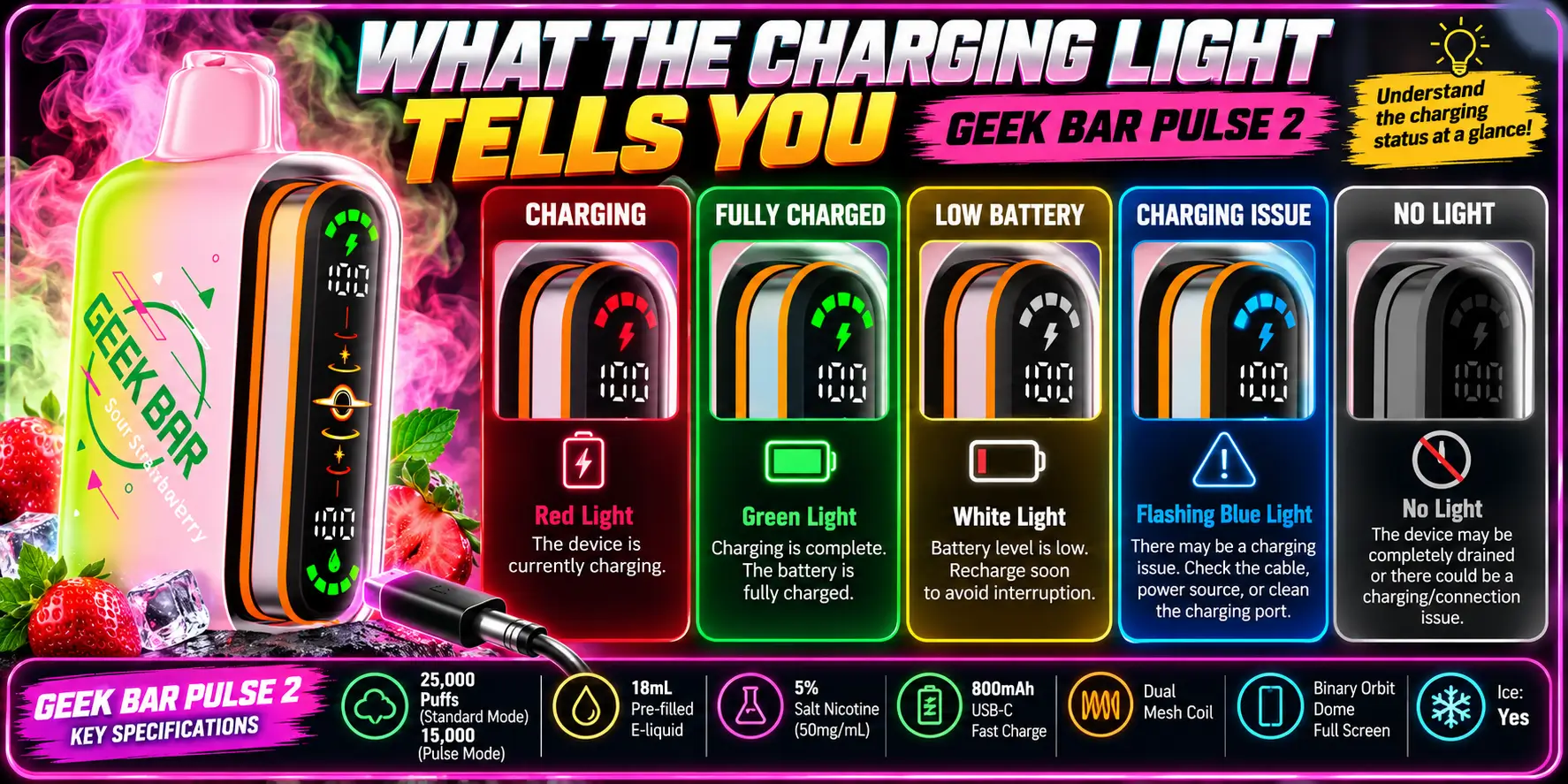
The Pulse 2 uses a Dome Full Screen with a Binary Orbit Light, so the display is your best clue. If it reacts when you plug in, power is reaching the device. If it stays completely dark, power is not getting through.
Exact animations can differ by batch, so check the insert in your box for the official meaning of each pattern. The general logic below holds for most rechargeable devices.
| What You See | Likely Meaning | What To Do |
|---|---|---|
| Display wakes and shows a charging pattern | Power is flowing | Leave it for 15 to 30 minutes |
| No reaction at all | Bad cable, weak source, or blocked port | Swap the cable, then clean the port |
| Flashes briefly, then stops | Loose connection or protection circuit trip | Reseat the cable and try another adapter |
| Charges but drains fast | Aging cell or heavy use in Pulse Mode | Check the battery life guide below |
| Device feels hot while charging | Possible battery fault | Unplug and stop using it |
Not always. Blinking can signal low battery, a mode change, or a draw error, and none of those mean the charger failed. Watch what the light does with the cable attached and then removed. That comparison narrows down the cause quickly.
Fast drain after a successful charge points to the cell, not the cable. Our Geek Bar Pulse 2 Battery Life breakdown explains how mode, airflow, and habits change how long 800mAh really lasts.
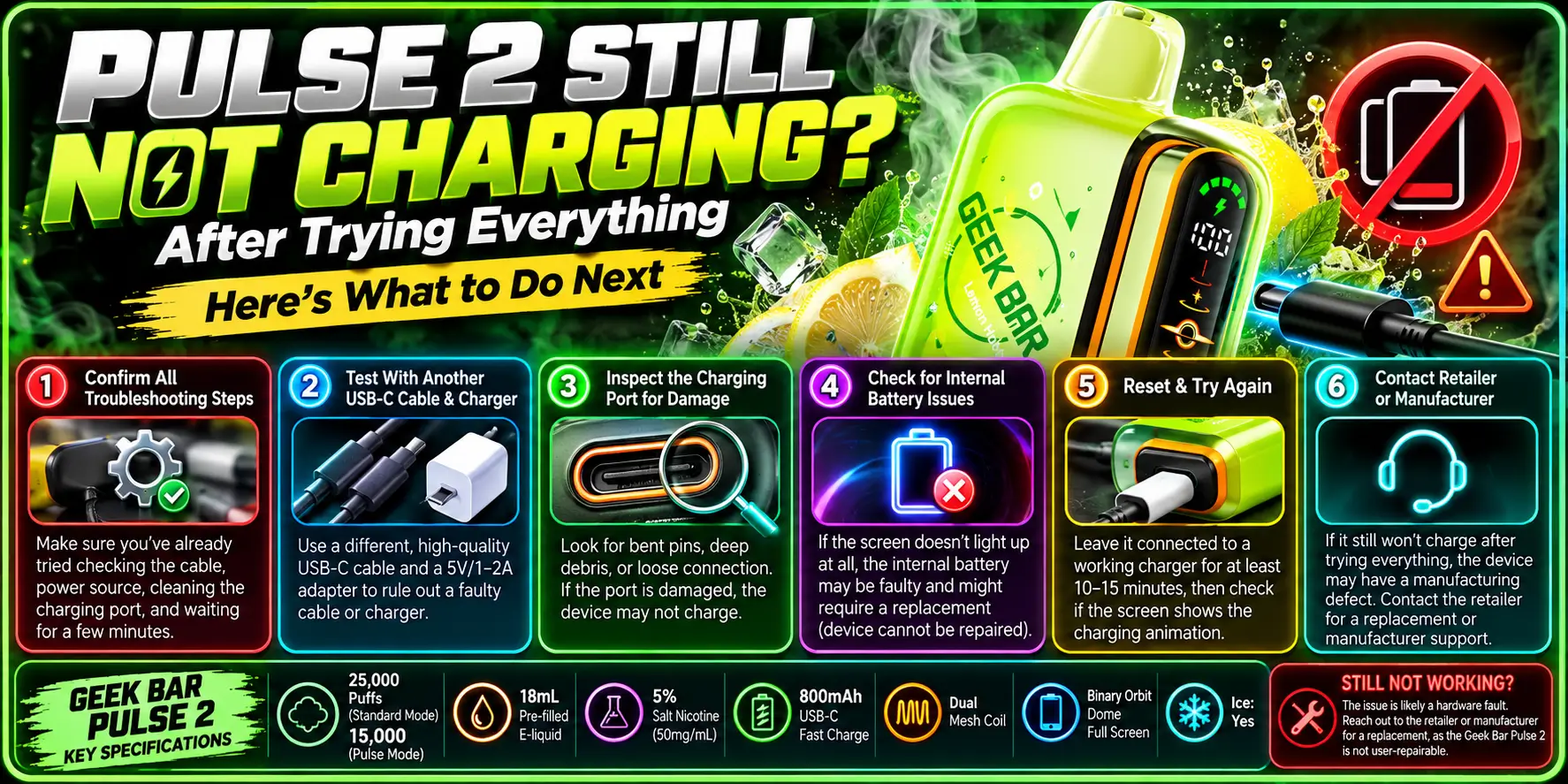
If a new cable, a new power source, and a clean port change nothing, the fault is likely inside the device. Disposables have no replaceable parts, so your realistic options are a warranty or retailer claim, or a replacement.
Do not open the shell to "fix" it. You cannot repair a sealed battery at home, and trying risks fire.
Give it one slow, patient attempt. Plug it into a wall adapter indoors at room temperature and leave it for a full hour, supervised and on a hard surface. A deeply drained cell sometimes needs a trickle period before the display responds.
Also check the airflow slider. A fully closed position will not stop charging, but a stuck slider or a failed draw can make a device look dead when only the screen is asleep.
Possibly. Lithium-ion batteries are commonly rated for roughly 300 to 500 full charge cycles before capacity drops noticeably. Heavy daily use of a 25,000-puff device can add up quickly.
Even so, a Pulse 2 that fails in its first weeks is more likely a defect than wear.
| Situation | Try a Fix | Replace the Device |
|---|---|---|
| Dark screen, cable feels loose | Yes, swap cable and clean port | No |
| Works on one adapter, not another | Yes, use the working adapter | No |
| No response after 1 hour on a good charger | Only a final port check | Yes, contact the seller |
| Swollen, hot, or leaking device | No | Yes, stop using it immediately |
| Charges but dies within minutes | Test another cable once | Yes, if it repeats |
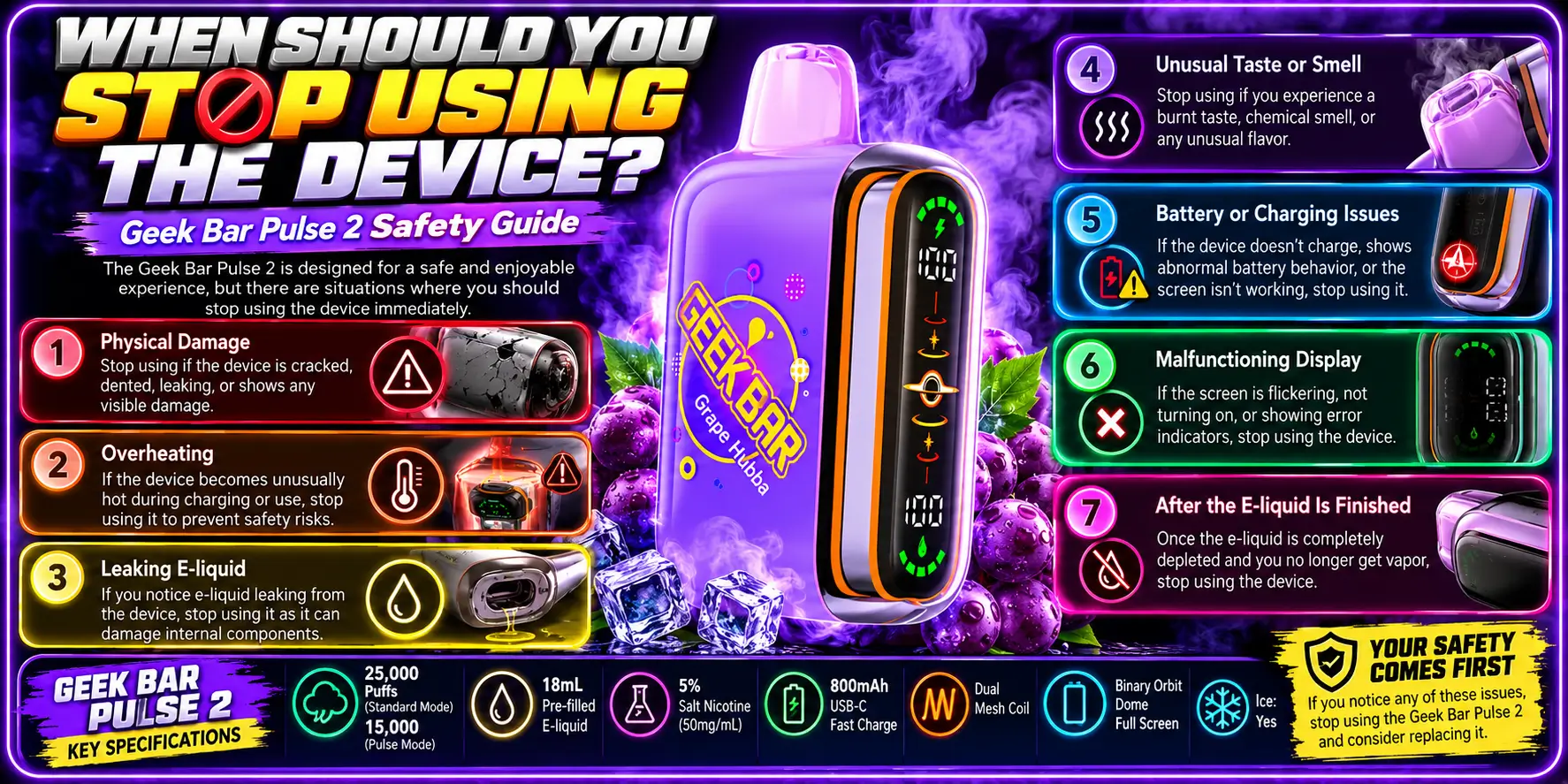
Stop right away if the device swells, smells like burning plastic, leaks, or gets hot to the touch while charging. These are signs of a failing lithium-ion cell, and no troubleshooting step is worth the risk.
The U.S. Fire Administration documented 195 e-cigarette fire and explosion incidents between 2009 and 2016, and the FDA has issued battery safety tips in response. Most involved charging or damaged batteries. Rare does not mean harmless.
Unplug it, move it away from anything flammable, and let it cool on a hard surface. Do not keep charging it to "see if it works."
Then dispose of it correctly. The EPA says lithium-ion batteries do not belong in household trash or curbside recycling. Take the device to a battery drop-off or household hazardous waste site.
For more help with the whole lineup, browse our complete Geek Bar Guide, which links to every troubleshooting and buying resource we publish.
1. How long should a Geek Bar Pulse 2 take to charge?
The specs list about 15 minutes to reach 80%, which is roughly 50% faster than the original Pulse. A full charge takes a bit longer than that. If the device shows no sign of charging after 30 minutes on a working cable and adapter, something is blocking power.
2. Why does my Geek Bar Pulse 2 light not turn on when I plug it in?
A dark display usually means power is not reaching the battery. Test a different USB-C cable and wall adapter first, then clean the port with a dry toothpick. If it stays dark after both steps and a full hour of charging, the battery or board may be faulty.
3. Can I use any USB-C cable to charge the Pulse 2?
Most good USB-C cables work, but the one that came in the box is the safest choice. Cheap or damaged cables sometimes pass data without delivering enough power. The FDA recommends the manufacturer's charger for vape devices, so avoid mystery cables with frayed ends or loose plugs.
4. Is it safe to charge the Pulse 2 overnight?
No. Safety guidance, including the FDA's vape battery tips, advises against leaving a charging device unattended. With a 15-minute charge to 80%, there is no reason to leave it plugged in for hours. Charge it on a hard surface, watch it, and unplug it when it finishes.
5. What should I do if my Geek Bar Pulse 2 still won't charge?
Retest with a new cable and adapter, clean the port gently, and give it one supervised hour on a wall charger. If nothing works, contact the seller about a replacement. Do not open the device, and recycle it at a lithium-ion battery drop-off once it is retired.
Every Geek Bar disposable uses a sealed battery, so you cannot replace the cell yourself.
WARNING: This product contains nicotine. Nicotine is an addictive chemical. 21+ users only.
Geek Bar Pulse — Disposable Vape
🛒 Where to Buy Online
Choose from our verified partner stores — all carry 100% authentic Geek Bar Pulse products sourced directly from official US distributors.


Twelve Tribes
Wide Selection • Best Prices

Raven Route
Fast Delivery • All Flavors


Zippyzz
Quick Shipping • Great Deals
🔒 All partner stores are verified, age-gated, and ship only to legal US states. Purchases are made directly with the retailer — not geekbarpulse.com.
⚠️ Must be 21+ to purchase.