

When you use a disposable vape, indicator lights show you how the device is working. The Geek Bar Pulse communicates important information through a small LED indicator system. If you are new to the device, you can also read our complete Geek Bar Pulse guide to understand its features, battery system, performance, and built-in safety features.
There are different types of blinks and ways that the light can flash. If your Pulse model is blinking at you, it is representing a status, rather than a malfunction or serious issue. Each blinking pattern means something different.
This guide will help the user determine if the device simply needs to be charged, if there should be a slight delay, or if the user can continue to use their device. The blinking is simply a way for the device to let the user know the current state of the device.
A different blink pattern from an LED light located on a Geek Bar Pulse allows users to distinguish device states in order for them to better understand what the device is doing (for example, if it is charging, detecting a draw or using a safety feature). Most lights will use a standard set of blinking behaviours, no matter how badly those behaviours match with those of the actual device.
We have identified a number of common blink behaviours, along with an explanation of their meanings, that users might experience when working with the Geek Bar.
| Blinking Light | Meaning |
|---|---|
| Blinking while charging | Device is charging |
| Blinking red | Battery is low |
| Rapid blinking | Safety protection triggered |
| Blinking but not hitting | Airflow or battery issue |
Rapid or repetitive blinking indicates that the internal protection system has temporarily disabled the operation of the device. This is done, in part, to protect against over heating and/or over drawing power.
When the light blinks and no vapor is produced, it typically indicates that there is not enough power from the battery to operate the coil or there is a partial obstruction of the airflow. The majority of the time, blinking signals are simply an indication that the device is currently operating as expected and does not necessarily mean there is a permanent fault with the device.
LED lights are used on disposable vape devices to signal an operating state. Since most devices are devoid of buttons or display screens, these lights provide a simple method for users to know what their device is doing at a given moment. Same with the Geek Bar Pulse: Blinking lights provide an indication of important information regarding the condition of the device.
One common reason for the blinking indicator is low battery power. When a battery falls below a specified level of charge, the LED may flash as a way to inform the user of needed recharging.
The LED may also be in a flashing mode during the recharging process of a device while it is connected to a USB-C cable. Most modern disposable devices have internal safety devices which temporarily suspend the operation or use of the device under unusual situations.
If the Geek Bar Pulse keeps blinking repeatedly, it usually means the device is trying to alert the user to a specific condition. This may happen when the battery level is too low, when the device is connected to a charger, or when a temporary safety protection has been activated. In many cases, allowing the device to cool down or charging the battery will stop the blinking and restore normal operation.
If your Geek Bar Pulse blinking red, it usually indicates that the battery level is very low. Disposable vape devices commonly use red LED signals to warn users that the battery does not have enough power to operate the heating coil properly.
When this happens, the device may blink red when you attempt to take a puff instead of producing vapor. This is a normal indicator that the battery needs to be recharged before the device can function again.
To resolve the issue, connect the device to a compatible USB-C charger and allow it to charge fully. Most Geek Bar Pulse devices typically take 30 to 60 minutes to reach a full charge depending on the battery level.
If the device continues blinking red even after charging, it may indicate that the device has reached the end of its lifespan or that an internal safety protection has been triggered.
If the light blinks on your device while it’s plugged into the charger means the battery is doing a charging process. The way the Geek Bar Pulse indicates to the user that it has power and is charging, is via an LED indicator which allows the user to be able to see when their battery is being charged. Both of these indicators let you know that your battery is in the process of being charged.
When the Geek Bar Pulse is attached with the USB-C charging cable to charge the device, it provides a solid connection that is very reliable for charging the device and adds power to it while charging on a USB connected power. The connection causes the LED light on the battery charger to blink or flash as it indicates that it has started charging the battery. The LED light blinks until the device’s battery has fully charged and begins to stay lit.
In most instances, the time it takes to charge a Geek Bar Pulse is between 30-60 minutes based on how low the battery was originally when it was plugged in. When the battery has been charged, the LED light will either stop blinking or will remain lit.
For step by step guide as how to safely charge your device, refer to our Geek Bar Pulse charging instructions guide.
There are times when a user might notice that the device LED is blinking but no vapor is produced from their vape. This blinking but not hitting situation generally means that the Geek Bar Pulse has detected something that is preventing it from firing the heating element on the device.
Another reason that the device will blink but not produce vapor is due to a blockage of the airflow path on the device. Like other disposable vapes, the Geek Bar Pulse requires airflow to activate when the user takes a draw on the device. When there is a partial blockage in the airflow path from debris or liquid in the device, the LED will simply blink without the production of any vapor.
At last, if the sensor does not properly register that a draw on the device has occurred, the LED will blink without the production of vapor.
If your device continues blinking without producing vapor, see our Geek Bar Pulse not hitting fix guide for solutions.
The Geek Bar Pulse will experience intermittent blinking throughout its use; this is quite typical, and it serves to inform the user of its current status. It provides visual communication in lieu of traditional buttons or displays found on non-disposable vapes.
In some cases, the LED may also blink when the device activates a safety cutoff due to prolonged usage or an internal protective condition. The various signals provided by the LED are simply a part of the device’s normal cycle, and are intended to help you know what the device is doing.
Blinking lights on Geek Bars Pulse indicate operational status through normal indications but under certain circumstances blinking may also indicate the device has hit its limits or is having problems with the device. By understanding when to recognize these situations you will know when your device may need attention.
A fully dead battery is one possibility of a blinking LED. Once the battery has completely discharged, the LED will continue blinking until there is enough power in the device to operate normally and can be restored to its functioning condition when the charger is connected to the device and given sufficient time to charge.
Another reason for blinking would be when you reach the end of the life cycle of the device. If the e-liquid or coil is finished, the device may blink without producing vapor. You can learn more about device lifespan in our Geek Bar Pulse lifespan guide.
There are also instances where blinking occurs due to the internal safety protection system being triggered. The safety features in the device will stop the operation of the device temporarily due to overheating or use outside of the normal operating guidelines.
Vape device indicator lights can assist users with the condition of their device; indicator lights use LEDs to indicate battery level, charging status, and built-in safety features. Attention to these lights will help users use the device safely and avoid issues in the future.
It is crucial not to leave the device attached to a charger after the device has reached full charge, as overcharging may result. It is also important to ensure they are using the proper USB-C charging cord and compatible power source for stable charging.
If your Geek Bar Pulse blinking red, it usually means the battery level is very low and the device needs to be recharged. Disposable vape devices use LED indicators to alert users when the battery cannot provide enough power to heat the coil. Connecting the device to a USB-C charger and allowing it to charge fully will usually stop the blinking and restore normal operation.
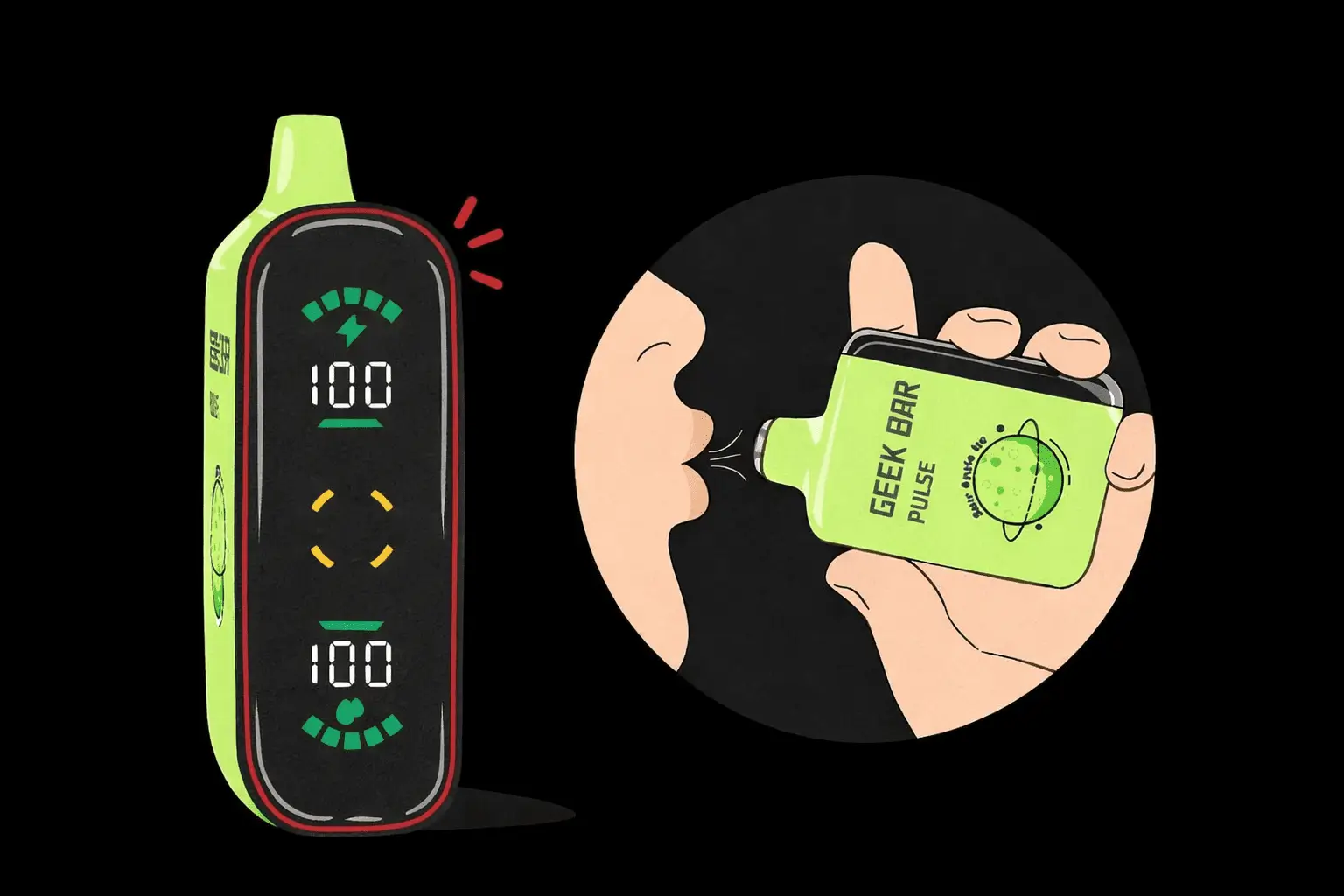
While the Geek Bar Pulse is charging, the light blinks to indicate that it is receiving power. In other words, it shows you that it is currently charging. This is completely normal for this type of device. After your Geek Bar Pulse has been charged, the blinking will stop or possibly change to being permanently lit up when the device is fully charged.
If you see the light flashing on your Geek Bar Pulse, that indicates there is an issue preventing it from creating vapor. Usually, this issue could be due to one of two things: there is not enough charge left in the battery or there is an obstruction blocking air from getting into the device. When you inhale on a disposable vape, the airflow activates the coil and produces vapour. So, if you have a low battery or if your airflow has some sort of obstruction either one will be causing this issue of the Geek Bar Pulse flashing with no vapour creation.
Charging will generally take anywhere from 30 to 60 minutes based on how low your battery was before you plugged your device in. When the battery is fully charged, the light will stop blinking and let you know that your device is now ready for use.
Geek Bar Pulse LEDs indicate various statuses of a device so that the user knows exactly what that means at any given time. In most instances, if the LED is flashing, it functions normally and communicates status indicators via an LED without using a button or screen.
Users will be able to distinguish between whether the device simply needs to be charged or if another condition exists by the distinct blinking pattern. If you experience multiple flashes with performance issues, reference your charging instructions or resolve common issues through troubleshooting guides.
Geek Bar Pulse — Disposable Vape
🛒 Where to Buy Online
Choose from our verified partner stores — all carry 100% authentic Geek Bar Pulse products sourced directly from official US distributors.


Twelve Tribes
Wide Selection • Best Prices

Raven Route
Fast Delivery • All Flavors


Zippyzz
Quick Shipping • Great Deals
🔒 All partner stores are verified, age-gated, and ship only to legal US states. Purchases are made directly with the retailer — not geekbarpulse.com.
⚠️ Must be 21+ to purchase.