

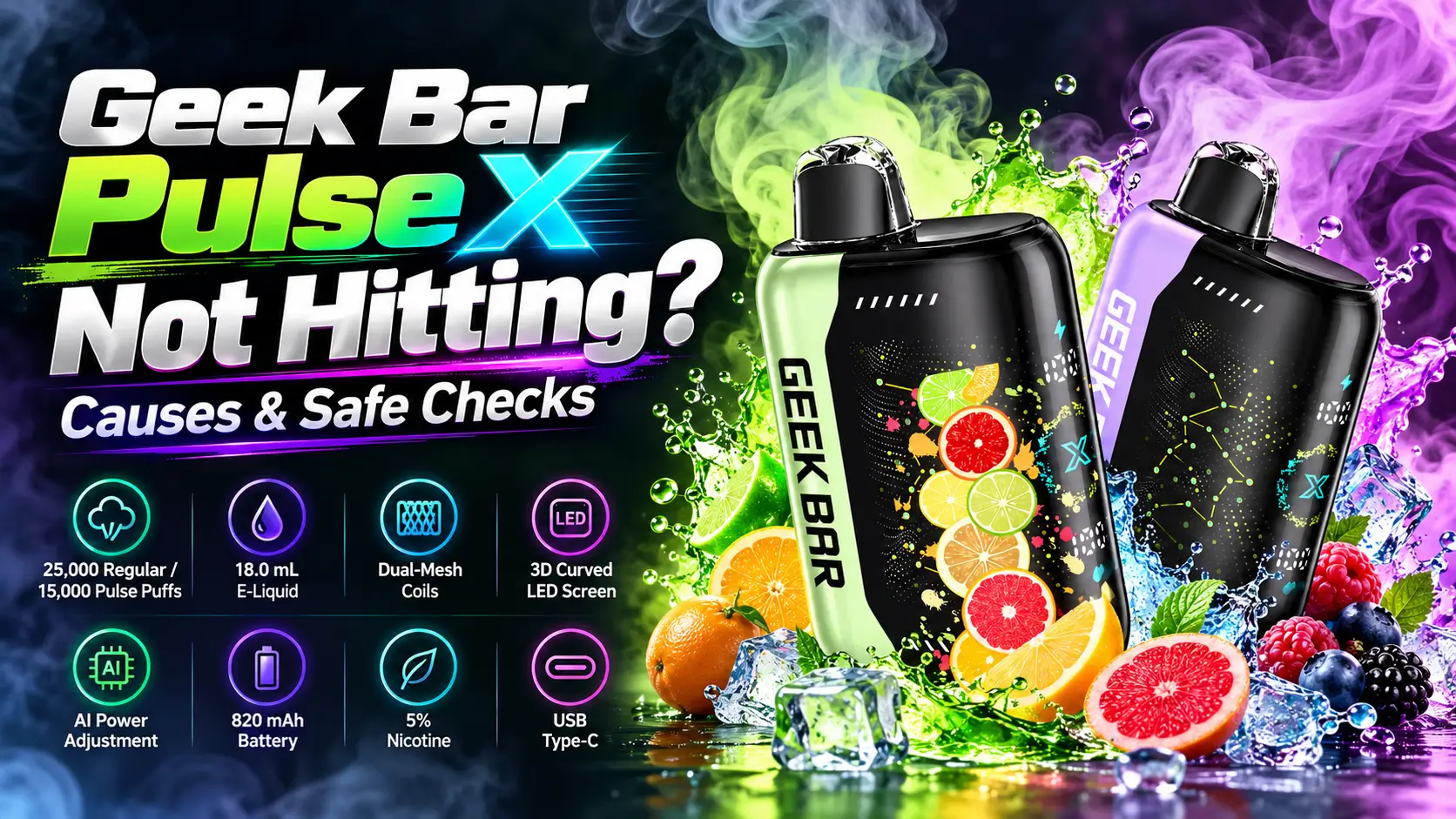
A Geek Bar Pulse X not hitting usually traces back to one of five causes: a low battery, blocked airflow, a clogged mouthpiece, condensation in the air path, or a charging hiccup. You can check all five in about ten minutes without opening the device. This guide walks through them in the order most likely to fix the problem.
If you are new to the Geek Bar Pulse X, the Geek Bar Pulse X Guide covers flavors, modes, and daily use. Here, we stay focused on getting your draw back.
📋 Table of Contents
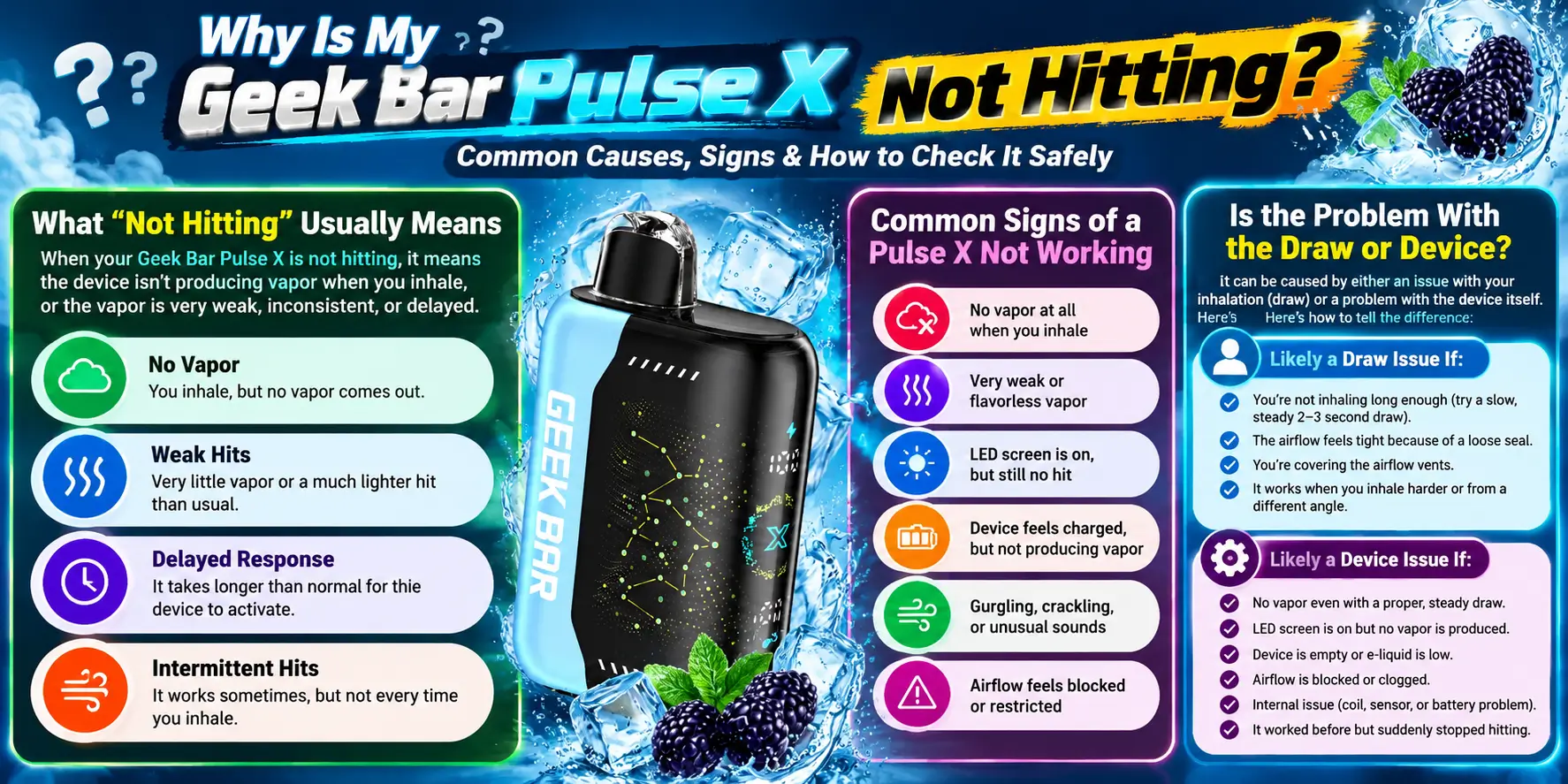
Your Pulse X stops hitting when something interrupts the chain between battery, airflow sensor, coil, and e-liquid. Break any one link and you get weak or empty pulls. Most fixes take seconds, so start with the simple checks before you assume the device is dead.
“Not hitting” covers three different complaints. Some people get no vapor at all. Others get thin vapor with little flavor. A third group feels the draw working but gets almost no throat hit.
Each complaint points to a different cause. No vapor often means power trouble, thin vapor means wicking or airflow, and a weak throat hit can come from the mode you picked.
Try a slow, steady four-second pull first. If it works, your technique was the issue. Short, sharp sips can fail to trigger the draw sensor on any draw-activated disposable.
If a slow pull still gives nothing, the problem sits in the device. The sections below separate battery, airflow, and coil causes so you can fix the right one.
Here is a quick map before we dig in:
| Symptom | Likely Cause | Safe Check |
|---|---|---|
| Dark screen, no vapor | Low or empty battery | Plug into a wall adapter with USB-C and wait 10 minutes |
| Screen on, no vapor | Coil wicking or blocked airflow | Clear the mouthpiece, rest the device upright for 10 minutes |
| Tight, hard draw | Blocked air path or condensation | Wipe the mouthpiece and check the airflow inlet |
| Dead after charging | Dirty port or loose cable | Inspect the USB-C port and try a different cable |
| Weak throat hit | Regular Mode selected | Review the mode setting before assuming a fault |
| Nothing works | Possible defect | Stop using it and contact your retailer |
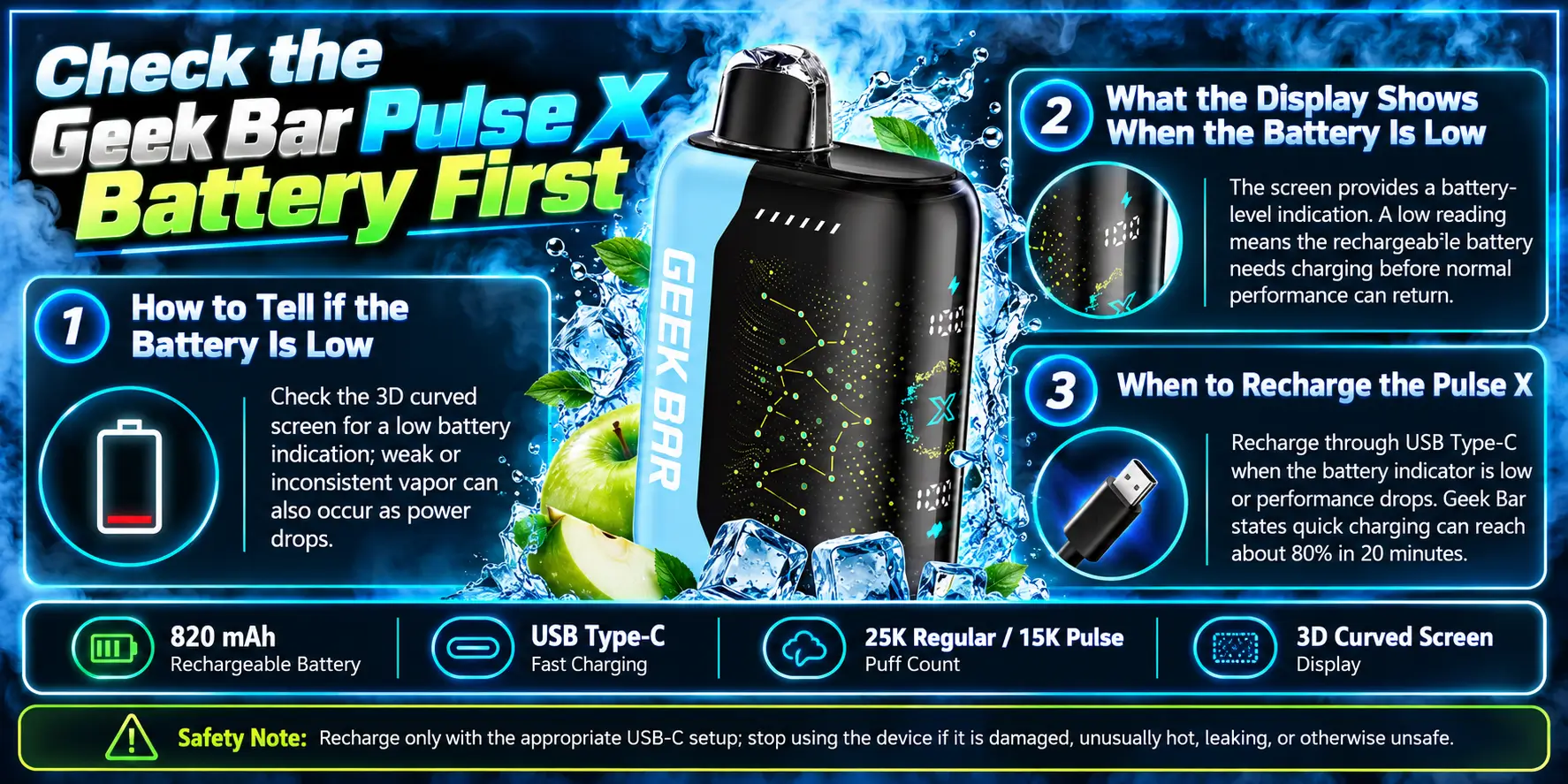
Check the battery before anything else. A weak battery cannot heat the coil properly, and it causes more “not hitting” complaints than any other issue. The 820 mAh battery powers a lot of hardware, including the screen and the dual-mesh coils.
Low power shows up as thin vapor first, then as a dead draw. Flavor often fades before the screen warns you. If your device hit fine yesterday and feels weak today, suspect the battery.
Cold weather makes it worse. Lithium-ion cells deliver less power at low temperatures, so a device that sat in a cold car may feel weak until it warms up in your hand.
The 3D curved LED screen shows your battery level, so you can read power status at a glance. For a closer look at how the display behaves, see our breakdown of the Geek Bar Pulse X 3D Curved Screen.
A low battery icon, a flashing indicator, or a screen that will not wake all point to power trouble. Do not keep pulling on a flashing device. Low-power draws can leave you with a burnt taste and no extra puffs.
Recharge when the display shows low battery, or when vapor starts thinning. Do not wait for a total shutdown. Deep drains put more stress on any lithium-ion cell.
Runtime depends on your habits and mode. Our Geek Bar Pulse X Battery Life review explains what to expect and how often to top up.
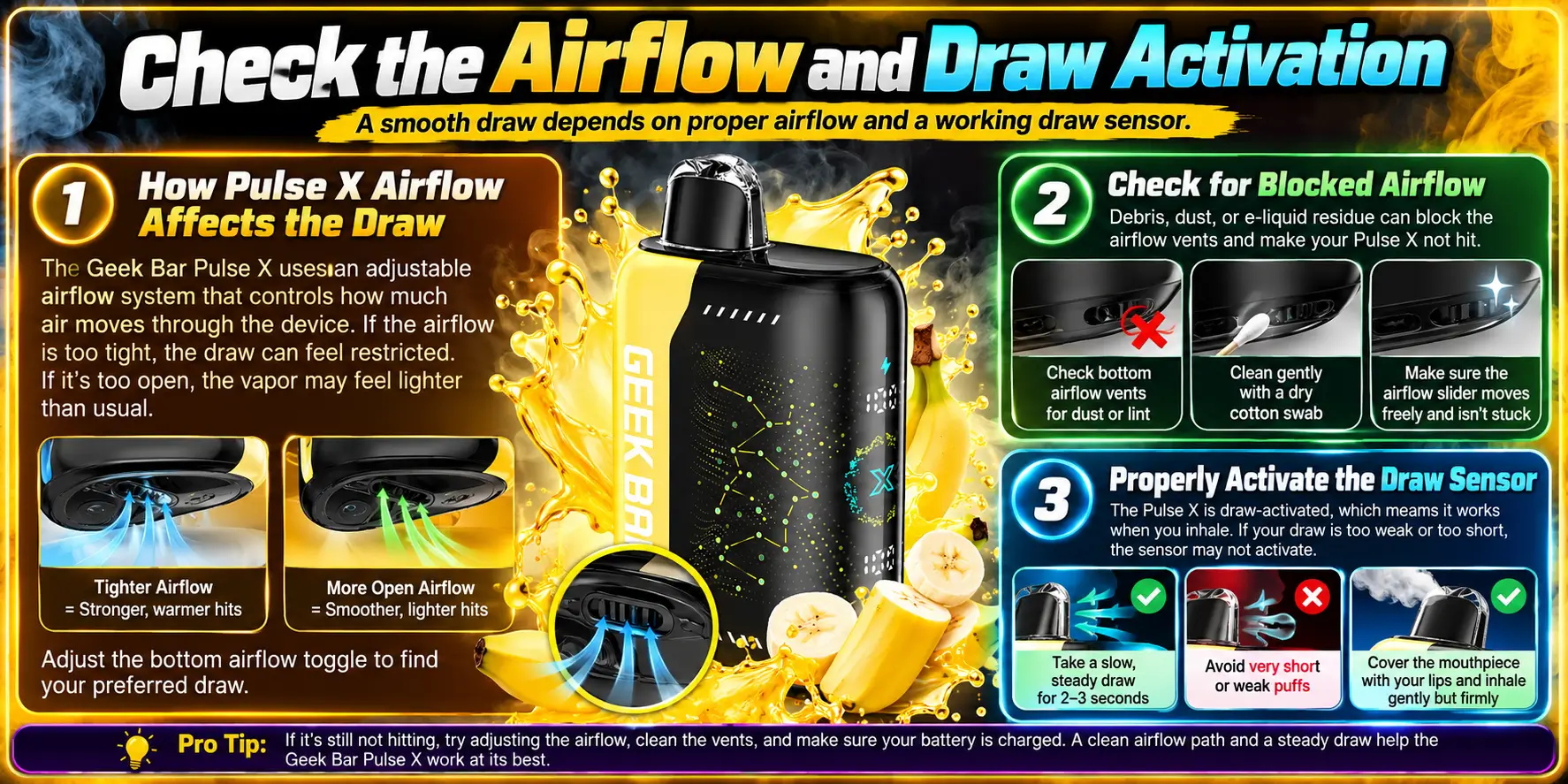
The Pulse X activates when you inhale, so airflow matters as much as power. If air cannot move freely, the sensor never fires. Think of it like a straw with a pinch in the middle: plenty of power, but nothing flows.
The device uses AI Power Adjustment to tune power to your draw. That system reads how you pull and adjusts output in real time. It works best with smooth, steady inhales.
Mode changes the feel, too. Regular Mode is rated for 25,000 puffs and feels lighter. Pulse Mode is rated for 15,000 puffs and hits harder. Our guide to Regular Mode vs Pulse Mode explains the trade-off. If you expected a stronger hit, you may simply be in the wrong mode.
Look at the device in good light. Check the airflow inlet and the mouthpiece opening for lint, dust, or sticky residue. Pocket and bag lint is the most common culprit.
Never poke anything sharp into an opening. A pin or paperclip can damage the sensor or coil. Use a dry cotton swab on the outside edges only.
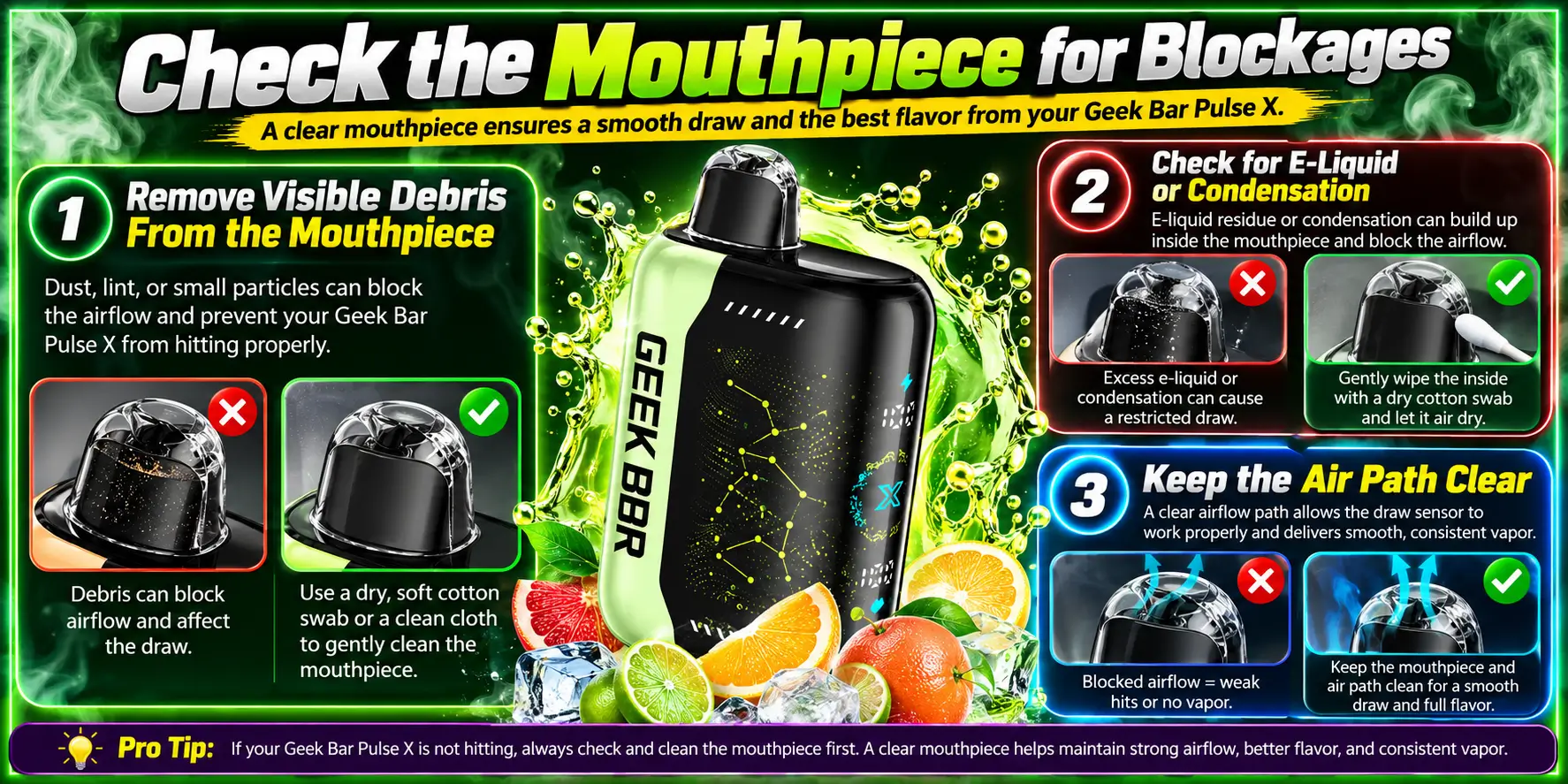
A blocked mouthpiece cuts airflow and kills vapor. This is the easiest fix on the list, and it works more often than you would think. Two minutes with a dry tissue can bring a device back.
Wipe the mouthpiece with a dry tissue or cloth. Remove lint, crumbs, or sticky residue you can see. Keep the device upright while you clean so nothing slides inside.
Skip water, alcohol, and cleaning sprays. Liquid inside the air path can short the electronics and make the problem worse.
Small droplets near the mouthpiece are normal, since warm vapor condenses on cooler surfaces. A heavy puddle can choke the air path.
Blot the opening with a tissue, then let the device rest upright for ten minutes. Resting also lets the coil rewick, which helps if you chain-vaped right before the draw failed.
Store the device upright and keep it out of loose pockets. A clean air path protects your draw for the device’s whole life.
Safety note: do not open, squeeze, or pierce the device. FDA battery guidance warns that e-cigarette batteries can overheat or fail, so keep every check on the outside of the device.
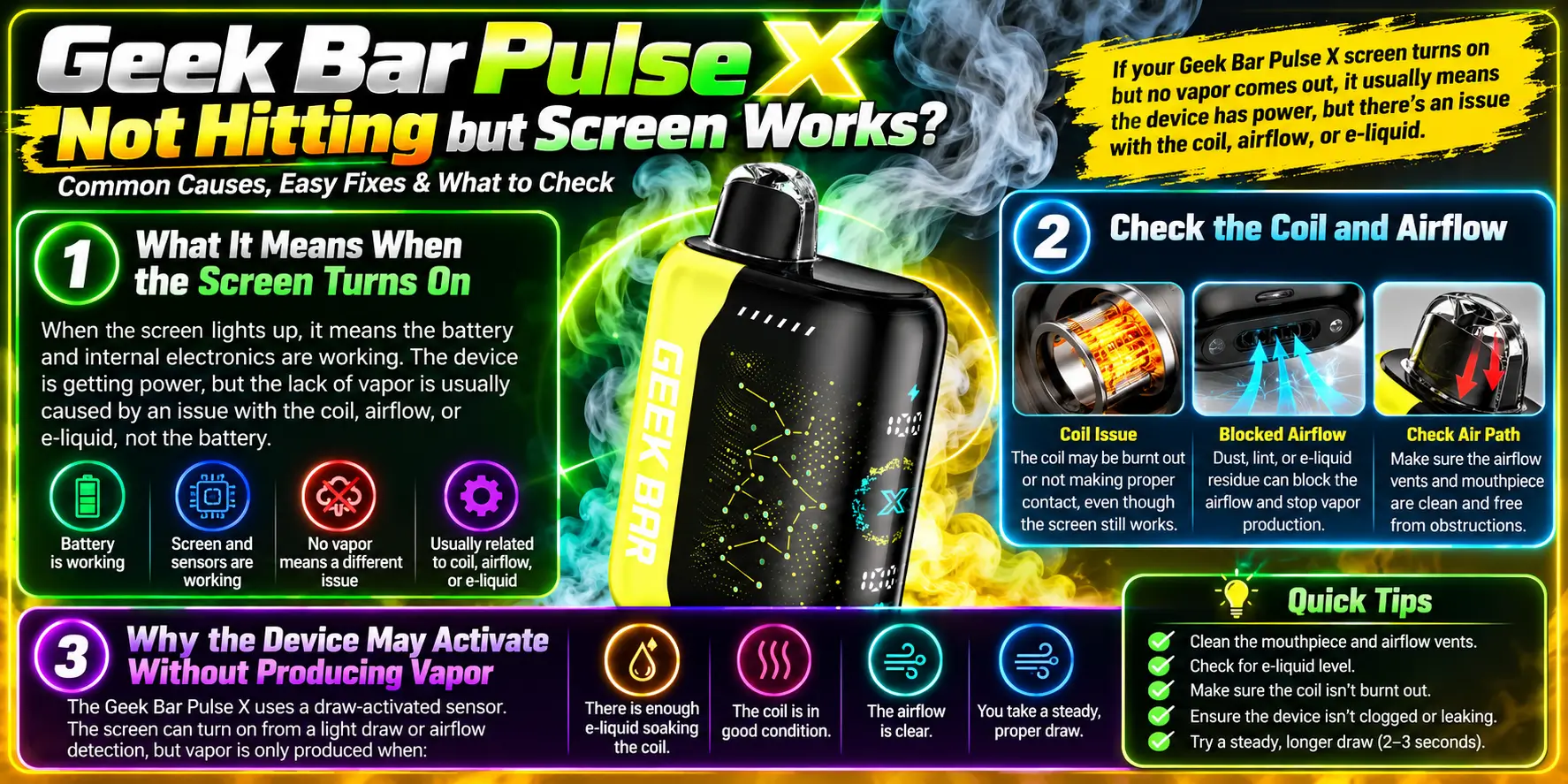
If the screen works but you get no vapor, the electronics are alive and the problem sits in the coil or the air path. This is the most common version of the issue, and it often fixes itself with rest and a clean mouthpiece.
A lit screen proves two things: the battery has power, and the sensor detects your draw. Those are the hard parts. What remains is the path from coil to mouthpiece.
The device uses two mesh coils to heat e-liquid. Our overview of the Geek Bar Pulse X Dual Mesh Coil explains how that setup creates flavor and vapor. Mesh coils rely on cotton to feed liquid to the heating surface.
Fresh liquid reaches the coil slower when it is cold or thick. Hold the device in your hand for a few minutes, wait, then try again with a slow pull. Rapid back-to-back draws can outrun the wick and give you dry, weak hits.
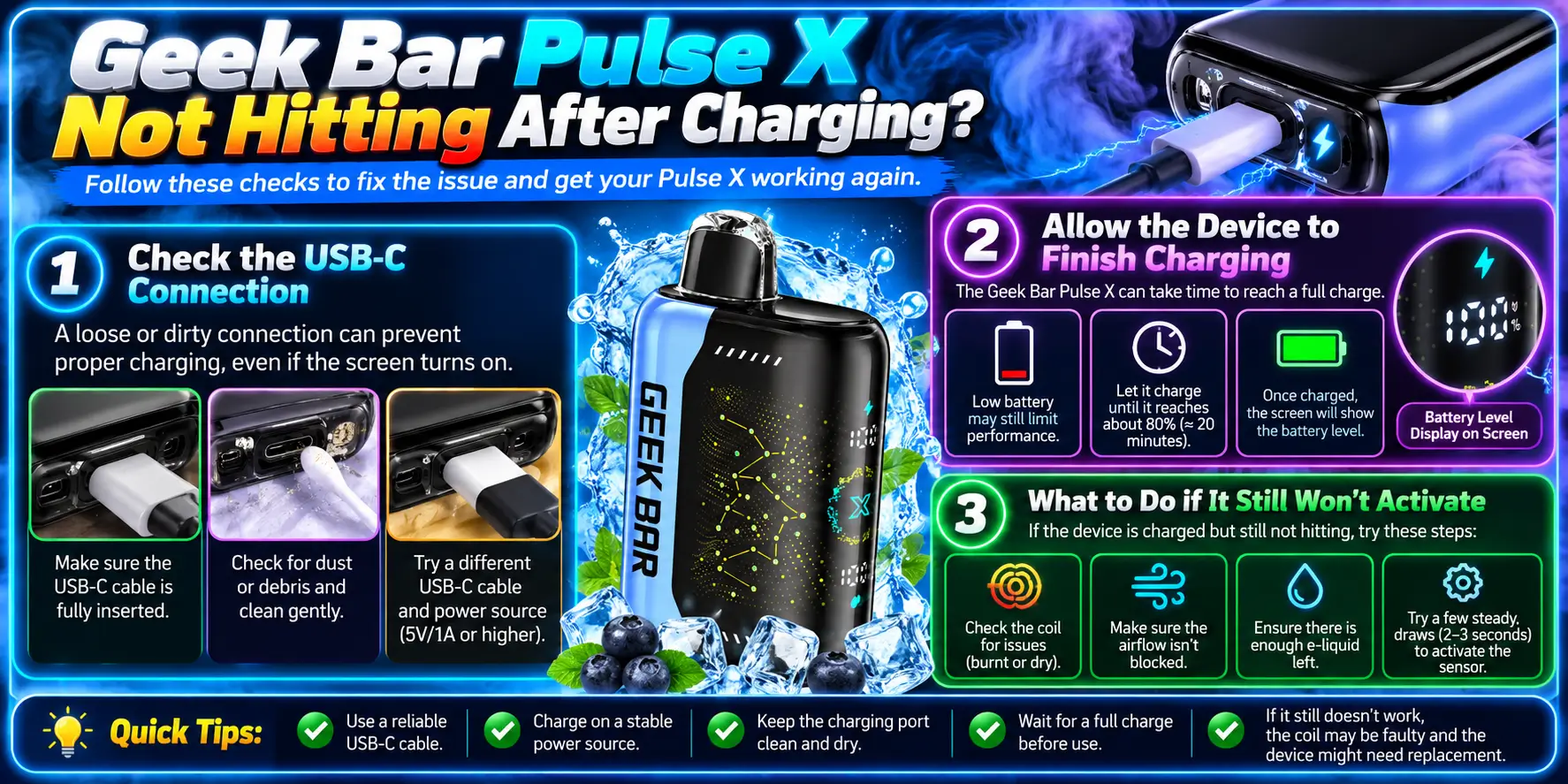
If your Pulse X will not hit after charging, the charge probably never completed. Bad connections, weak cables, and dirty ports cause most of these cases. A single failed charge session looks like a dead device even when the battery is fine.
Look inside the USB-C port with a flashlight. Lint packs into the port over time, and it stops the cable from seating all the way. Use a wooden toothpick to lift loose lint gently, with the cable unplugged.
Try a different USB-C cable and a wall adapter, not a weak laptop port. FDA battery safety guidance recommends charging with the charger designed for your device and not leaving it unattended while it charges.
An 820 mAh battery needs real time to fill. Pulling the plug after a few minutes gives you a partial charge that fades fast under load. Give it a full session and watch the display for a charge indicator.
If nothing responds after that, see the defect section below.
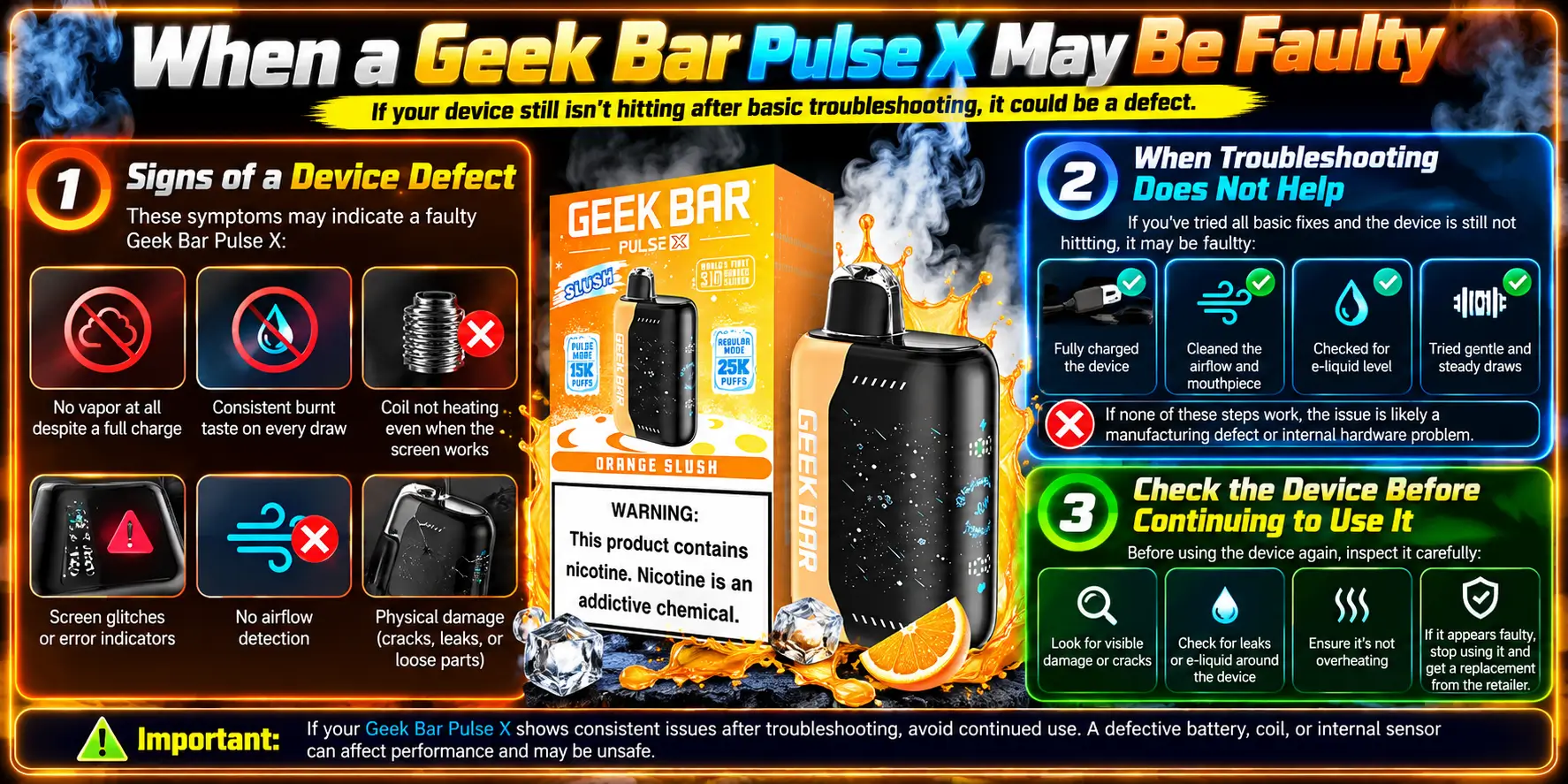
A faulty Pulse X shows the same symptoms after every safe check. If power, airflow, and charging all test fine and the device still will not hit, you may have a defect. Do not keep forcing it.
Stop using the device if it overheats, swells, or leaks. Unplug it and move it somewhere safe. Then contact the retailer that sold it, with your order details ready.
Authenticity can also play a part. Counterfeit devices use cheaper batteries and coils, and they fail far more often. Our guide on whether your Geek Bar Pulse X device is authentic shows what to check.
Inspect the body for cracks, swelling, or sticky residue. Confirm the port looks clean and the screen responds. If any check fails, replace the device instead of pushing it. Buying from a verified seller helps, and our Geek Bar Pulse X Near Me locator points you to stores that carry the device.
Shopping around for a replacement? Our Geek Bar Pulse X vs Pulse X2 Bull comparison shows how the two models differ.
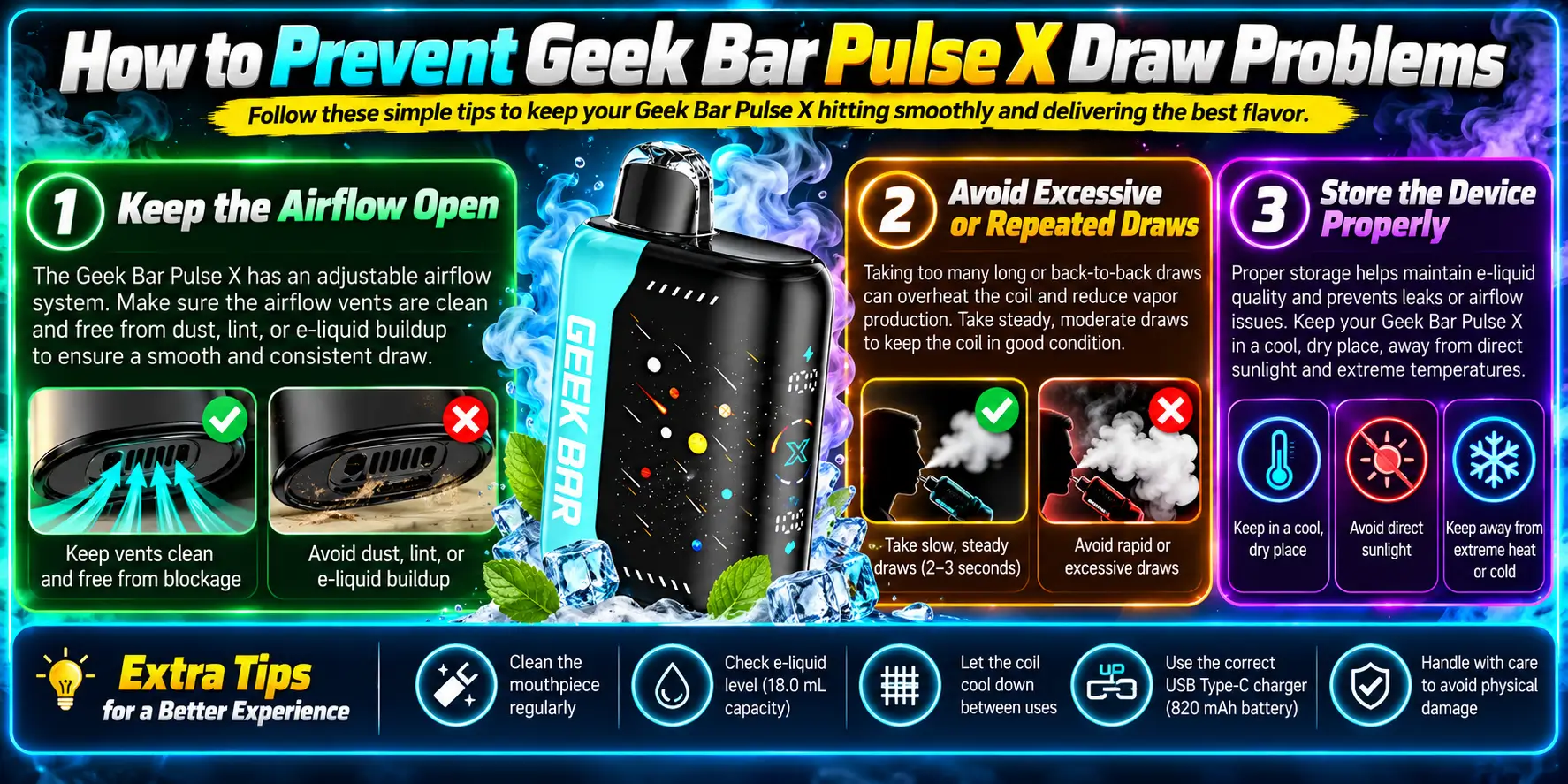
Most draw problems are preventable. Clean airflow, steady pulls, and sensible storage cover nearly everything. Small habits protect the coil, the battery, and the sensor.
Wipe the mouthpiece once a day and check the inlet for lint. Carry the device in a case or an inner pocket. Lint is the quiet enemy of every draw-activated device.
Space your pulls out. Back-to-back draws overheat the coil and starve the wick, which gives you hot, thin vapor. A short pause between pulls lets the cotton refill.
The specs at a glance show why pacing matters. Here is the full profile:
| Spec | Details |
|---|---|
| Puff Count | Regular Mode: 25,000 | Pulse Mode: 15,000 |
| E-liquid Capacity | 18.0 mL |
| Heating Element | Dual-Mesh Coils |
| Display Screen | 3D Curved LED Screen |
| Adjustable Airflow | AI Power Adjustment |
| Battery Size | 820 mAh |
| Nicotine Strength | 5% |
| Charging Port | USB Type-C |
For the full breakdown, read the Geek Bar Pulse X Specs page. One quick fact worth knowing: 5% nicotine equals 50 mg per mL, so the 18.0 mL tank holds about 900 mg of nicotine in total. That is a lot for one device, which is one more reason to pace your pulls.
Keep it upright, away from heat, and out of freezing cars. Extreme temperatures hurt battery output and thicken e-liquid. A room-temperature drawer beats a hot dashboard every time.
Federal law sets the minimum age to buy vapor products at 21, so store the device where minors cannot reach it.
1. Why is my Geek Bar Pulse X not hitting?
The most common causes are a low battery, blocked airflow, a dirty mouthpiece, and a charging problem. Start with the battery, then clear the mouthpiece and take a slow four-second pull. If the device still stays silent after those checks, it may have a defect, and you should contact the seller.
2. Why is my Geek Bar Pulse X not hitting but the screen works?
A working screen means the battery and the sensor are fine, so the problem sits in the air path or coil. Clear the mouthpiece, let the device rest upright for ten minutes so the wick can refill, and try slower pulls. Check that you picked the mode you want, since Regular Mode feels softer than Pulse Mode.
3. Why is my Geek Bar Pulse X not producing vapor?
No vapor usually points to a blocked airflow inlet, a coil that needs rest, a cold device, or a nearly empty tank. Wipe the mouthpiece, warm the device in your hand, and pause between draws. If the tank still holds liquid and nothing changes after a full charge, treat it as a possible defect.
4. What should I do if my Geek Bar Pulse X stops hitting after charging?
Check the USB-C port for lint, swap to a different cable, and charge from a wall adapter. Give the device a full session and watch the display for a charge indicator. If it stays dead after a clean connection and a long charge, stop using it and contact your retailer.
5. How can I prevent my Geek Bar Pulse X from not hitting?
Wipe the mouthpiece daily, carry the device in a case, and space out your pulls so the coil can rewick. Charge with the right cable before the battery runs flat, and store the device upright at room temperature. These habits protect the battery, coil, and sensor over the full life of the device.
Need a replacement or a fresh device? You can browse the Geek Bar Pulse X Disposable Vape at VaporBoss, a trusted partner store (21+ only).
Sources: FDA, “Tips to Help Avoid Vape Battery Explosions” (fda.gov); FDA, “Tobacco 21” (fda.gov). 21+ only. This product contains nicotine, which is addictive.
Geek Bar Pulse — Disposable Vape
🛒 Where to Buy Online
Choose from our verified partner stores — all carry 100% authentic Geek Bar Pulse products sourced directly from official US distributors.


Twelve Tribes
Wide Selection • Best Prices


Raven Route
Fast Delivery • All Flavors


Zippyzz
Quick Shipping • Great Deals
🔒 All partner stores are verified, age-gated, and ship only to legal US states. Purchases are made directly with the retailer — not geekbarpulse.com.
⚠️ Must be 21+ to purchase.