

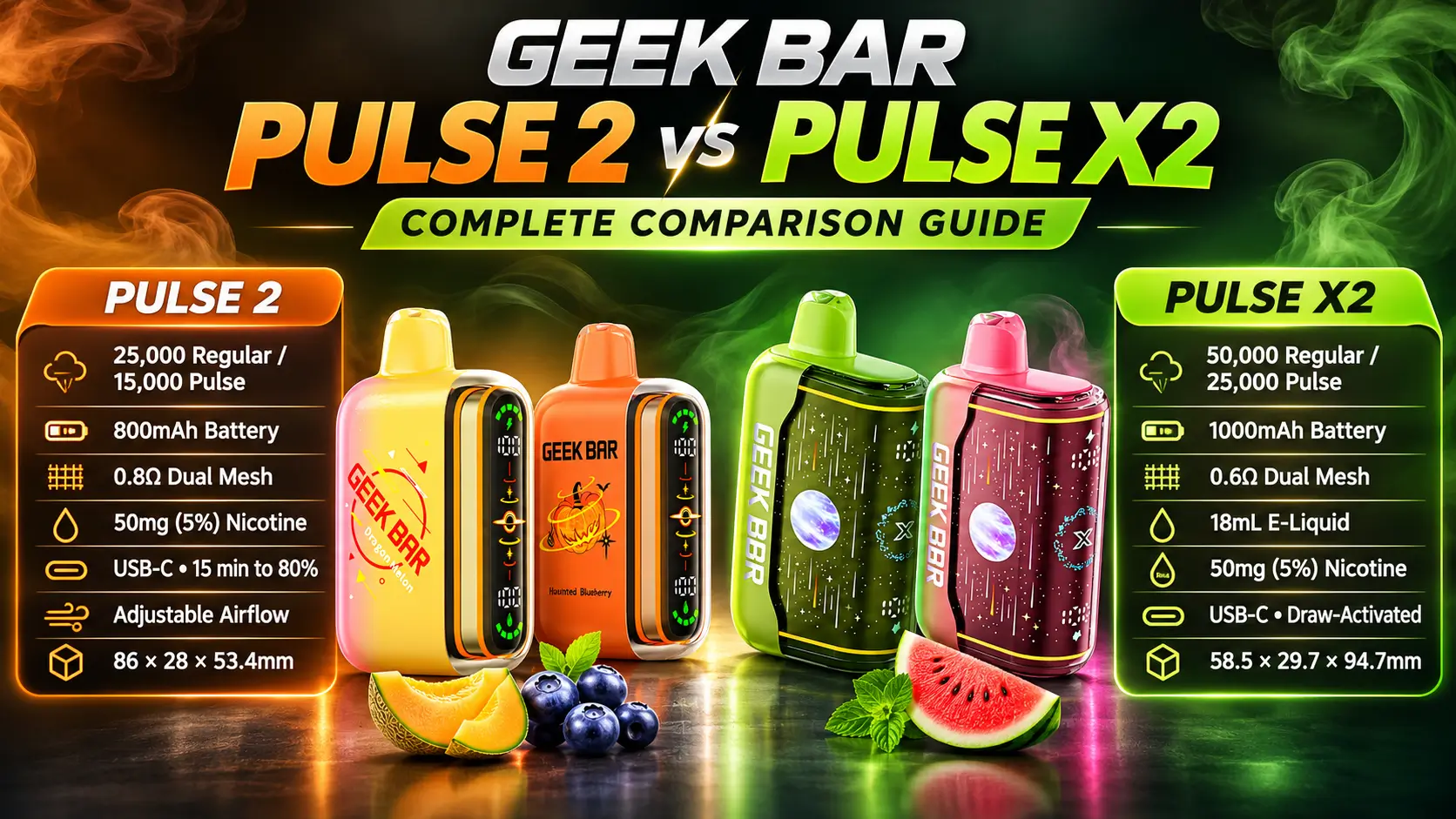
The Geek Bar Pulse 2 vs Pulse X2 choice comes down to endurance versus size. The Pulse X2 is rated for 50,000 puffs in Regular Mode, while the Pulse 2 is rated for 25,000. Both pair 5% (50mg) nicotine with a dual mesh coil and USB-C charging.
This guide compares the two side by side: puffs, battery, display, e-liquid, coil, size, and value. Every number comes from the manufacturer specifications on the Geek Bar Pulse 2 and Geek Bar Pulse X2 product pages. Think of it as a spec sheet with a sense of humor.
Adults only. Nicotine is addictive, and U.S. federal law sets 21 as the minimum age to buy tobacco products, including e-cigarettes. Puff counts are manufacturer ratings, not guarantees.
Table of Contents
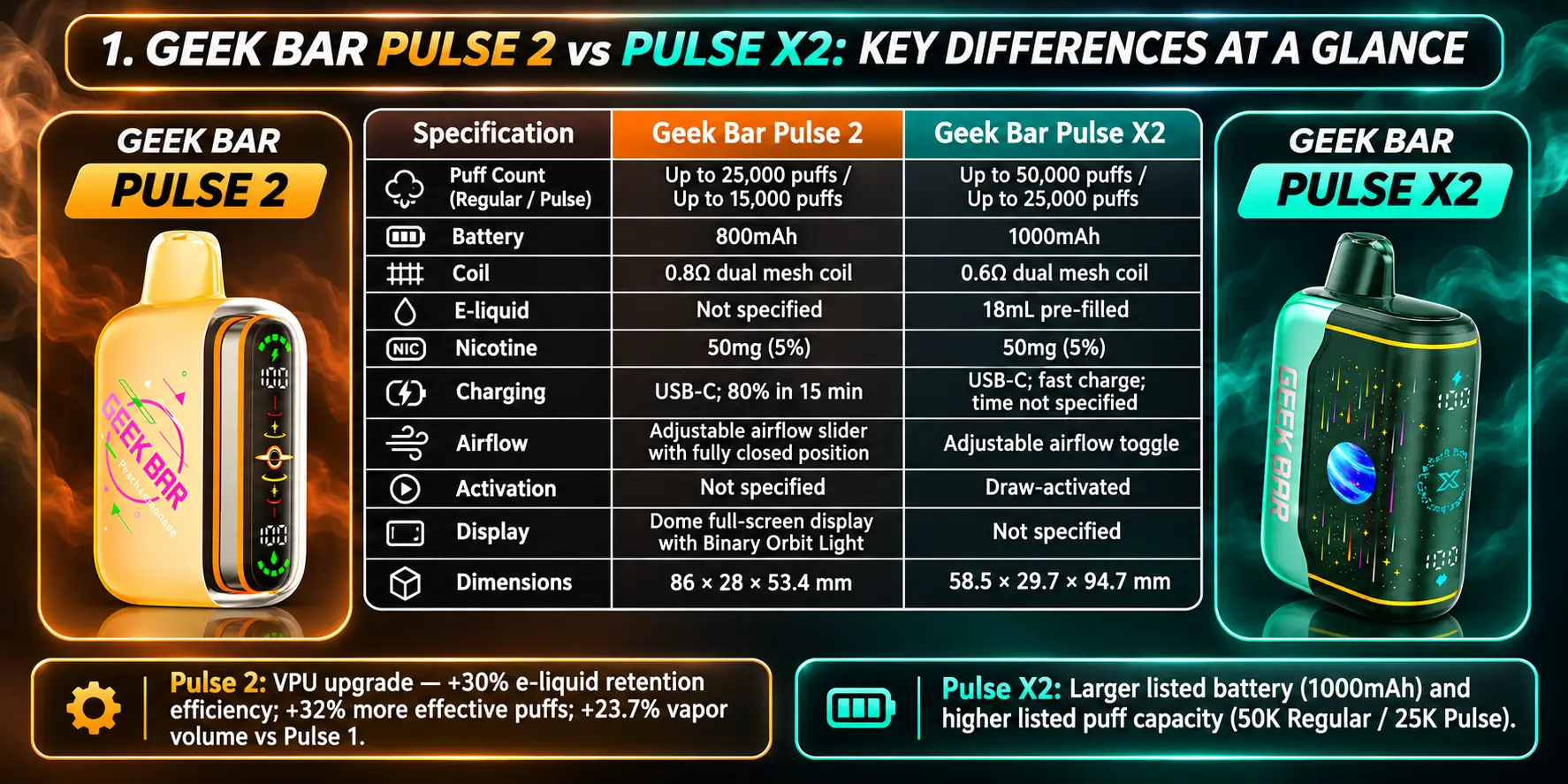
The Pulse X2 doubles the Regular Mode puff rating, adds a larger battery, and uses a lower-resistance coil. The Pulse 2 keeps a different body shape and a Dome Full Screen display with a Binary Orbit Light.
Both devices share the same 5% (50mg) nicotine strength, a dual mesh coil, a dual-mode setup, and a USB-C port. So the real decision is capacity and form factor, not nicotine strength or charging connector.
The Pulse 2 also carries a VPU upgrade. Geek Bar lists it as delivering 30% more efficient e-liquid retention and 32% more effective puffs, plus 23.7% greater vapor volume than the original Pulse.
This table puts the core numbers next to each other. Use it as your quick reference before reading the details below.
| Specification | Geek Bar Pulse 2 | Geek Bar Pulse X2 |
|---|---|---|
| Puff Count (Regular Mode) | 25,000 puffs | 50,000 puffs |
| Puff Count (Pulse Mode) | 15,000 puffs | 25,000 puffs |
| Nicotine Strength | 50mg (5%) | 50mg (5%) |
| E-Liquid | See product page | 18mL pre-filled |
| Coil | Dual Mesh (0.8Ω) | Dual Mesh (0.6Ω) |
| Battery | 800mAh | 1000mAh |
| Charging | USB-C, 15 minutes to 80% | USB-C fast charge |
| Airflow | Adjustable slider with fully closed position | Adjustable toggle |
| Display | Dome Full Screen with Binary Orbit Light | See Settings guide |
| Dimensions | 86mm H × 28mm W × 53.4mm L | 58.5 × 29.7 × 94.7mm |
Each model has a clear identity. Here is what sets them apart:
If you want the full hands-on take on the larger device, read the Geek Bar Pulse X2 Review.
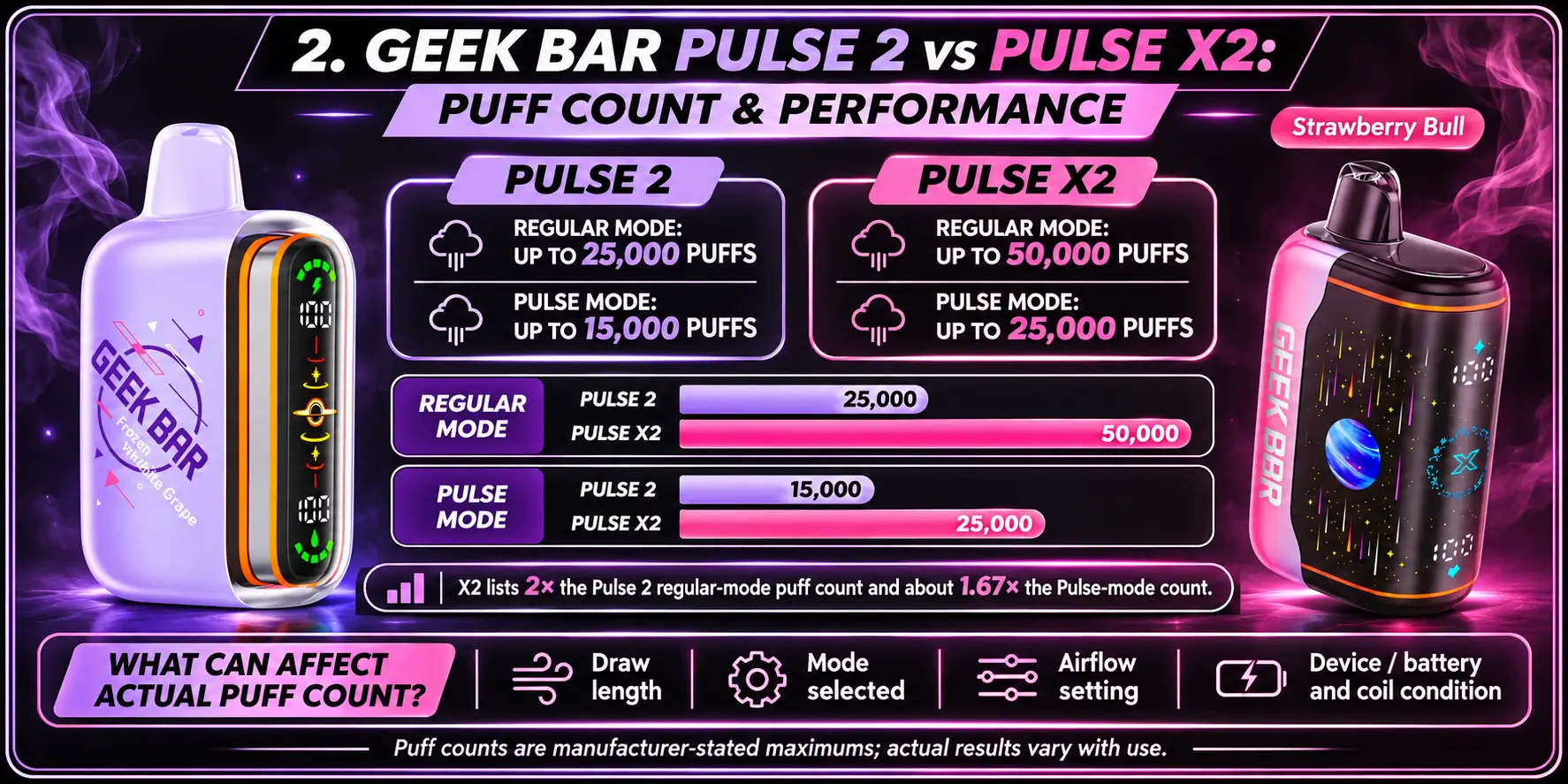
The Pulse 2 is rated for 25,000 puffs in Regular Mode and 15,000 puffs in Pulse Mode. That is a generous rating for a device of this size.
The VPU upgrade matters here. A 30% improvement in e-liquid retention and 32% more effective puffs, as listed by the manufacturer, means the device aims to waste less liquid between draws.
The Pulse X2 is rated for 50,000 puffs in Regular Mode and 25,000 puffs in Pulse Mode. It is the higher-capacity option in this matchup.
Here is a fun comparison. The X2's Pulse Mode rating of 25,000 equals the Pulse 2's Regular Mode rating. So even at full power, the X2 matches what the Pulse 2 offers in its standard setting.
Regular Mode gives the highest puff rating on both devices. Pulse Mode lowers the rated puff count, which points to a trade of longevity for stronger output per draw.
The gap between modes differs by model:
In Pulse Mode, the X2 still rates about 1.67 times higher than the Pulse 2 (25,000 vs 15,000). In Regular Mode, the ratio is exactly 2 to 1.
Your real-world count depends on how you use the device. Puff ratings come from manufacturer testing, and everyday use rarely matches a lab.
These factors move the number up or down:
Want a clearer answer on endurance? Check the Pulse 2 numbers in the Geek Bar Pulse 2 Battery Life breakdown.
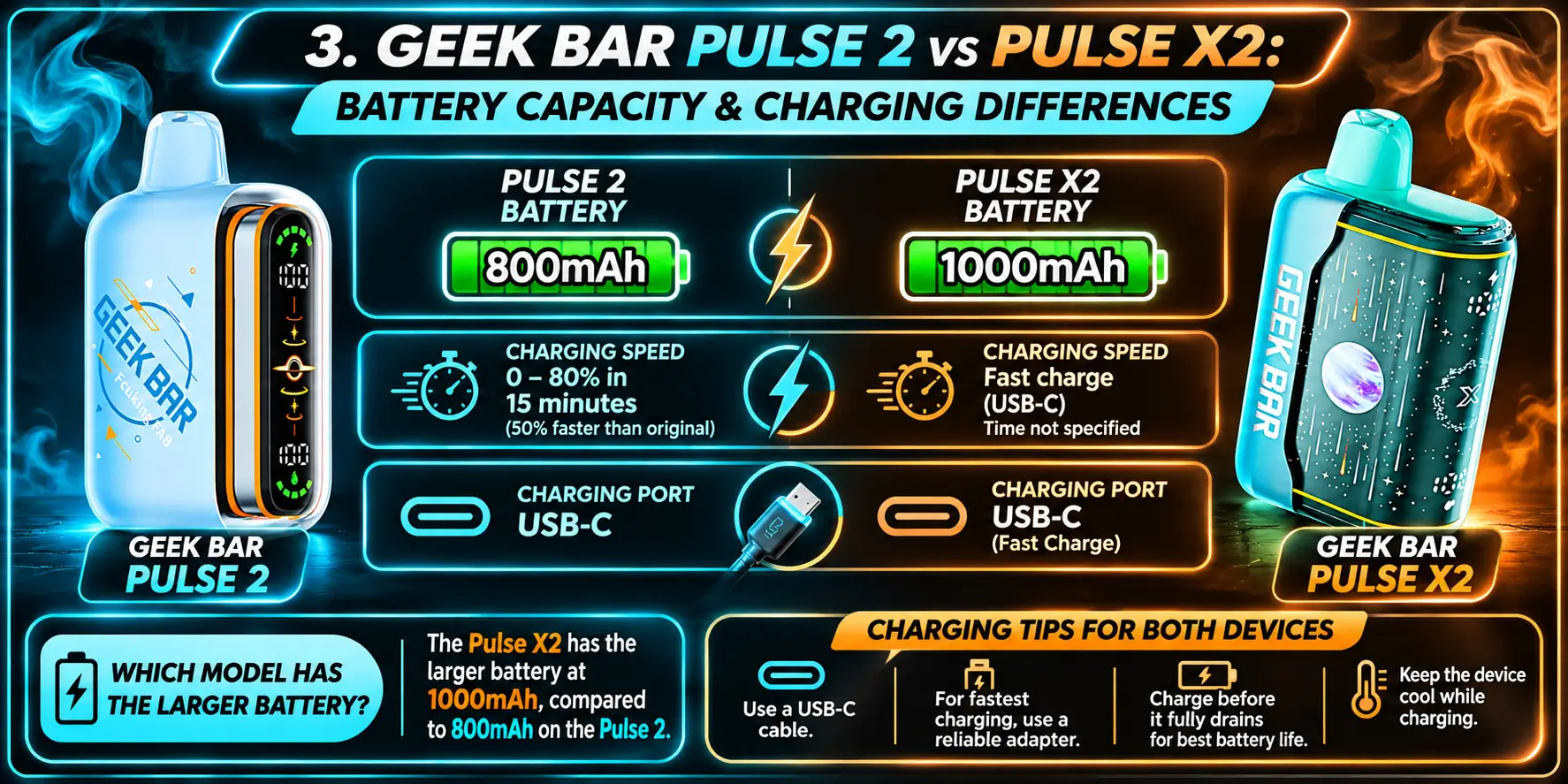
The Pulse 2 has an 800mAh battery. The Pulse X2 has a 1000mAh battery. Both charge through USB-C.
| Battery Spec | Geek Bar Pulse 2 | Geek Bar Pulse X2 |
|---|---|---|
| Capacity | 800mAh | 1000mAh |
| Charging Port | USB-C | USB-C fast charge |
| Charge Speed | 15 minutes to 80% | Fast charge |
| Rated Puffs (Regular Mode) | 25,000 | 50,000 |
The Pulse X2 wins on capacity. A 1000mAh cell is 25% larger than an 800mAh cell, a simple division of 1000 by 800.
Context matters, though. The X2 asks its battery to cover twice the Regular Mode puff rating, so the extra 25% does not translate into twice the runtime per charge. Expect to recharge both devices several times over their lifespan.
Both devices use USB-C, the same connector found on most modern phones and laptops. You can share one cable across your gear, which is a small win for travel.
The Pulse 2 lists a clear speed claim: 15 minutes to reach 80%, which Geek Bar describes as 50% faster than the original Pulse. The X2 lists fast charging without a published time on the spec sheet provided here.
Use a quality USB-C cable and a standard wall or computer port. Unplug the device once it reaches full charge, and keep it away from heat while it charges. These are general lithium-ion safety habits, not brand-specific rules.
If something goes wrong, work through the steps in the Geek Bar Pulse 2 Charging Guide first. If the device still refuses power, the Geek Bar Pulse 2 Won’t Charge troubleshooting page covers the usual causes, from loose cables to dirty ports.
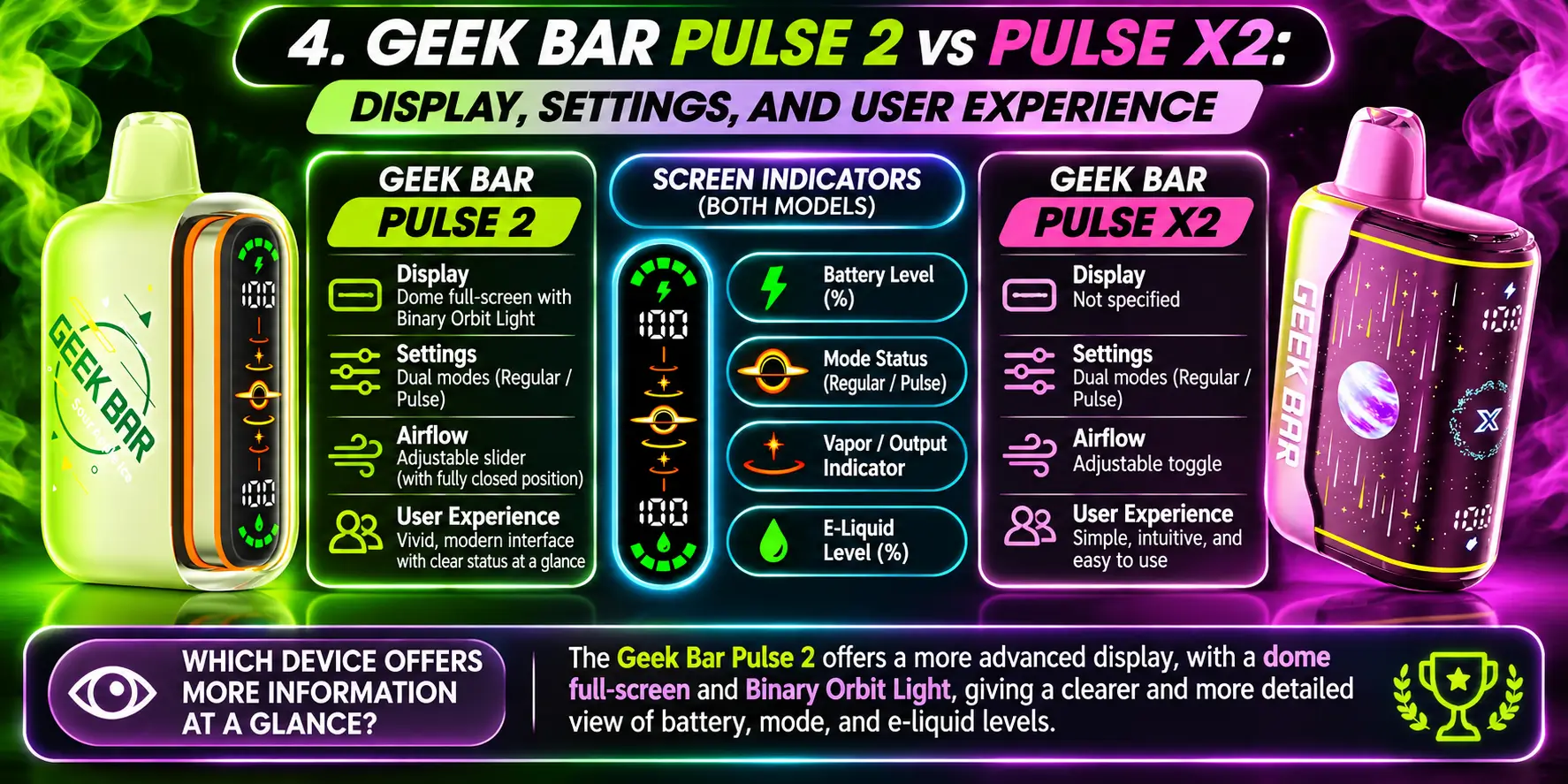
The Pulse 2 uses a Dome Full Screen display with a Binary Orbit Light. The screen shows device status, and the light adds a visual cue during use.
The X2 also supports the dual-mode system. For its exact menu and screen behavior, the Geek Bar Pulse X2 Settings guide walks through each option step by step.
Screen indicators tell you what the device is doing without guesswork. On a puff-heavy device, that matters, since you want to see charge level and mode at a glance.
Both models rely on their displays to confirm the active mode. Check the product pages for the exact icons, because indicator layouts can differ between models and production batches.
The Pulse 2 has the more clearly documented display, thanks to the Dome Full Screen listing. The X2 compensates with its settings guide, which explains each function in detail.
Honest take: both give you what you need. Nobody picks a device because of a battery icon, but a clear screen saves you from wondering whether it is time to recharge.
Both devices offer Regular Mode and Pulse Mode. Regular Mode favors longer life, and Pulse Mode favors stronger output with a lower rated puff count.
Airflow adds another layer. The Pulse 2 uses an adjustable slider that can close fully. The X2 uses an adjustable toggle, and it fires on draw, so there is no button to press.
If your Pulse 2 stops responding at any point, the Geek Bar Pulse 2 Not Working guide lists the checks worth running before you give up on it.
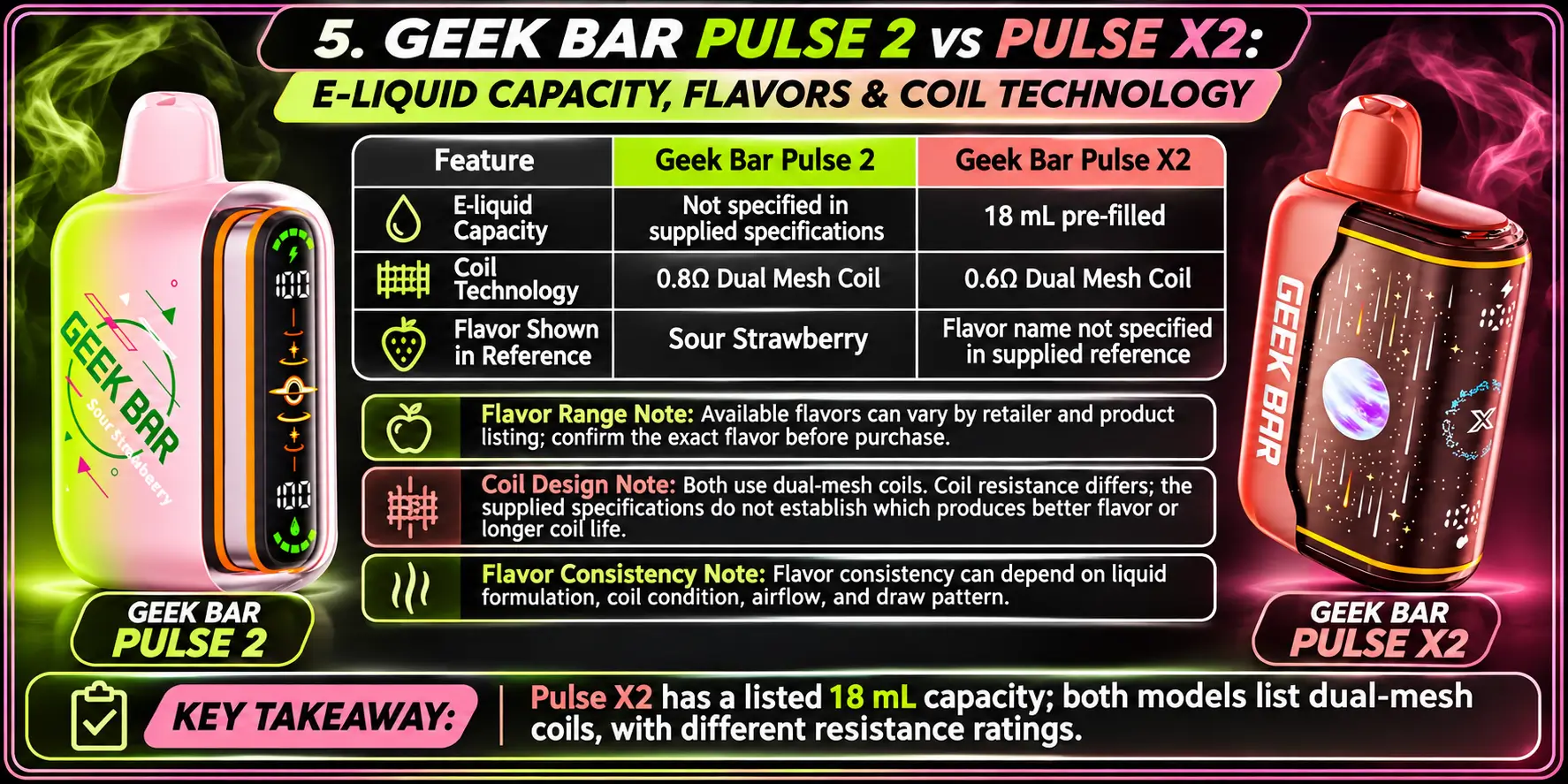
The Pulse X2 holds 18mL of pre-filled e-liquid. That large reservoir supports its 50,000-puff rating.
The Pulse 2 spec sheet here does not list a milliliter figure, so check the Pulse 2 product page for the current number. What it does list is the VPU upgrade, with 30% better e-liquid retention than the original design.
Both devices use 5% nicotine, which equals 50mg per milliliter. That is a strong concentration, so adult users who are new to nicotine should be careful.
Both devices use a dual mesh coil. The Pulse 2 runs a 0.8Ω coil, and the Pulse X2 runs a 0.6Ω coil.
Resistance affects power. Under basic electrical rules, lower resistance at the same voltage draws more power, so the X2's 0.6Ω coil has more headroom for output. Real performance also depends on the chip tuning, so treat this as a general principle, not a guarantee.
Mesh coils use a flat, woven surface instead of a single round wire. That design spreads heat over a wider area. For more on how the technology works, read the Geek Bar Pulse X Dual Mesh Coil explainer.
Flavor lineups change often, and each model has its own selection. The safest source is the live product page for each device, where available options and stock appear.
Browse the Pulse 2 and X2 pages above before you buy, and confirm the flavor name on the packaging when your order arrives.
A mesh coil heats a wide surface, which helps flavor stay steady from the first puff to the last. A coil that heats unevenly can create dry spots and a burnt taste.
Habits matter too. Taking long, back-to-back puffs without a pause gives the coil less time to re-wet, so give it a few seconds between draws.
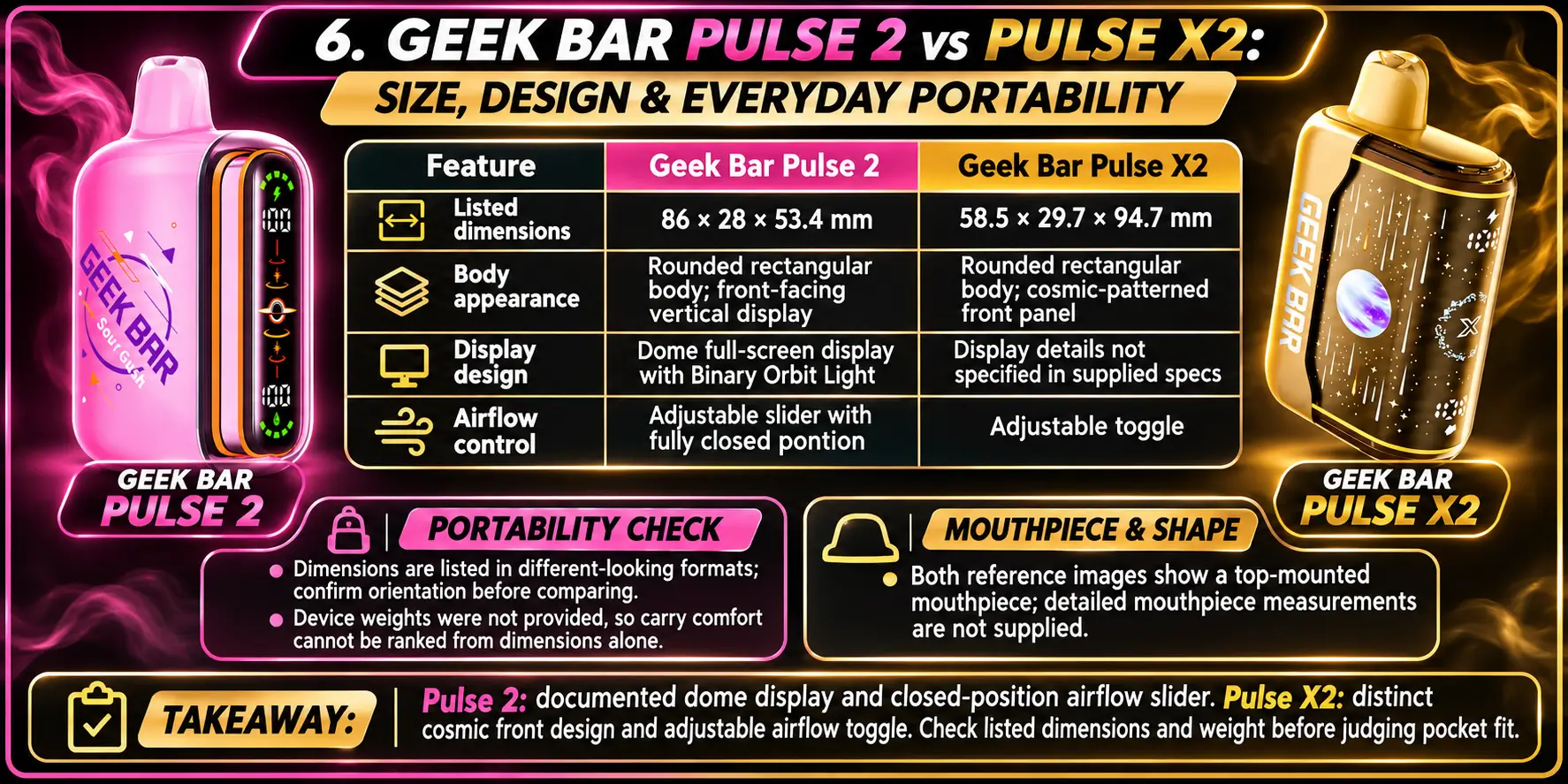
The Pulse 2 measures 86mm H × 28mm W × 53.4mm L. The Pulse X2 measures 58.5 × 29.7 × 94.7mm.
The X2's longest side, 94.7mm, is about 8.7mm longer than the Pulse 2's 86mm height. The widths sit close together, at 28mm and 29.7mm.
The Pulse 2 is the more compact option by its longest measurement. Pocket space matters, and every millimeter counts in a pair of slim jeans.
The X2 is still a manageable size. You trade a slightly longer body for double the Regular Mode puff rating, which is a fair deal for anyone who hates swapping devices.
The spec sheets provided here do not describe mouthpiece shape, so check the product photos on each page before you decide. Look at the top profile and how the device sits in your hand.
If your X2 mouthpiece ever clogs, check the airflow setting and wipe the opening gently before assuming a defect.
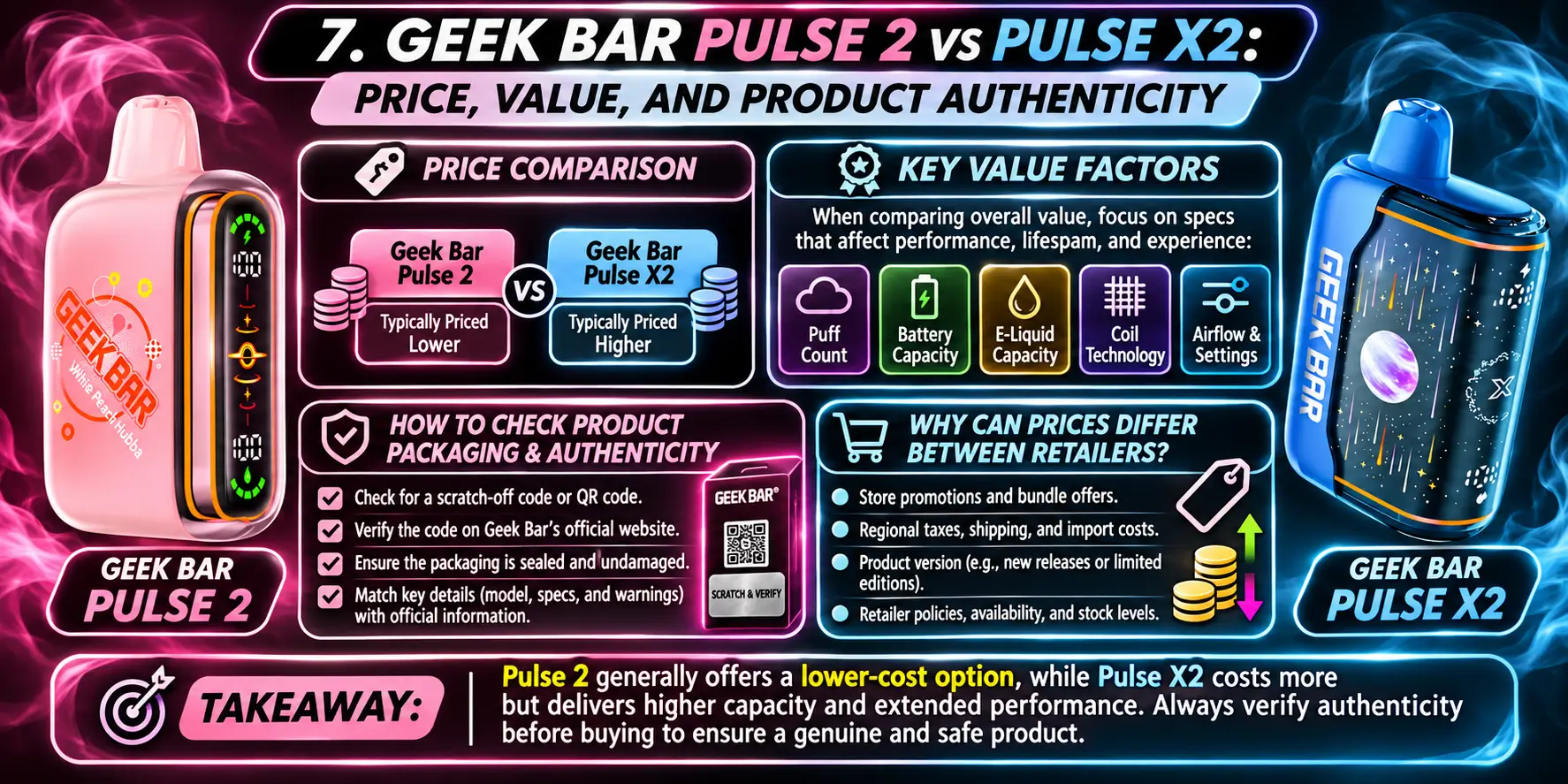
Prices change often, so the live product pages are the only reliable source. Expect the X2 to cost more, since it offers a higher puff rating, a bigger battery, and more e-liquid.
Do not judge by sticker price alone. A higher price can still deliver better value when it buys twice the rated puffs.
Divide the price by the rated puff count to get a rough cost per puff. For example, take the Regular Mode rating of 25,000 for the Pulse 2 and 50,000 for the X2, and divide each device's price by its number.
Then look at the extras. Fast charging, display features, and coil design all affect daily use, even though they never appear in a cost-per-puff calculation.
Counterfeit disposables exist, so inspect the packaging before you use anything. Compare the printed specs with the official product page, and check the nicotine strength, device name, and any verification features on the box.
The FDA publishes a list of e-cigarette products it has authorized. Only a limited number of products appear on it, so verify any product's regulatory status through the agency's website.
Retailers set their own margins, shipping costs, and promotions. State and local taxes on vapor products also vary across the U.S.
A very low price is a reason to look closer, not a reason to celebrate. If a deal looks too good to be true, check the seller's reputation and the packaging details above.
1. What Is the Main Difference Between Geek Bar Pulse 2 and Pulse X2?
The main difference is capacity. The Pulse X2 is rated for 50,000 puffs in Regular Mode and uses a 1000mAh battery with 18mL of e-liquid, while the Pulse 2 is rated for 25,000 puffs with an 800mAh battery. The Pulse 2 has the shorter body.
2. Does Geek Bar Pulse X2 Have More Puffs Than Pulse 2?
Yes. The Pulse X2 is rated for 50,000 puffs in Regular Mode and 25,000 in Pulse Mode. The Pulse 2 is rated for 25,000 and 15,000. Those are manufacturer ratings, so your own count changes with draw style, mode, and airflow.
3. Are Geek Bar Pulse 2 and Pulse X2 the Same Size?
No, they are close but not identical. The Pulse 2 measures 86mm H × 28mm W × 53.4mm L, and the Pulse X2 measures 58.5 × 29.7 × 94.7mm. The X2's longest side is about 8.7mm longer, so the Pulse 2 is the more compact of the two.
4. Do Geek Bar Pulse 2 and Pulse X2 Use USB-C Charging?
Yes, both use a USB-C port. The Pulse 2 reaches 80% in about 15 minutes, according to the manufacturer, and the X2 supports USB-C fast charging. One cable works for both, which keeps your travel bag simple.
5. How Do Geek Bar Pulse 2 and Pulse X2 Differ in Battery Capacity?
The Pulse 2 has an 800mAh battery, and the Pulse X2 has a 1000mAh battery. That makes the X2 battery 25% larger. Since the X2 also carries a 50,000-puff rating, both devices need regular recharging over their lifespan.
Pick the Pulse X2 if you want maximum endurance, a larger e-liquid reservoir, and a bigger battery. Pick the Pulse 2 if you prefer a shorter body, a Dome Full Screen display, and a quick 15-minute charge to 80%.
Both share 5% nicotine, dual mesh coils, and USB-C. Use the tables above, compare the live prices, and buy only from sources you trust. Adults only, and please store devices away from children and pets.
Ready to buy? You can find the Geek Bar Pulse X2 Disposable at VaporBoss, and the page lists current flavors and stock.
Geek Bar Pulse — Disposable Vape
🛒 Where to Buy Online
Choose from our verified partner stores — all carry 100% authentic Geek Bar Pulse products sourced directly from official US distributors.


Twelve Tribes
Wide Selection • Best Prices


Raven Route
Fast Delivery • All Flavors


Zippyzz
Quick Shipping • Great Deals
🔒 All partner stores are verified, age-gated, and ship only to legal US states. Purchases are made directly with the retailer — not geekbarpulse.com.
⚠️ Must be 21+ to purchase.