

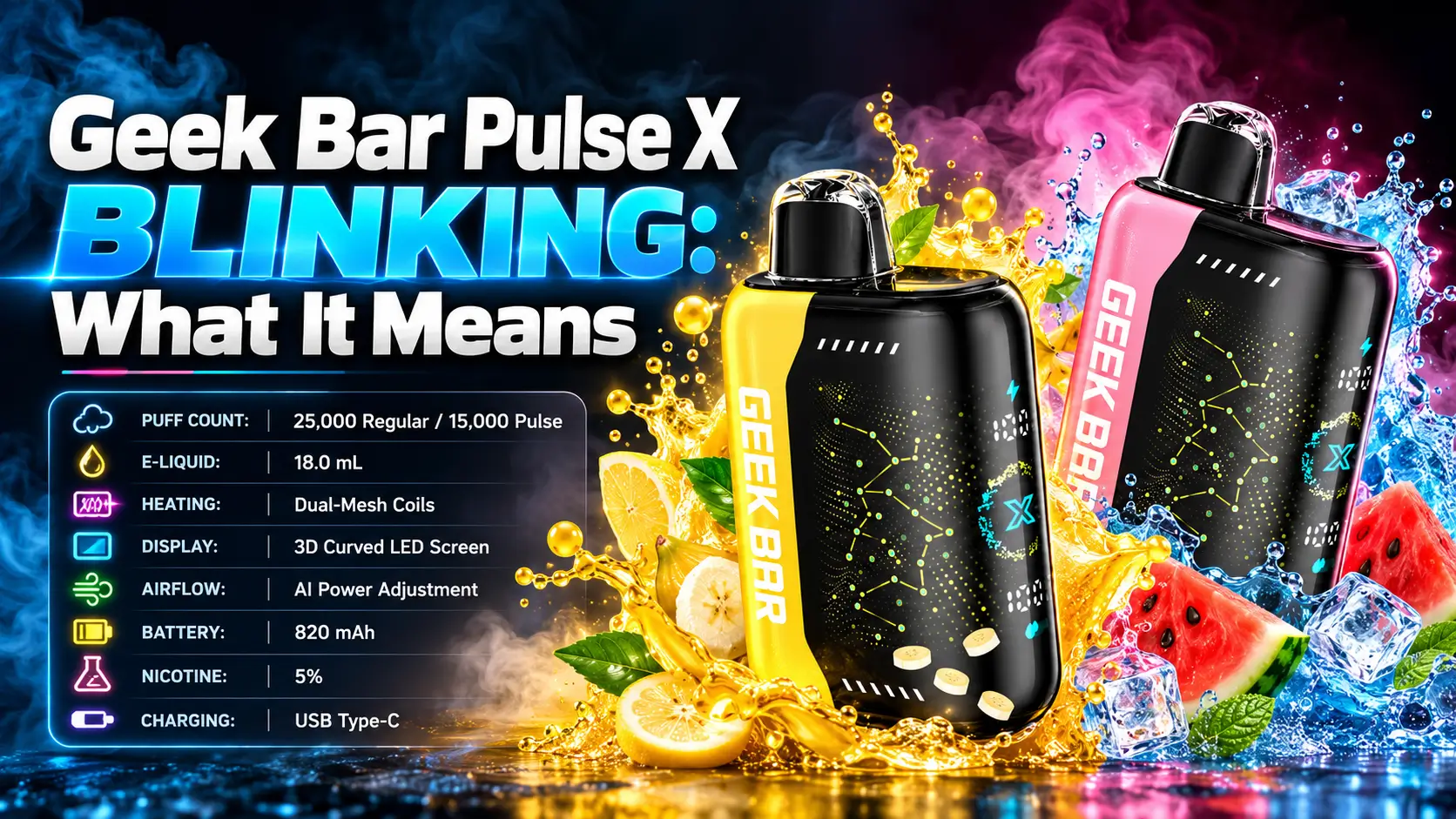
Your device flashes, and you freeze. A Geek Bar Pulse X blinking is usually a status signal, not a death sentence. Most of the time it points to a low battery, a charging state, or an airflow problem you can check in under a minute.
This guide walks through every common blinking scenario on the Geek Bar Pulse X, what each one likely means, and what to do next. You will also get a quick comparison table, safe checks, and a few prevention habits.
21+ only. Nicotine products are for adult smokers. Federal law sets the minimum age to buy tobacco products, including e-cigarettes, at 21 (FDA, Tobacco 21 rule, effective December 2019).
In This Guide
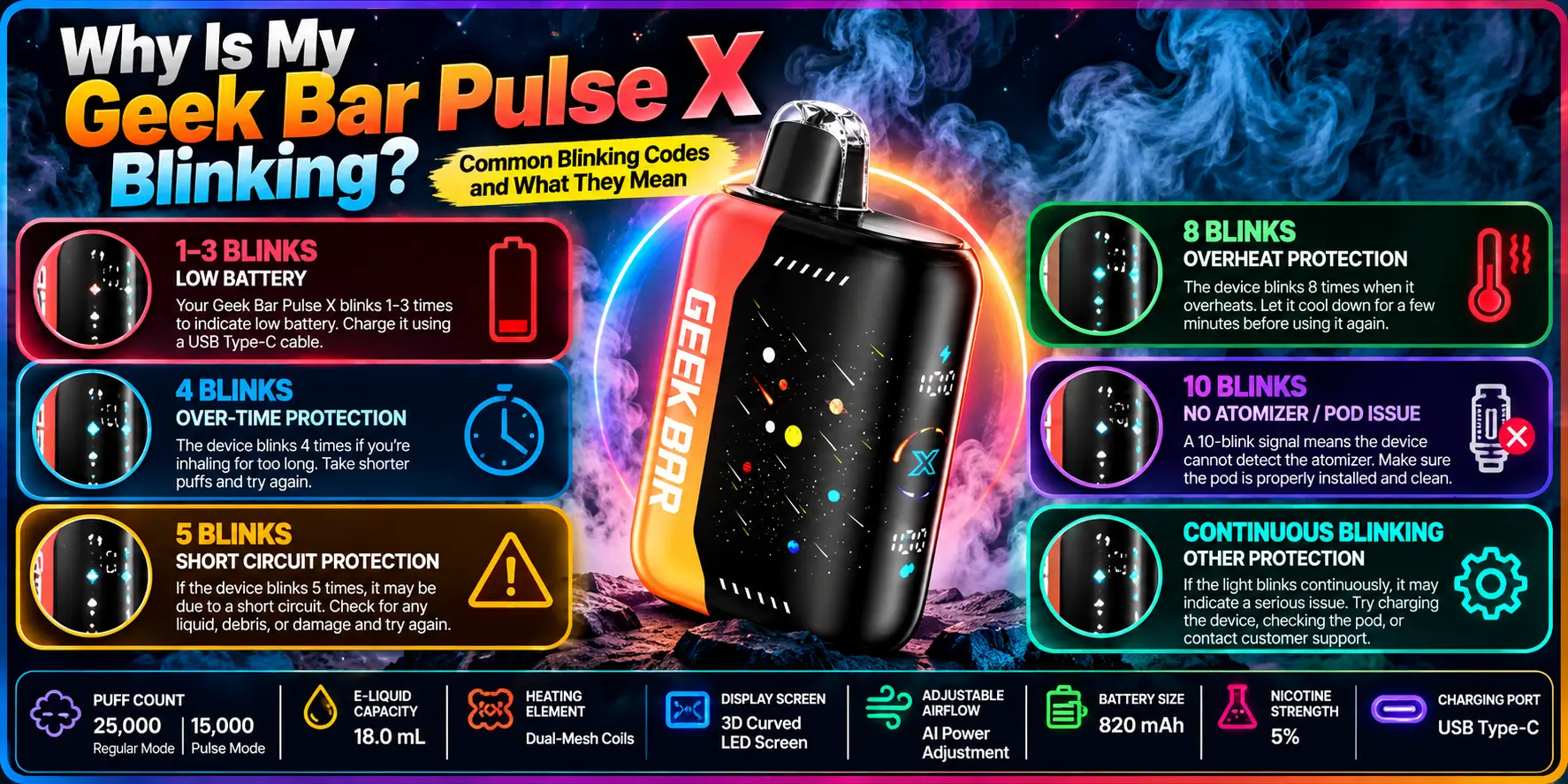
Blinking is the device's way of talking to you. In most cases it signals a low battery, a charging status, or a draw problem. Rarely, it points to a faulty unit.
The usual suspects are a nearly drained battery, a charging cycle in progress, and blocked airflow. A loose USB-C connection can also trigger odd flashing.
Start with the simple stuff. Think of it like a car dashboard: a light does not always mean the engine is dead. Often it just asks for attention.
A blink can report battery level, charging activity, or a draw that did not register. The device packs an 820 mAh battery, which is roughly 3 watt-hours at a typical 3.7 V lithium-ion cell voltage (820 mAh × 3.7 V ≈ 3.0 Wh).
That is a small tank powering a large 18.0 mL reservoir. So battery signals show up more often than people expect.
Note when the light flashes: during a draw, on the charger, or sitting idle. The timing narrows down the cause fast.
Try this quick routine:
Each step isolates one cause. Write down what you see before you start changing things.
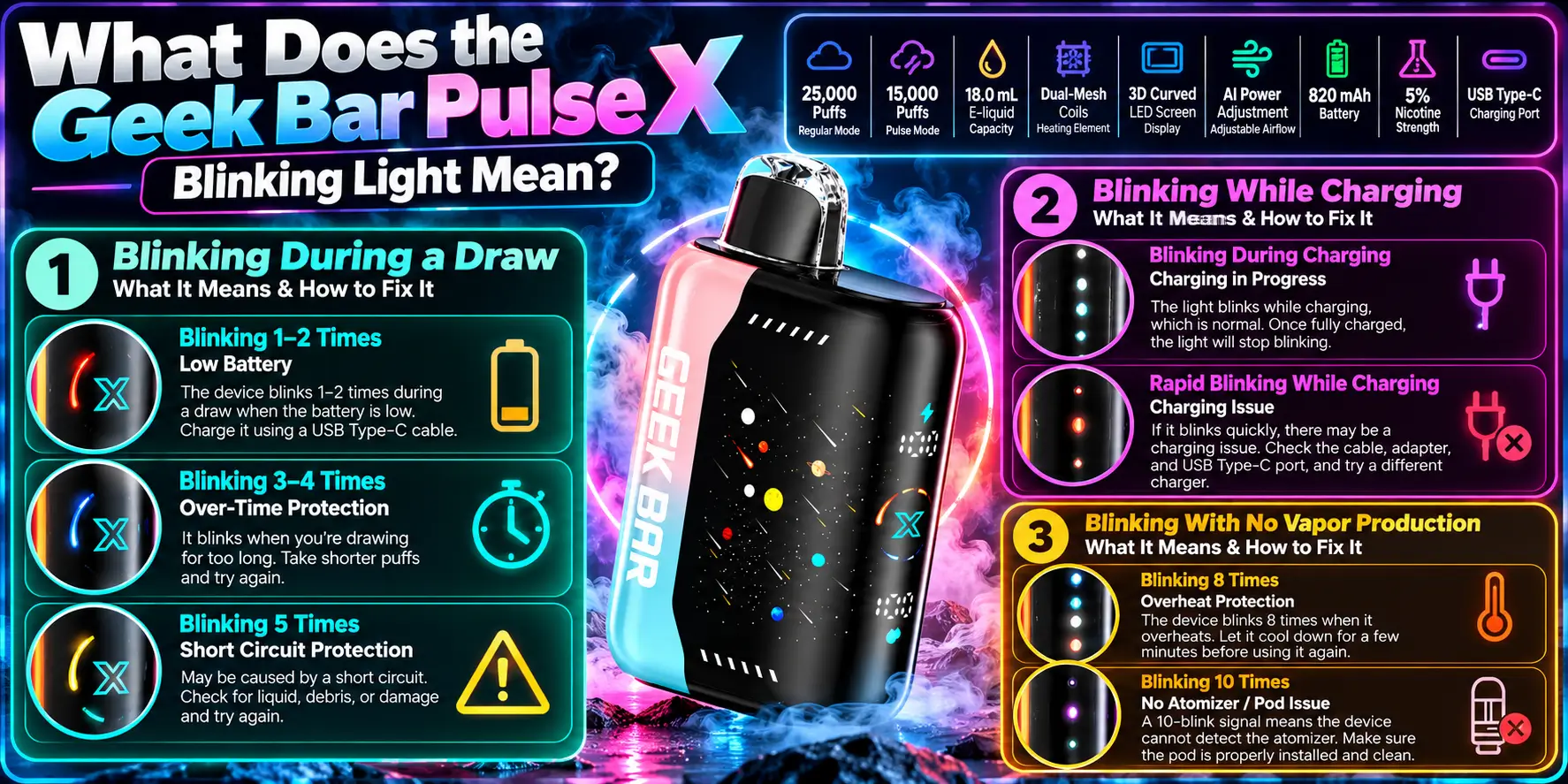
The meaning depends on when the light blinks. A flash during a draw, a flash on the charger, and a flash with no vapor each point to a different fix.
Heads up: Blink speed and color can vary between production batches. If the packaging or the seller provides a blink guide for your exact unit, trust that over any general chart.
A blink while you inhale most often means the device registered your draw and is working normally. If the light flashes rapidly and the hit feels weak, the battery is the first suspect.
The Pulse X runs two modes. Regular Mode is rated for 25,000 puffs and Pulse Mode for 15,000 puffs. Pulse Mode pushes more power, so it can drain the battery faster. Our breakdown of Regular Mode vs Pulse Mode explains the difference.
A blink on the charger usually means the device is taking power. That is normal behavior for most rechargeable devices.
Trouble starts when the pattern looks erratic or the light never settles. We cover that in the charging section below.
Blinking with no vapor points to one of three things: a drained battery, restricted airflow, or a coil or liquid problem. The light proves the draw sensor works, but something downstream is not delivering.
This is where our guide to Geek Bar Pulse X not hitting picks up. Read it if the checks here do not solve the problem.
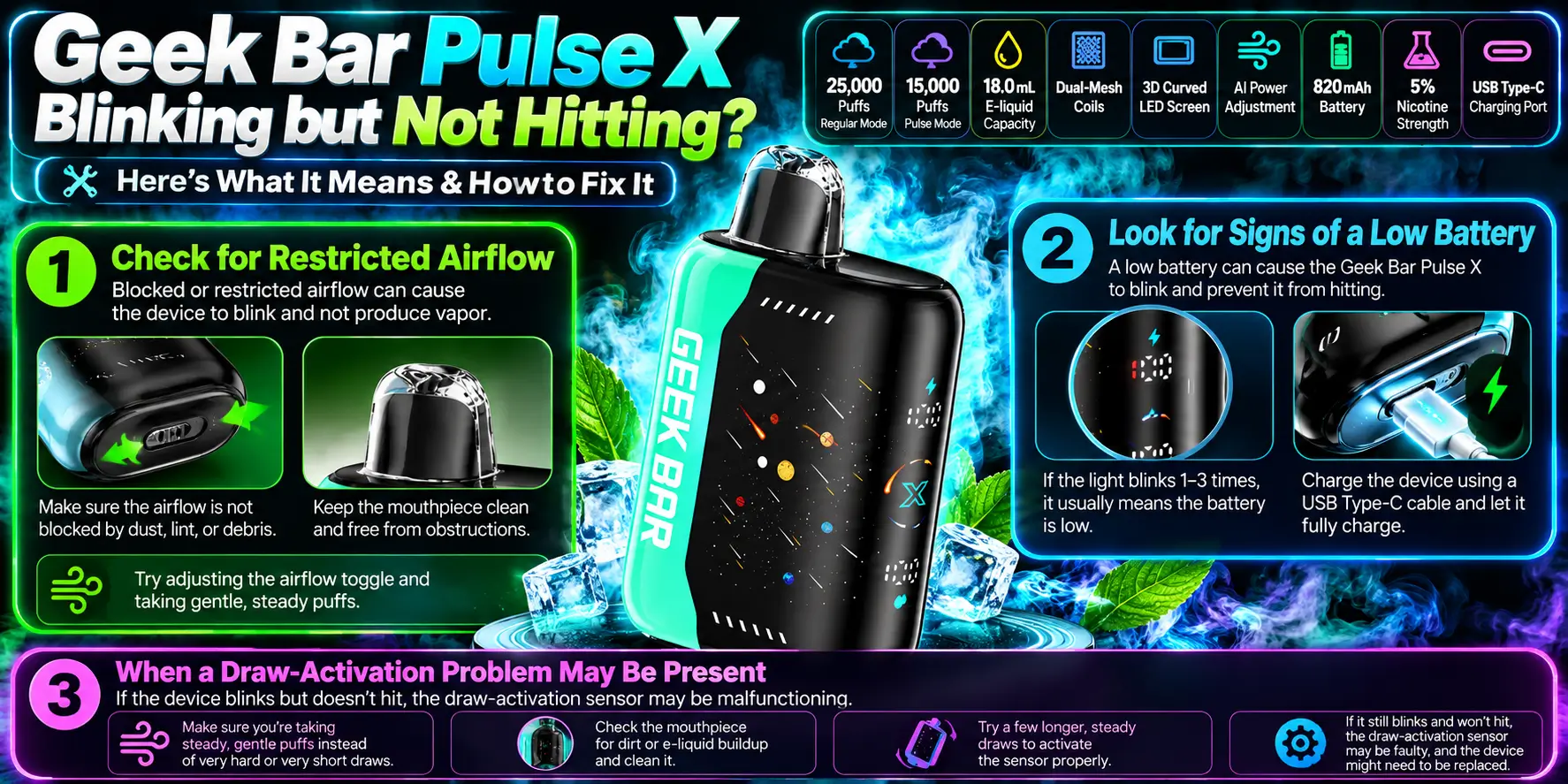
If your device blinks but gives no vapor, check airflow first, battery second, and draw activation third. These three account for most no-hit complaints with sealed devices.
Look at the mouthpiece and the air intake openings. Lint, pocket dust, or condensation can narrow the path and weaken the draw.
Give a few slow, steady draws. Avoid sharp, forceful pulls. A gentle inhale lets the sensor trigger cleanly and lets liquid reach the coil.
Fast blinking with weak or no vapor often means the battery has run low. Charge the device for a while and test again.
Heavy use matters here. If you chain draws in Pulse Mode, you will drain the cell sooner. Our Geek Bar Pulse X battery life review covers realistic expectations.
If the battery is charged and the airflow is clear but nothing happens, the draw sensor may be the issue. Sensor faults are rare, but they happen with any electronics.
Try a few draws after the device rests for a minute. If the problem persists, move to the troubleshooting section and plan to contact the seller.
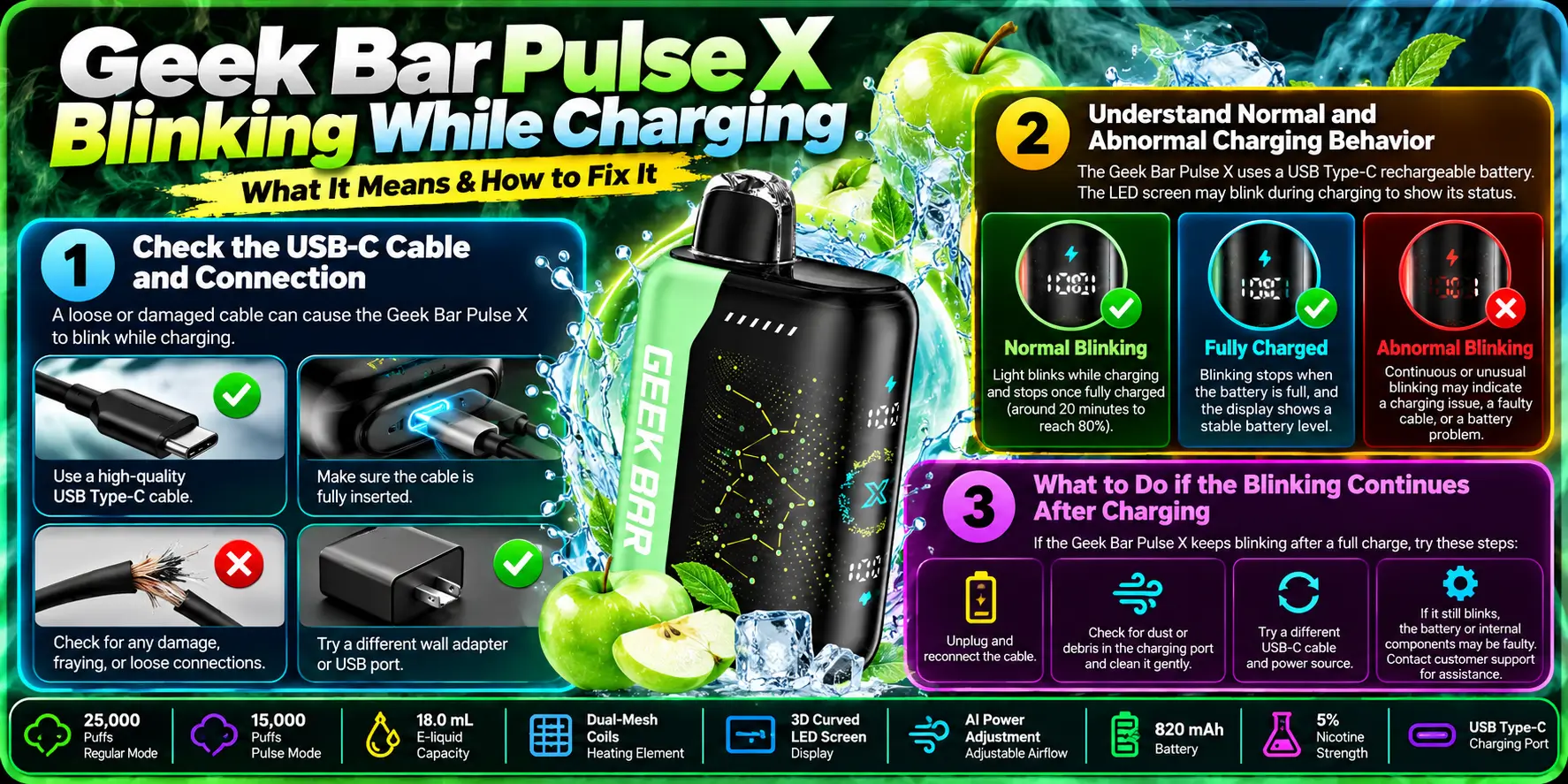
Blinking during charging is often normal, since many devices use a light to show charging activity. It becomes a concern when the pattern looks abnormal, the device heats up, or nothing improves after a full charge.
The Pulse X uses a USB Type-C port, which is a reversible connector. You cannot plug it in upside down, but you can fail to seat it fully.
Push the plug in until it sits firm. Try a different cable and a different power source. Dust inside the port is a common culprit, so look before you blame the battery.
Normal: the device stays cool or slightly warm, and the light behaves steadily. Abnormal: strong heat, a swollen look, a smell, or a light that flickers randomly.
The FDA publishes battery safety tips for vaping devices. Among them: use the charger made for your device, and do not leave it charging unattended.
Unplug the device and let it rest for a few minutes. Then take a gentle draw and check the light.
If it still blinks without producing vapor, try a second cable and outlet. When both fail, the unit may have a fault, and you should stop and contact the seller.
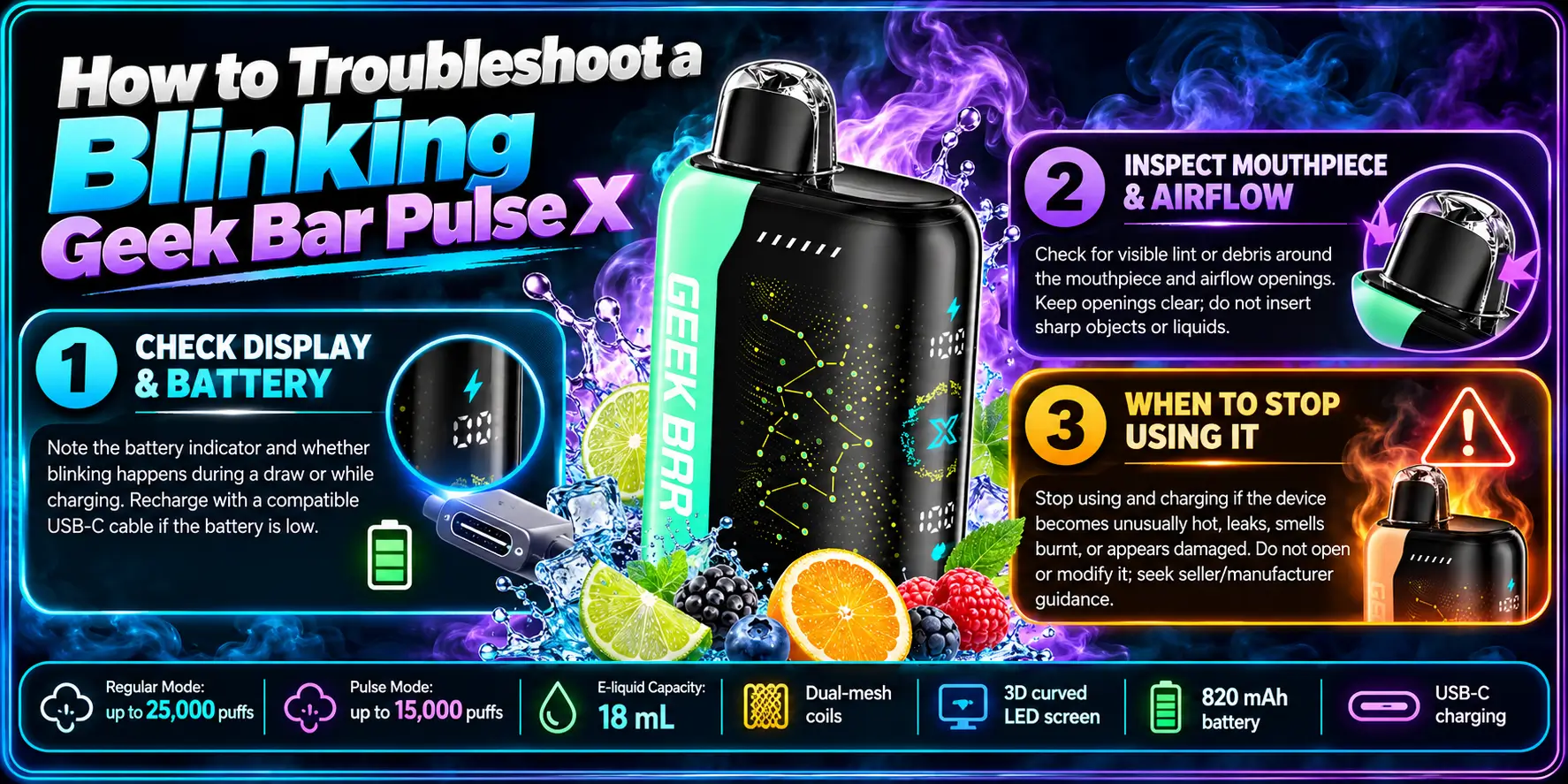
Work through the checks in order: indicators, airflow, then charging. Change one thing at a time so you know what fixed it.
The Pulse X features a 3D curved LED screen. If your unit shows battery or e-liquid indicators, read them before anything else. A low battery reading explains most blinking by itself.
Curious how the display works? See our page on the Geek Bar Pulse X 3D curved screen.
Look for debris, moisture, or visible leaks around the mouthpiece. Wipe the outside with a dry cloth. Never poke objects into the openings, because that can damage the internals.
The device uses dual-mesh coils. Mesh has a large heating surface, so it needs steady airflow and liquid contact to perform. Learn more in our Geek Bar Pulse X dual mesh coil guide.
Stop immediately if the device gets hot, swells, leaks heavily, smells burnt, or sparks. These signs suggest a battery or internal fault.
Do not keep testing a device that shows these symptoms. Move it away from flammable items and contact the seller.
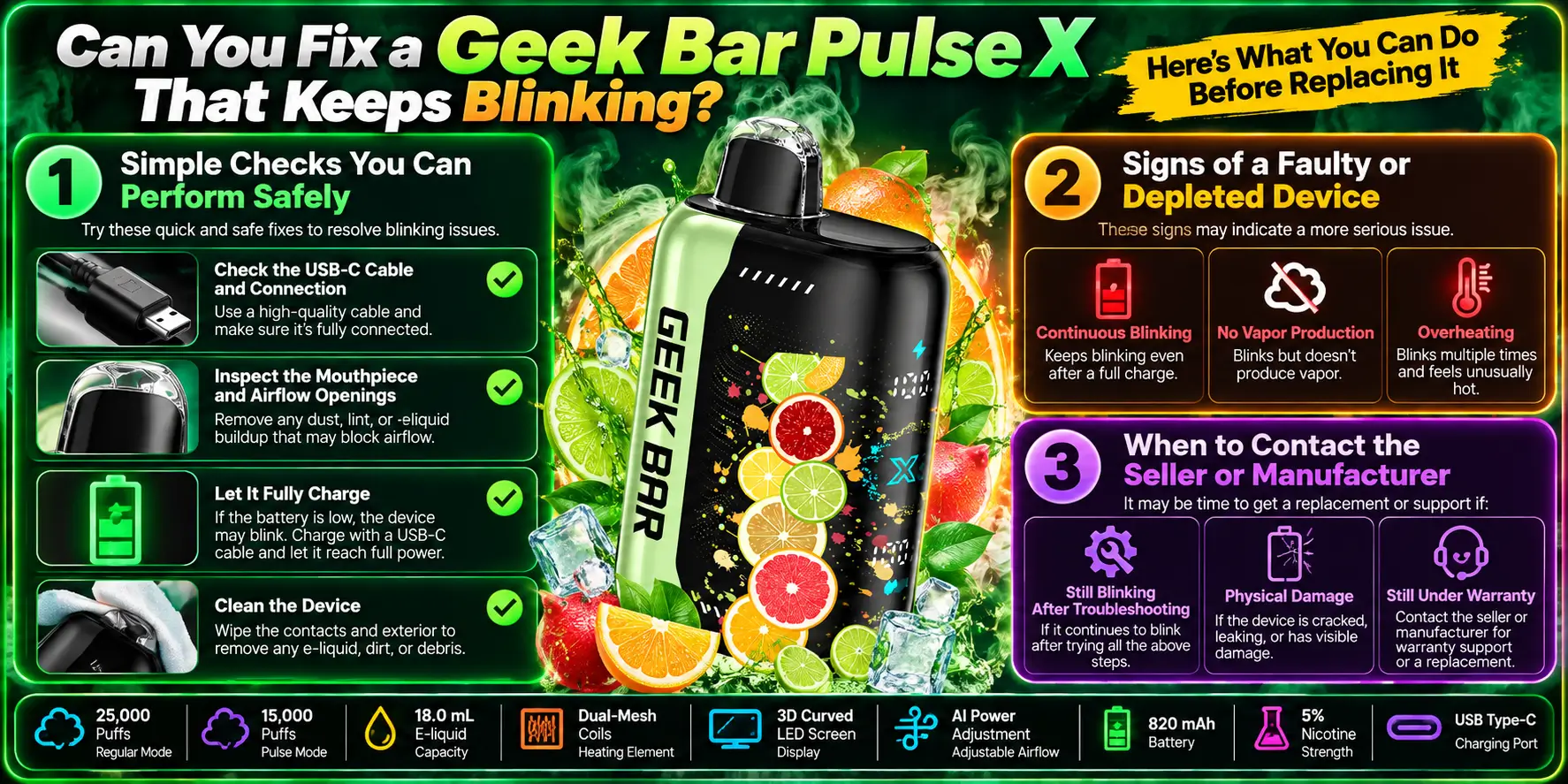
Sometimes yes, if the cause is a low battery or blocked airflow. If the blinking comes from a faulty or depleted unit, you cannot repair it safely at home.
You can safely charge the device, swap the cable, clean the outside, clear surface lint, and test gentle draws. That is the full list. Skip the rest.
Do not open the casing, puncture the battery, or try to refill the reservoir. A sealed lithium-ion device is not a DIY project.
A device is likely depleted when the flavor fades, vapor thins out, and the light blinks even after charging. It is likely faulty when it never produces vapor from day one.
For reference, the 25,000-puff rating spread across 18.0 mL works out to roughly 1,390 puffs per mL. That figure is a manufacturer estimate and real use varies with draw length and mode.
Contact the seller if the device is new and never worked, or if it shows safety symptoms. Keep your order number and photos handy.
Also confirm you bought a genuine unit. Our guide on whether the Geek Bar Pulse X device is authentic shows what to look for. Counterfeits often cause the strangest blinking behavior.
Use this table as a quick reference. Match your situation to the likely cause, then try the first fix.
| Situation | Likely Cause | First Fix | Stop Using If |
|---|---|---|---|
| Blinks during a draw, weak vapor | Low battery | Charge, then retest | Still weak after a full charge |
| Blinks during a draw, no vapor | Blocked airflow or coil issue | Clear the mouthpiece, take slow draws | Never produces vapor |
| Blinks on the charger | Normal charging activity | Let it charge, keep it cool | Gets hot or looks swollen |
| Erratic blinking on the charger | Loose cable or dusty port | Reseat or swap the cable | Pattern stays erratic |
| Blinks while idle | Draw sensor or battery fault | Rest the device, retest | Keeps blinking untouched |
| Blinks after a long session | Battery draining from heavy use | Charge and switch modes | Battery fades unusually fast |
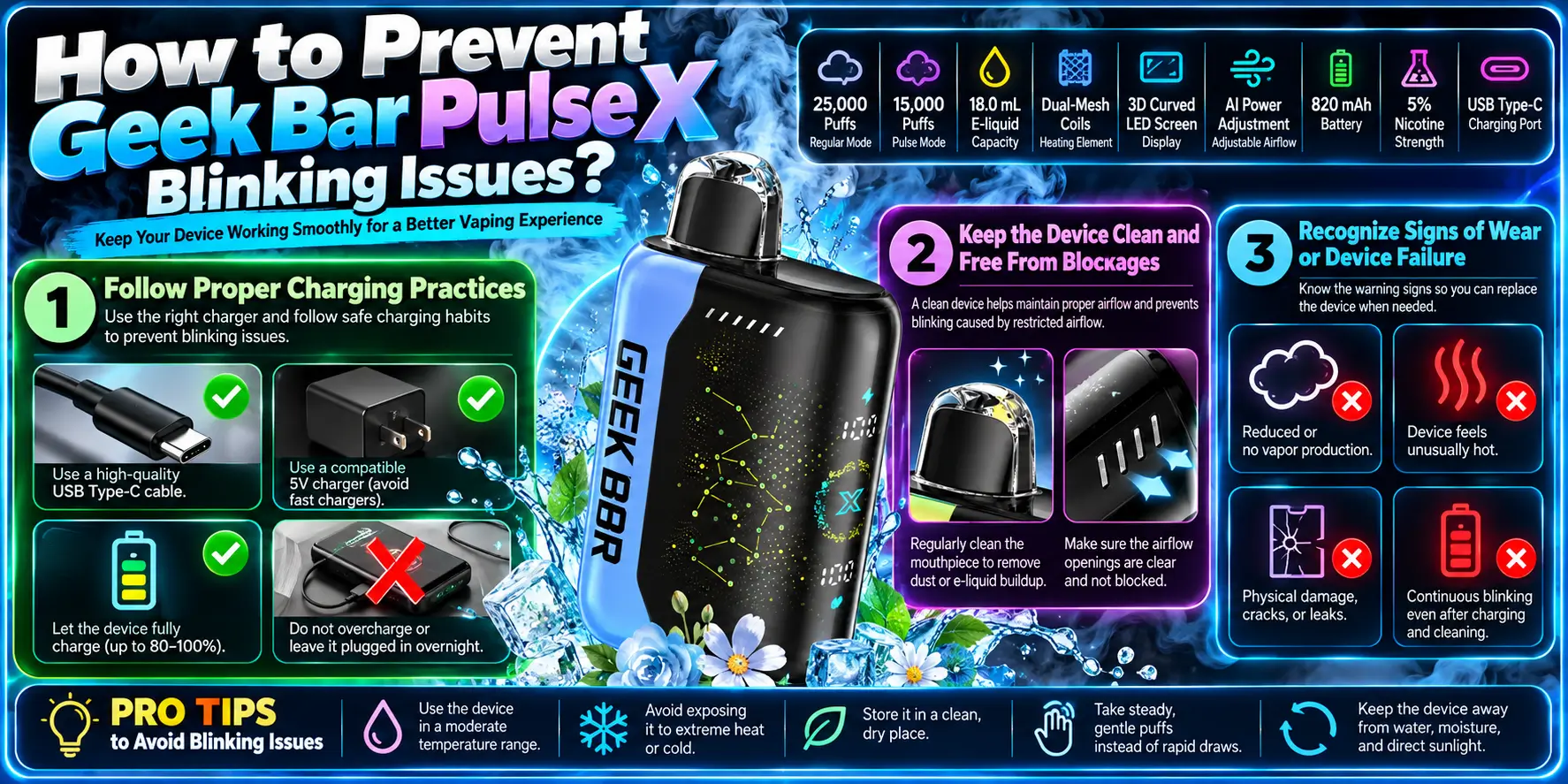
Good habits prevent most blinking trouble. Charge correctly, keep the device cool and dry, and watch for early signs of wear.
Use a proper USB-C cable and a standard power source. Avoid leaving the device on the charger for long stretches while you are away.
Charge before the battery hits empty when you can. Deep drains stress lithium-ion cells over time.
Heat is the enemy of lithium-ion batteries. Do not leave the device in a hot car, in direct sun, or near a heater.
Moisture can also damage the electronics and the charging port. Keep it dry and stored upright in a bag or case, away from keys and coins.
Fading flavor, shorter sessions, and frequent blinking show a unit near its end. Plan a replacement rather than pushing it.
Dispose of it responsibly. The EPA advises that lithium-ion batteries should go to proper recycling or hazardous waste collection, not household trash. See the EPA website for guidance. Nicotine is also addictive, according to the CDC, and this device contains 5% nicotine strength (50 mg/mL), so store it away from children and pets.
Here are the key specs behind the troubleshooting advice. For the full breakdown, see the Geek Bar Pulse X specs page or the complete Geek Bar Pulse X guide.
| Specification | Details |
|---|---|
| Puff Count | Regular Mode: 25,000 | Pulse Mode: 15,000 |
| E-Liquid Capacity | 18.0 mL |
| Heating Element | Dual-Mesh Coils |
| Display Screen | 3D Curved LED Screen |
| Adjustable Airflow | AI Power Adjustment |
| Battery Size | 820 mAh |
| Nicotine Strength | 5% |
| Charging Port | USB Type-C |
Thinking about an upgrade? Compare options in our Geek Bar Pulse X vs Pulse X2 Bull breakdown. Need a store? Use our Geek Bar Pulse X near me locator to find retailers in your area.
1. Why is my Geek Bar Pulse X blinking?
Your Geek Bar Pulse X is most likely blinking because of a low battery, an active charging cycle, or restricted airflow. Note when the light flashes, whether during a draw, on the charger, or while idle. That timing points you to the right fix. If the blinking continues after charging and cleaning the mouthpiece, contact your seller.
2. Why is my Geek Bar Pulse X blinking but not hitting?
Blinking without vapor usually means the draw registered but something blocked delivery. Check for blocked airflow first, then charge the battery, since a drained cell cannot heat the dual-mesh coils properly. Take slow, steady draws rather than sharp pulls. If nothing works after a full charge, the unit may be faulty.
3. Why does my Geek Bar Pulse X blink while charging?
A blinking light on the charger is often normal because the device uses it to show charging activity. Check that the USB-C cable sits fully in the port and that no dust blocks the connection. If the blinking looks erratic, or the device heats up or swells, unplug it right away and contact the seller.
4. How do I stop my Geek Bar Pulse X from blinking?
First identify the cause, because blinking is a symptom rather than the problem itself. Charge the device fully, clean the exterior and mouthpiece, and try a different cable. Avoid forceful draws. If the blinking stays after these safe checks, the device may be depleted or faulty, and you should stop using it and reach out to the seller.
5. Is a blinking Geek Bar Pulse X a sign that it is empty?
Not always. Blinking can signal a low battery, which differs from an empty reservoir. A device with 18.0 mL of liquid can still blink because the 820 mAh battery ran down first. Charge it and test again. If the flavor has faded and vapor stays thin after charging, the liquid may be nearly gone.
A blinking Pulse X is rarely a disaster. Read the timing, run the safe checks, and let the table above guide your next step. If the device gets hot, swells, or smells burnt, stop and call the seller.
Ready to shop? Explore Geek Bar Pulse X and browse the full Geek Bar Pulse disposable lineup.
Geek Bar Pulse — Disposable Vape
🛒 Where to Buy Online
Choose from our verified partner stores — all carry 100% authentic Geek Bar Pulse products sourced directly from official US distributors.


Twelve Tribes
Wide Selection • Best Prices

Raven Route
Fast Delivery • All Flavors


Zippyzz
Quick Shipping • Great Deals
🔒 All partner stores are verified, age-gated, and ship only to legal US states. Purchases are made directly with the retailer — not geekbarpulse.com.
⚠️ Must be 21+ to purchase.