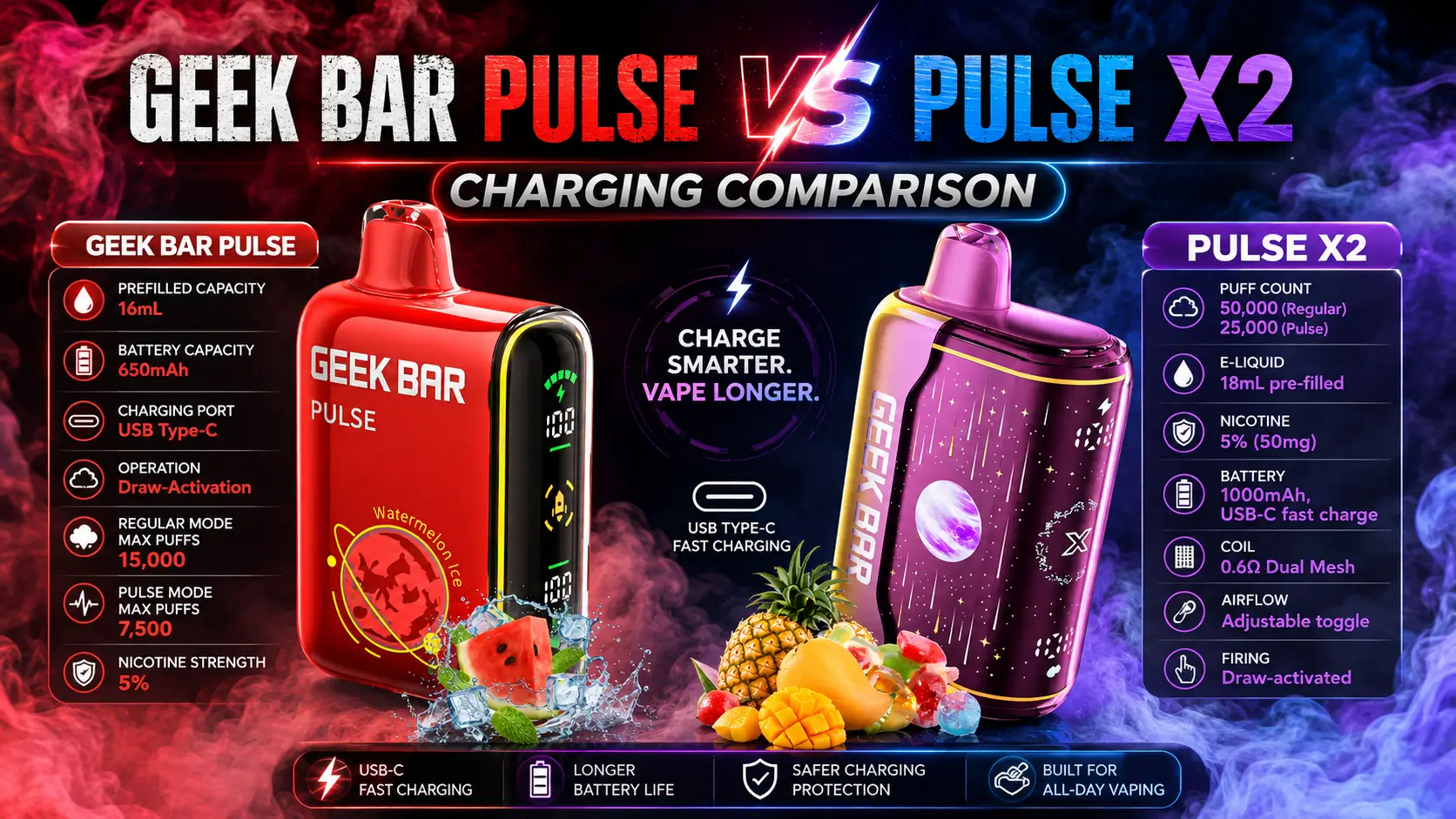
If you're deciding between devices or just want your vape back in your pocket sooner, Geek Bar Pulse vs Pulse X2 charging speed is one of the first practical questions worth answering. A device that needs an hour to top up hits differently than one that's ready again in twenty minutes. This guide breaks down exactly how each device charges, the real numbers behind both, and which one gets you back to vaping faster. For the full rundown on the entire lineup, check our Geek Bar Guide.
📋 Table of Contents
- How Does Geek Bar Pulse Charging Work?
- How Fast Is Geek Bar Pulse X2 Charging?
- Geek Bar Pulse vs Pulse X2 Charging: Full Comparison
- Why Does the Pulse X2 Charge Faster?
- Does Charging Speed Change Geek Bar Pulse Puff Count?
- How Long Does Geek Bar Pulse Last Compared to the X2?
- Can Charging Problems Cause Geek Bar Pulse Not Hitting?
- What the Screen and Dual Mesh Coil Tell You While Charging
- Which Should You Buy: Pulse or Pulse X2?
- FAQs
How Does Geek Bar Pulse Charging Work?
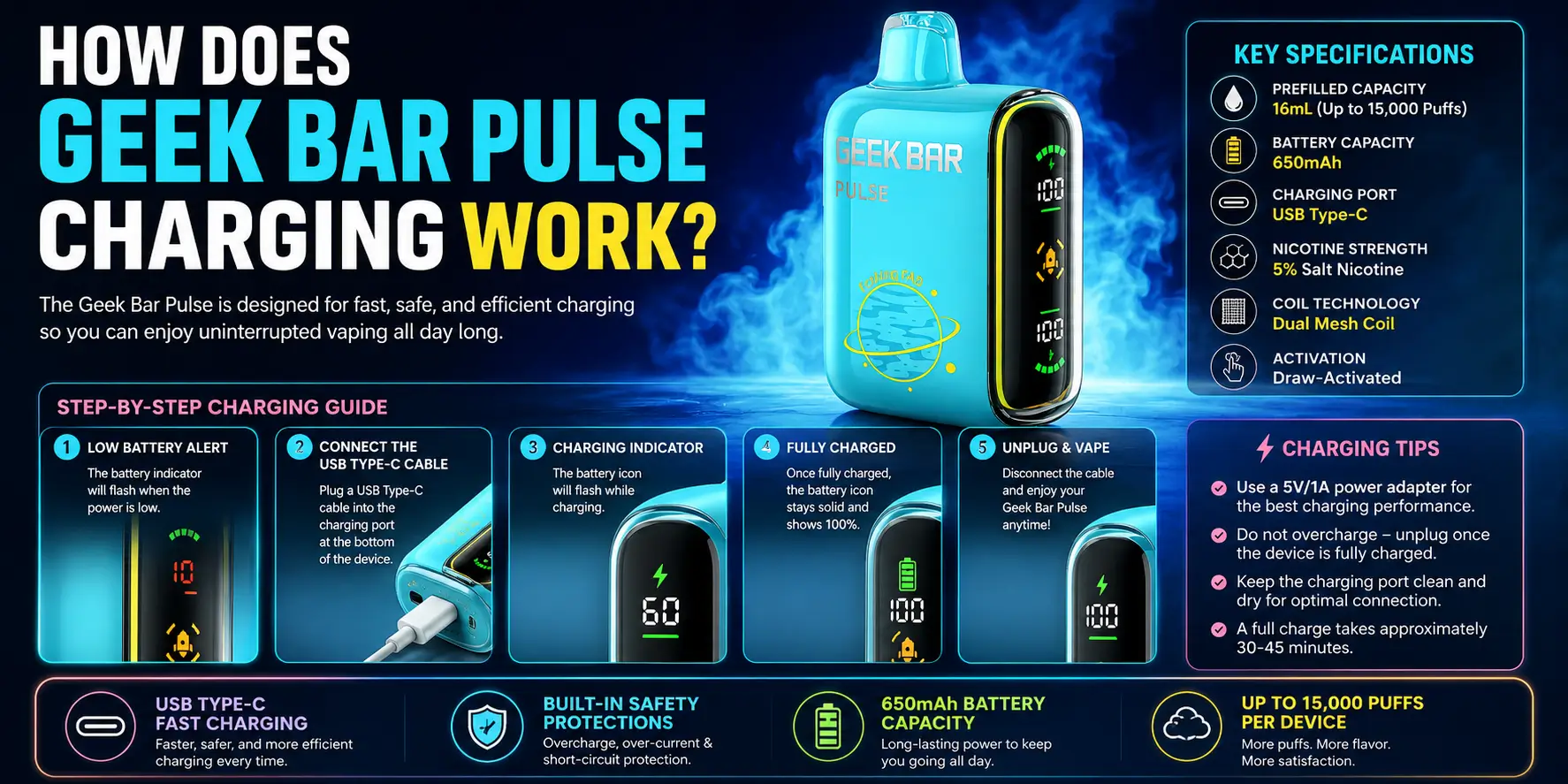
The original Geek Bar Pulse charges through a USB-C port at the bottom of the device and takes roughly 30 to 60 minutes for a full charge. A near-empty battery lands toward the higher end of that range, while a partial discharge recharges noticeably faster.
Charging speed also depends on your cable and power source. A wall adapter with a stable output charges faster than a weak USB port on an older laptop, and a damaged or low-quality cable can slow the whole process down or stop it entirely.
The indicator light does most of the talking here. A solid light means the device is charging normally, a blinking light usually means the battery is low or the cycle is still active, and no light at all points to a cable, port, or power source issue. Our full Geek Bar Pulse Charging Instructions guide walks through every light pattern and troubleshooting step in detail.
How Fast Is Geek Bar Pulse X2 Charging?
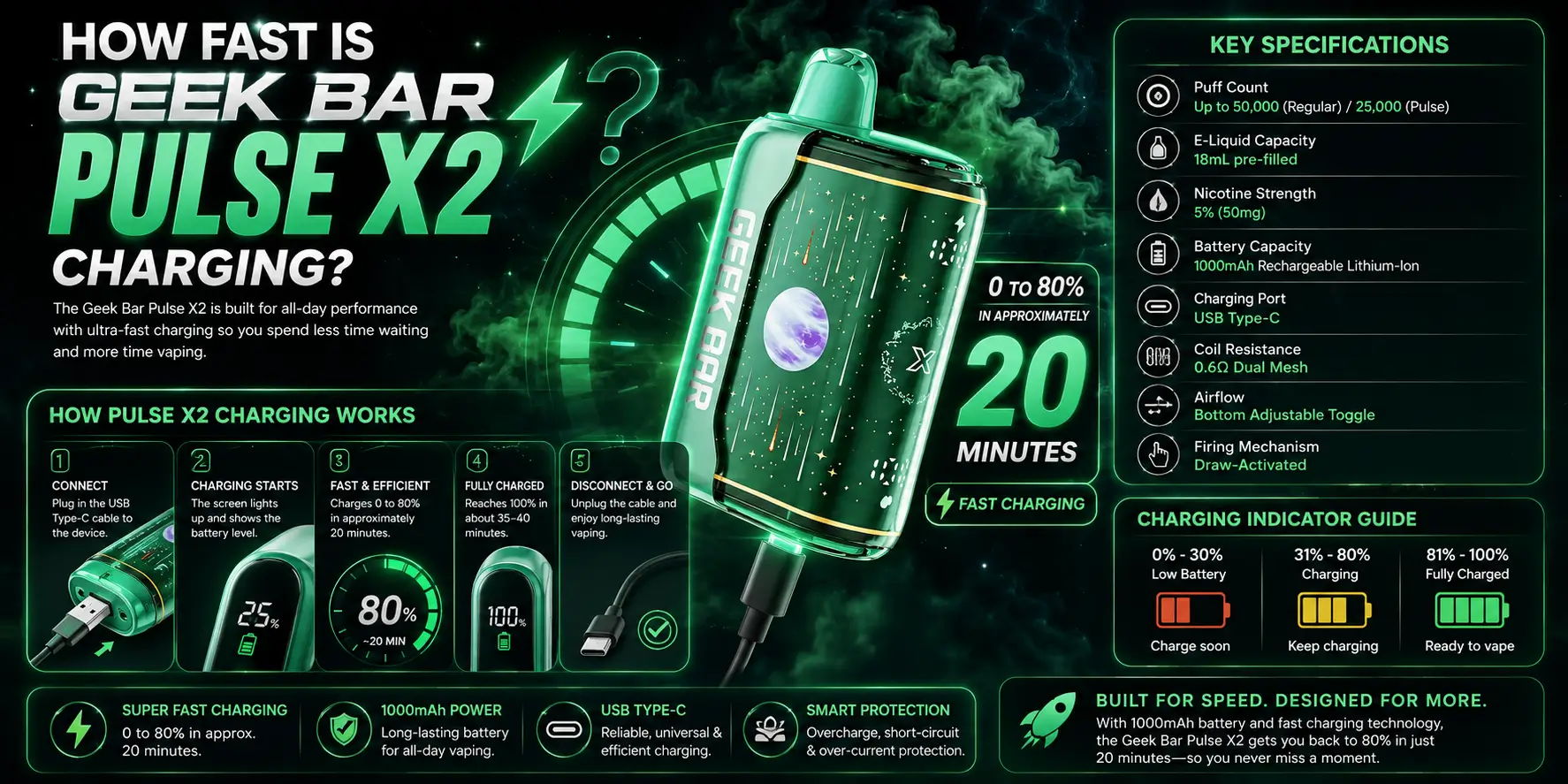
The Pulse X2 runs on a 1000mAh rechargeable lithium-ion battery and reaches roughly 80% charge in about 20 minutes over USB-C. That's a meaningfully quicker top-up window than the original Pulse's 30-to-60-minute full-charge range.
Both modes on the X2 — Regular Mode's 50,000-puff rating and Pulse Mode's 25,000-puff rating — draw from that same 1000mAh cell, so the charging speed doesn't change based on which mode you're using. The battery isn't the bottleneck on this device; the 18mL e-liquid tank is what actually limits how long the device lasts.
Because the X2 reaches a usable charge so quickly, it's rarely the thing holding up a vaping session — you're more likely to run low on e-liquid than to be stuck waiting on the battery.
Geek Bar Pulse vs Pulse X2 Charging: Full Comparison
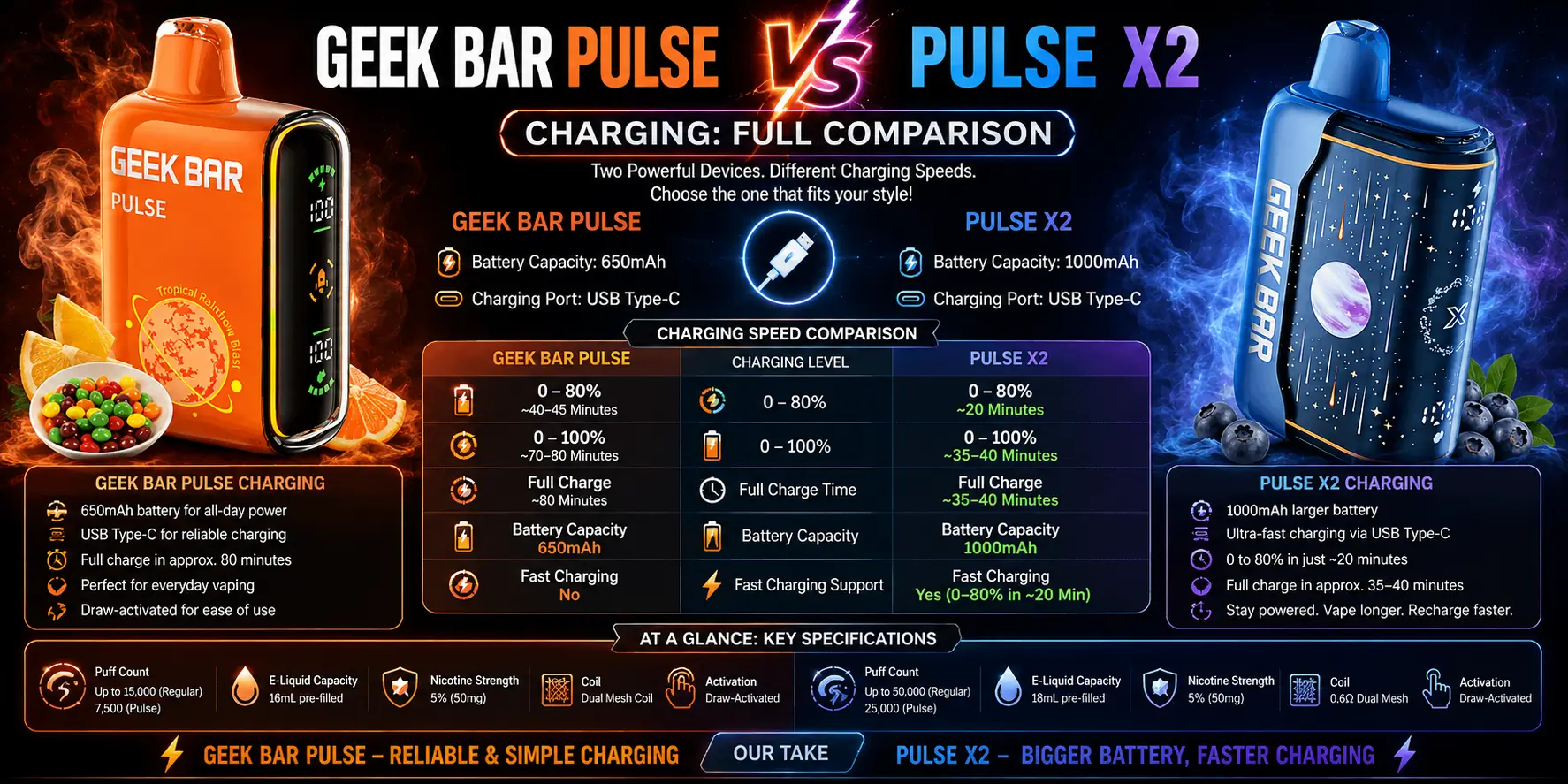
Here's how the two devices stack up side by side on charging specifics:
| Spec | Geek Bar Pulse | Geek Bar Pulse X2 |
|---|---|---|
| Charging Port | USB-C | USB-C |
| Full Charge Time | 30–60 minutes | ~80% in ~20 minutes |
| Battery Capacity | Rechargeable Lithium | 1000mAh Lithium-Ion |
| Coil | Dual Mesh Coil | 0.6Ω Dual Mesh Coil |
| E-Liquid Capacity | Standard Fill | 18mL |
| Puff Count | Varies by model | 50K (Regular) / 25K (Pulse) |
| Indicator Light | Solid / Blinking / Off | LED Display Status |
Why Does the Pulse X2 Charge Faster?
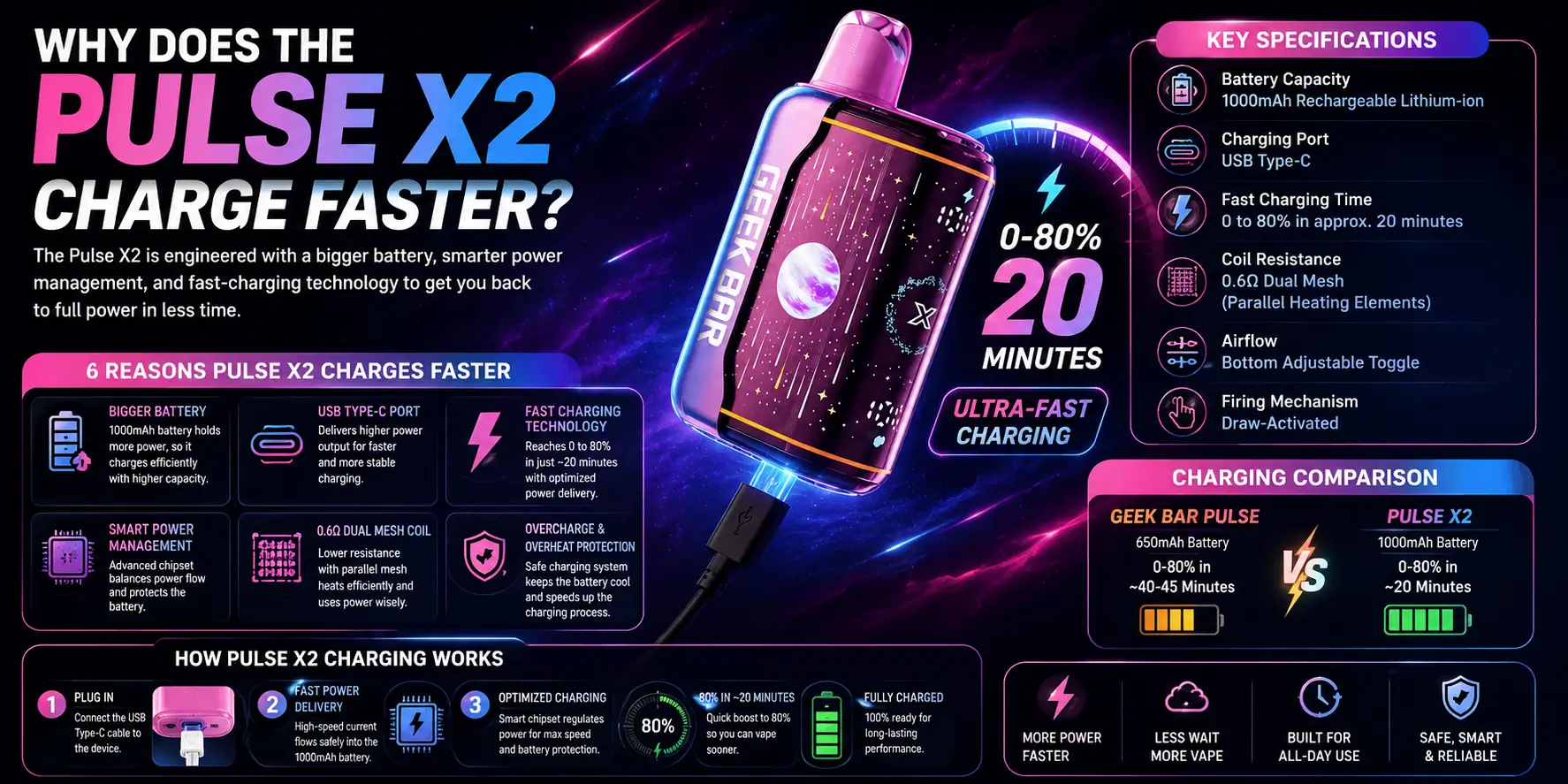
The X2's speed advantage comes down to a defined 1000mAh capacity paired with charging circuitry built around hitting a usable charge quickly, rather than optimizing purely for a full 100% top-up.
Battery protection circuits on both devices control the electrical flow to prevent overheating, which is normal and expected. But the X2's shorter path to roughly 80% means you're back to a strong, usable charge well before the original Pulse finishes its cycle.
Cable quality and power source still matter on both devices. A worn cable or a weak USB port will slow either one down, so the comparison above assumes a decent cable and a stable adapter on both sides.
Does Charging Speed Change Geek Bar Pulse Puff Count?
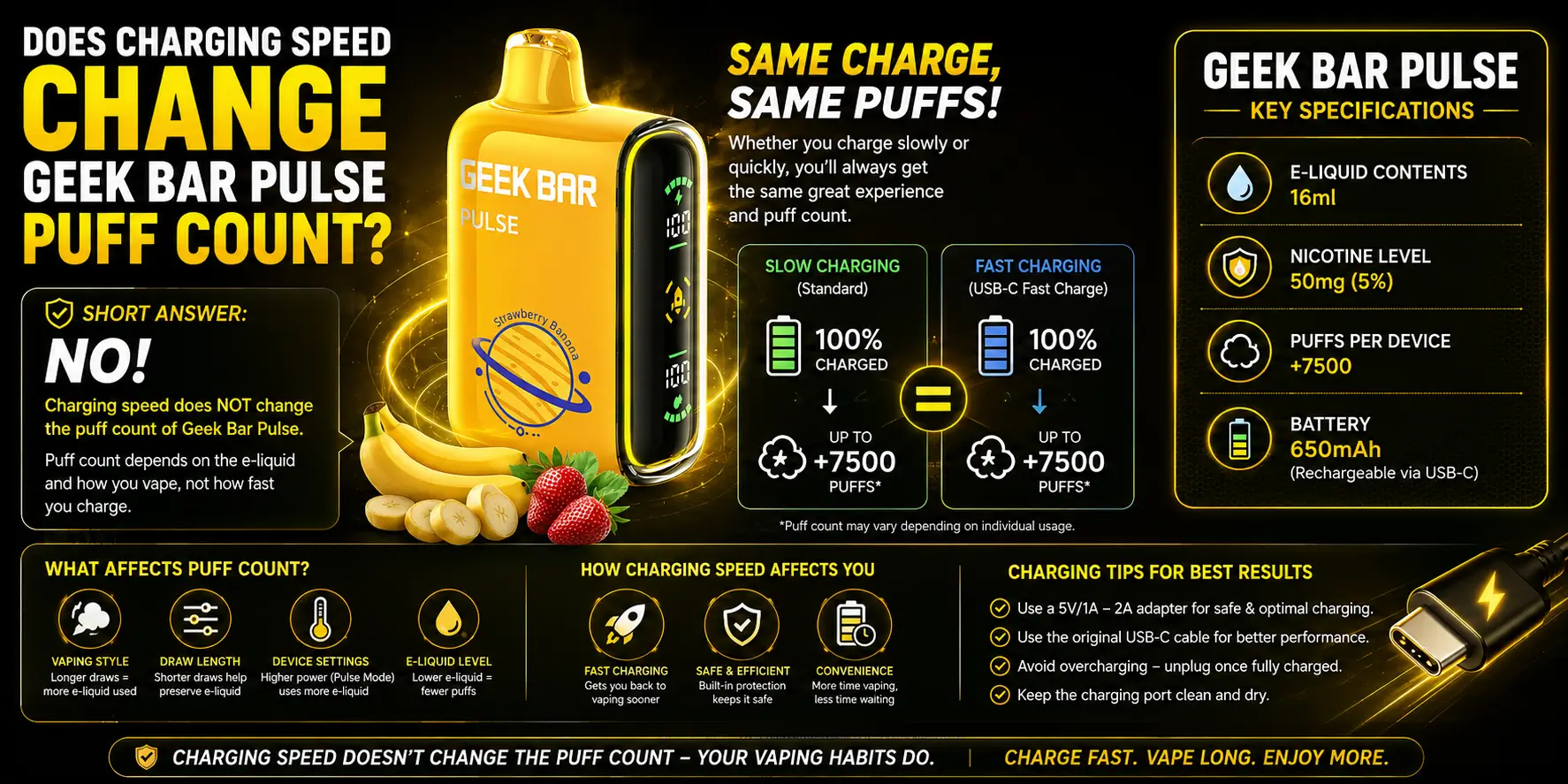
No. Charging speed and puff count are two separate systems — one is about the battery, the other is about how much e-liquid the coil burns through per draw. A faster-charging device doesn't automatically get more puffs.
The X2's Geek Bar Pulse Puff Count comes from its 18mL tank and 0.6Ω dual mesh coil, not its 1000mAh battery. Regular Mode stretches that e-liquid further for a 50,000-puff rating, while Pulse Mode roughly doubles the power draw per puff and lands at 25,000.
For a closer look at how battery behavior actually holds up across a full charge cycle on the X-series hardware, our Geek Bar Pulse X Battery Life review covers real-world testing notes in detail.
How Long Does Geek Bar Pulse Last Compared to the X2?
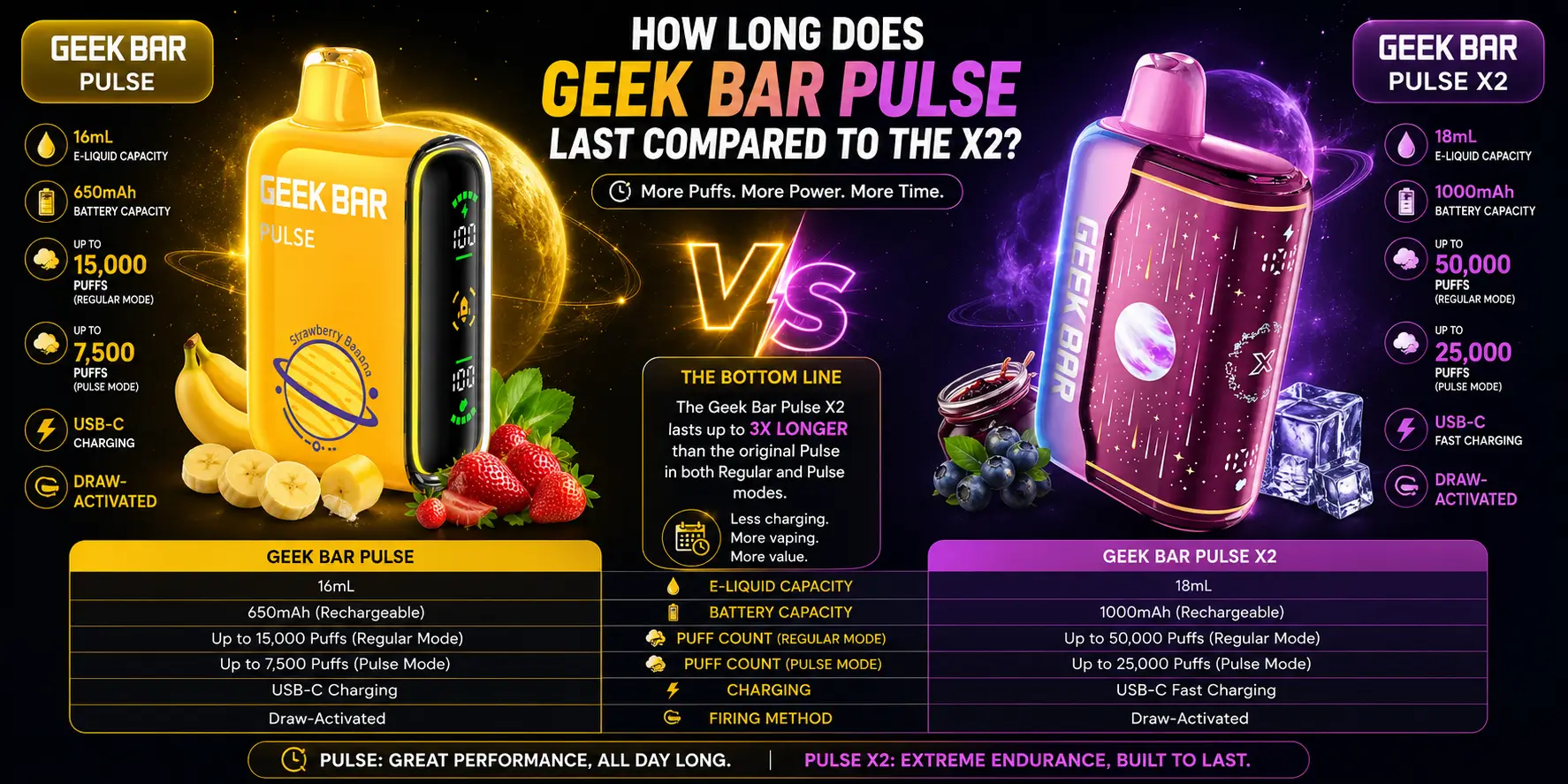
Faster charging means less downtime between sessions, but it doesn't change how many total weeks a device lasts — that's driven by e-liquid capacity and puff rating, not battery speed.
The X2's larger 50,000-puff Regular Mode ceiling generally stretches across more calendar weeks than the original Pulse's puff ratings, simply because there's more e-liquid behind it. Our full How Long Does Geek Bar Pulse Last? guide breaks down realistic weekly estimates based on daily puff averages.
In practice, the two factors work together: quicker charging means fewer interruptions during the day, while the puff rating determines how many days you get out of the device before it's empty for good.
Can Charging Problems Cause Geek Bar Pulse Not Hitting?
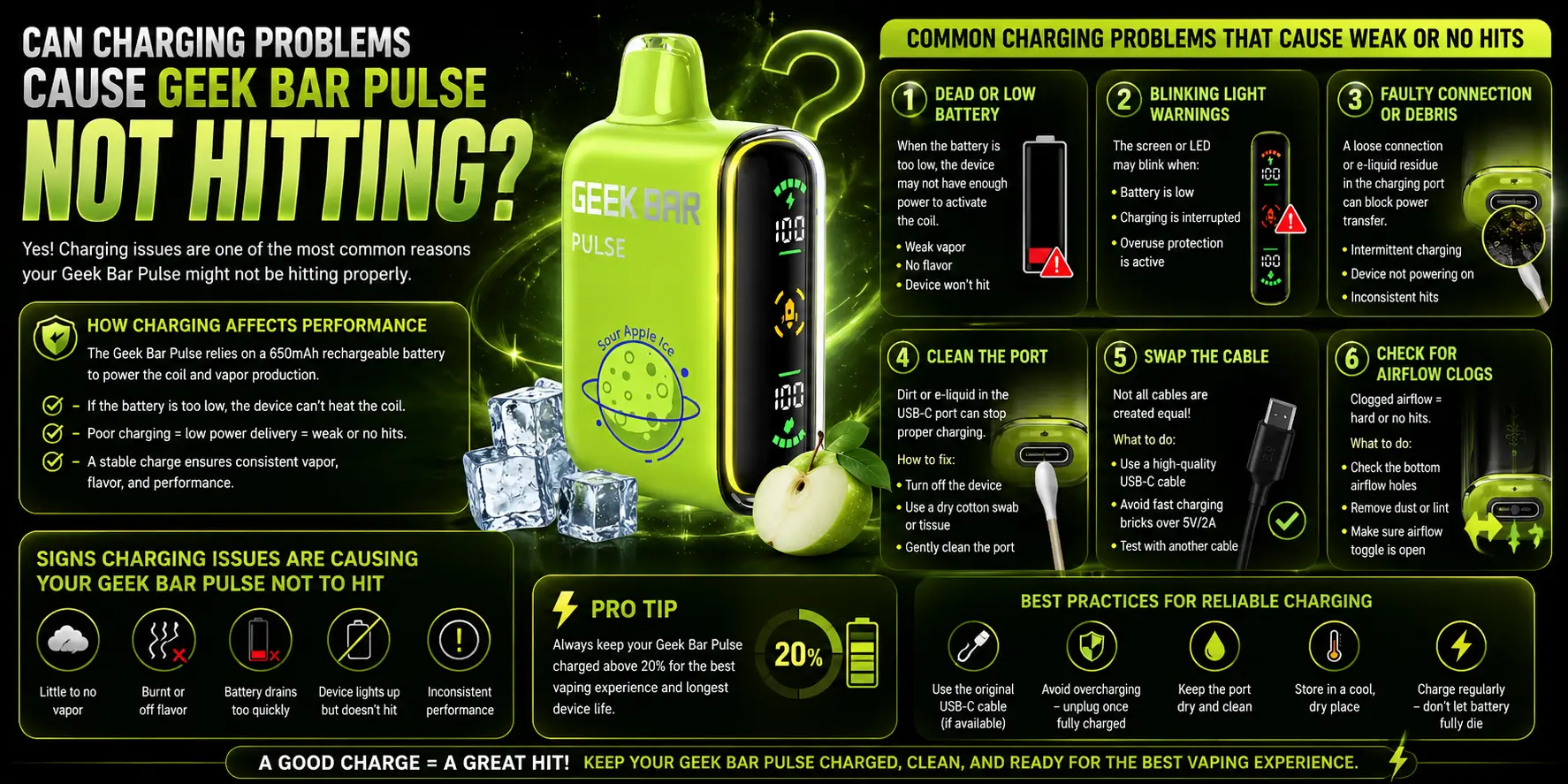
Yes, indirectly. A device with a low or dead battery won't fire the coil properly, which can look identical to a coil or airflow problem even though the fix is just a charge.
Before assuming there's a hardware fault, plug the device in and check the indicator light. If it charges normally and starts hitting again, the battery was the actual cause the whole time.
If charging looks normal but the device still won't fire, the issue is more likely the coil, airflow, or e-liquid level rather than the battery. Our Geek Bar Pulse Not Hitting guide walks through the rest of the troubleshooting checklist.
What the Screen and Dual Mesh Coil Tell You While Charging
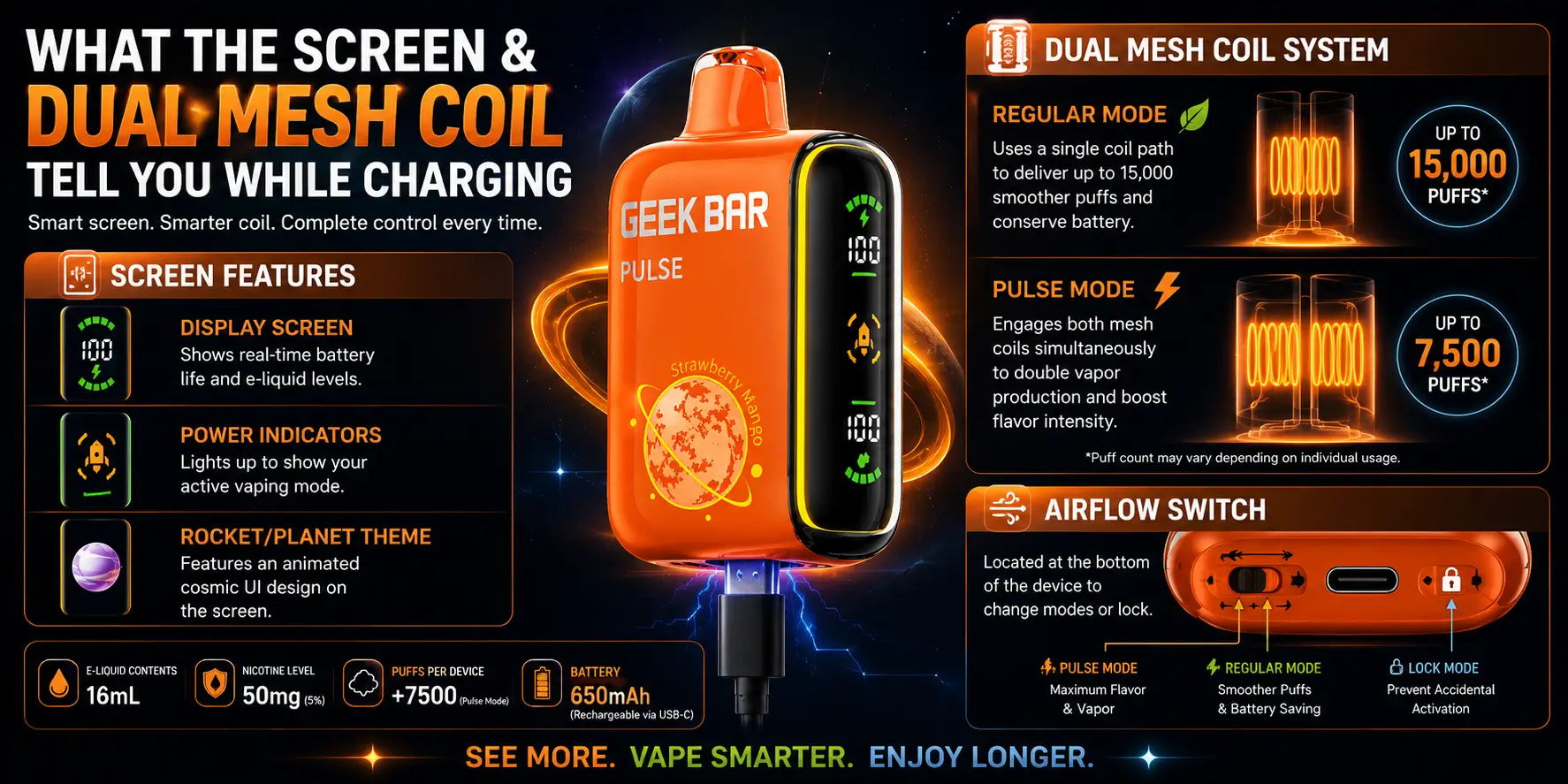
On models with a display, the on-device screen shows live battery percentage while charging, so you're not guessing based on a blinking light alone. For a full breakdown of what each icon and number means, that's covered in the device's Geek Bar Pulse screen explained section of our broader guides.
The Geek Bar Pulse Dual Mesh Coil itself doesn't affect charging time — it's a vapor-production component, not a battery component. But a well-charged battery does help the dual-mesh setup fire consistently, since a low charge can cause weaker, less even heating across both coil elements.
Which Should You Buy: Pulse or Pulse X2?
If charging speed and total device lifespan matter most, the Pulse X2 comes out ahead — a quicker path to a usable charge, plus a larger 18mL tank and higher puff ceiling behind it.
The original Pulse still holds up fine for anyone who isn't in a rush between sessions and doesn't need the X2's higher puff count. For hands-on testing notes on how the X2 performs day to day, check our full Geek Bar Pulse X2 Review.
Ready to try it for yourself? Head to the Buy Geek Bar Pulse X2 Official Website page for current pricing and flavor stock.
FAQs
1. Which charges faster, the Geek Bar Pulse or the Pulse X2?
The Pulse X2 charges faster. It reaches roughly 80% on its 1000mAh battery in about 20 minutes over USB-C, while the original Geek Bar Pulse typically needs 30 to 60 minutes for a full charge depending on battery level, cable quality, and power source.
2. Do both devices use the same charging port?
Yes. Both the original Pulse and the Pulse X2 charge through a USB-C port, so the same cable and wall adapter work across either device. This makes it easy to keep a single charging setup at home or in a bag for both models.
3. Does faster charging mean the Pulse X2 gets more puffs?
Not directly. Puff count comes from the e-liquid tank size and coil resistance, not the battery's charging speed. The X2's higher puff ratings come from its 18mL tank and 0.6Ω dual mesh coil working alongside the faster-charging 1000mAh battery, not because of the charging speed itself.
4. What does a blinking light mean while charging?
A blinking light generally means the battery is low or the charging cycle is still active, and the device should stay connected until it finishes. A solid light usually means normal charging, while no light at all typically points to a cable, port, or power source issue worth checking.
5. Can I use either device while it's charging?
Technically yes on both devices, but it's generally recommended to let the battery finish its charge cycle before vaping again. This helps avoid overheating, protects long-term battery health, and ensures you get consistent performance instead of drawing power mid-cycle.