Geek Bar Pulse X2 draw activation problems almost always trace back to one of three things: blocked airflow, moisture near the sensor, or a low battery. The good news is that you can fix most of them at home in a few minutes, with no tools and no drama.
This guide explains how the draw sensor works, what usually goes wrong, and how to fix it step by step. You will also learn the signs that a device is done and it is time to replace it.
📋 Table of Contents
- Why Is My Geek Bar Pulse X2 Not Activating on Draw?
- How Draw Activation Works on the Geek Bar Pulse X2
- Common Causes of Geek Bar Pulse X2 Draw Problems
- How to Fix Geek Bar Pulse X2 Draw Activation Issues
- Can Airflow Problems Affect Draw Activation?
- When the Geek Bar Pulse X2 Sensor Stops Working
- When Should You Replace a Geek Bar Pulse X2?
- FAQs
Why Is My Geek Bar Pulse X2 Not Activating on Draw?
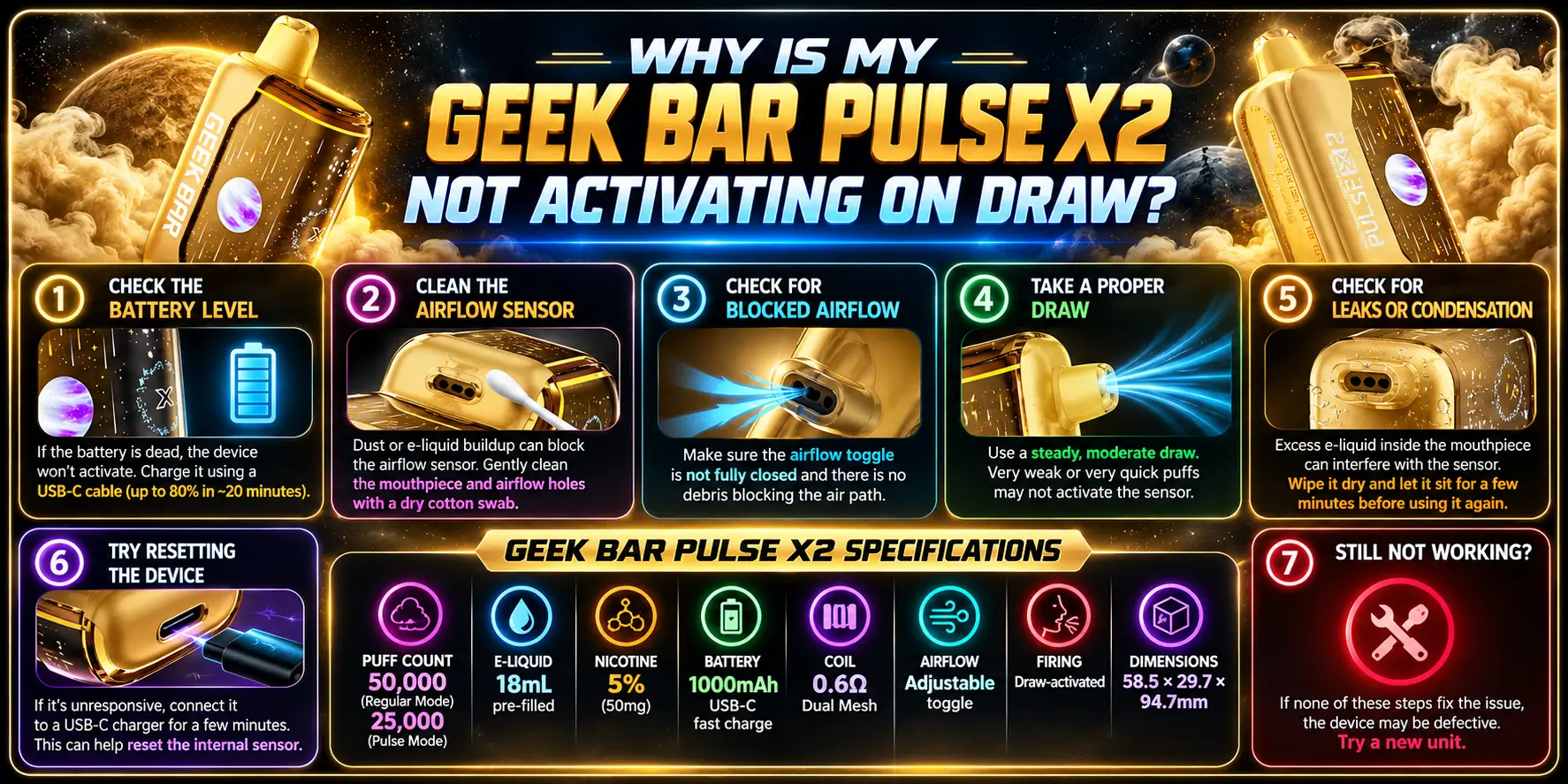
Your device is most likely not detecting your inhale, either because air cannot flow freely or because the battery cannot power the coil. Start with the simple checks below before you assume anything is broken.
The Geek Bar Pulse X2 fires automatically when you inhale. There is no power button to press. That design is convenient, but it also means one small airflow problem can make the whole device feel dead.
Check for a Blocked Airflow Path
Look at the mouthpiece and the air intake openings on the body. Lint, pocket dust, or a dried smear of residue can partly cover them.
If you can barely pull air through the mouthpiece, the sensor will not trigger. Clear the opening first, then test again.
Make Sure You Are Drawing Normally
Draw-activated devices need a steady pull, not a tiny sip. A weak or very short inhale may not move enough air to wake the sensor.
Try a slow, even draw for two to three seconds. Do not blow into the device, because blowing pushes liquid toward the sensor and creates more problems than it solves.
Check Whether the Device Has Power
A flat battery is the most common reason a draw-activated vape does nothing. The X2 uses a rechargeable 1000mAh battery, so it can run low long before the e-liquid is gone.
Plug it in for a few minutes and try again. If it wakes up, you just had a battery issue, not a sensor issue.
How Draw Activation Works on the Geek Bar Pulse X2
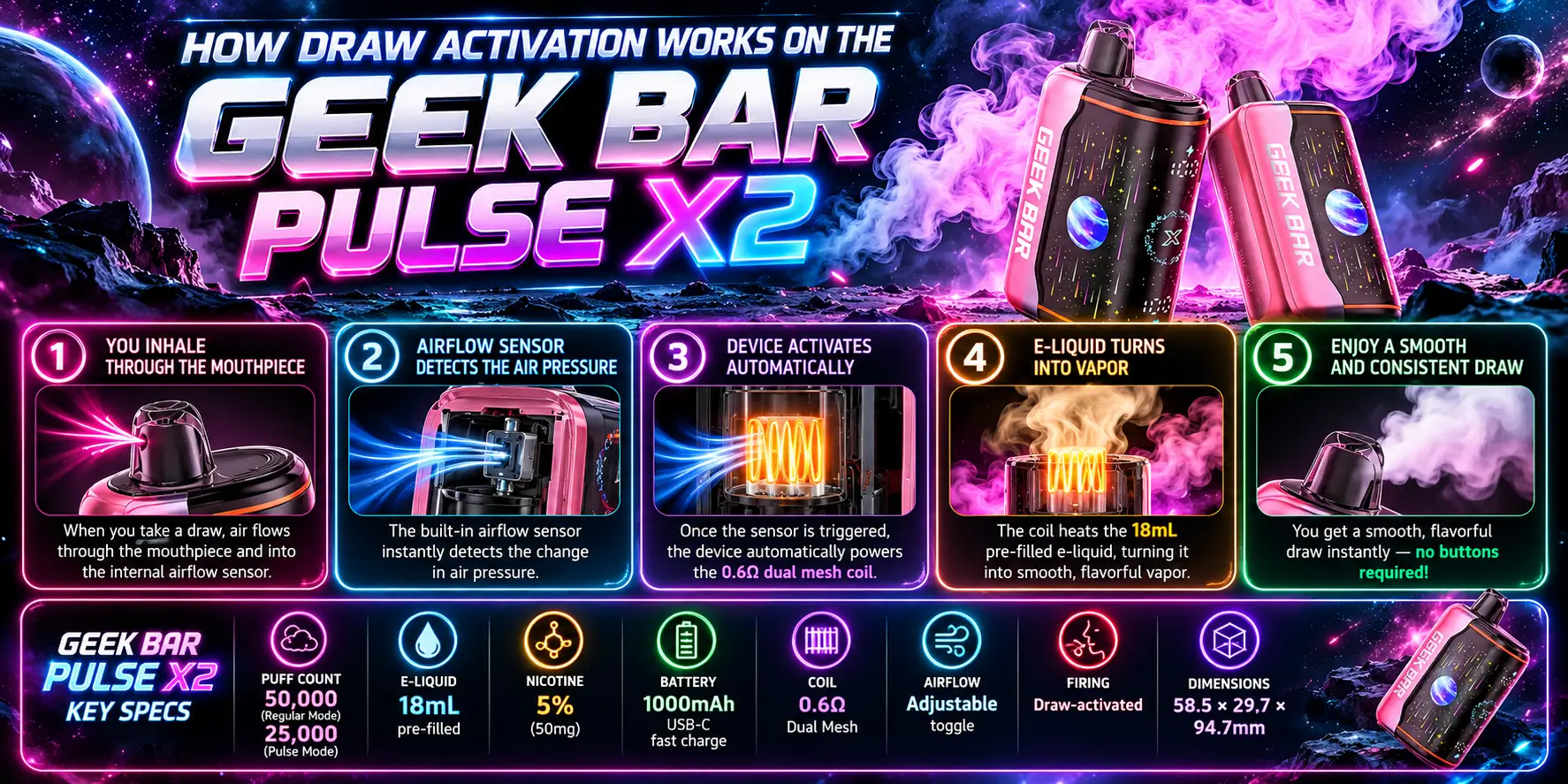
When you inhale, air moves through the device and a sensor detects the change in pressure or airflow. The sensor signals the chip, the chip sends power to the coil, and the coil heats the e-liquid. That whole chain happens in a fraction of a second.
If any link in that chain breaks, you get no vapor. Understanding the chain makes troubleshooting much faster.
How the Automatic Draw Sensor Detects Inhalation
Draw-activated disposables typically use a small sensor inside the airflow channel that reacts when air moves past it. Think of it as a doorbell that rings when airflow arrives.
The sensor is sensitive on purpose, so it can sit unnoticed until you draw. That sensitivity also means moisture and blockages can interfere with it.
The Role of Airflow in Draw Activation
Airflow is the trigger. No airflow means no signal, and no signal means no firing. The X2 also includes an adjustable airflow toggle, so the position of that toggle changes how easily air moves through the device. You can read more about the toggle and mode options in our Geek Bar Pulse X2 settings guide.
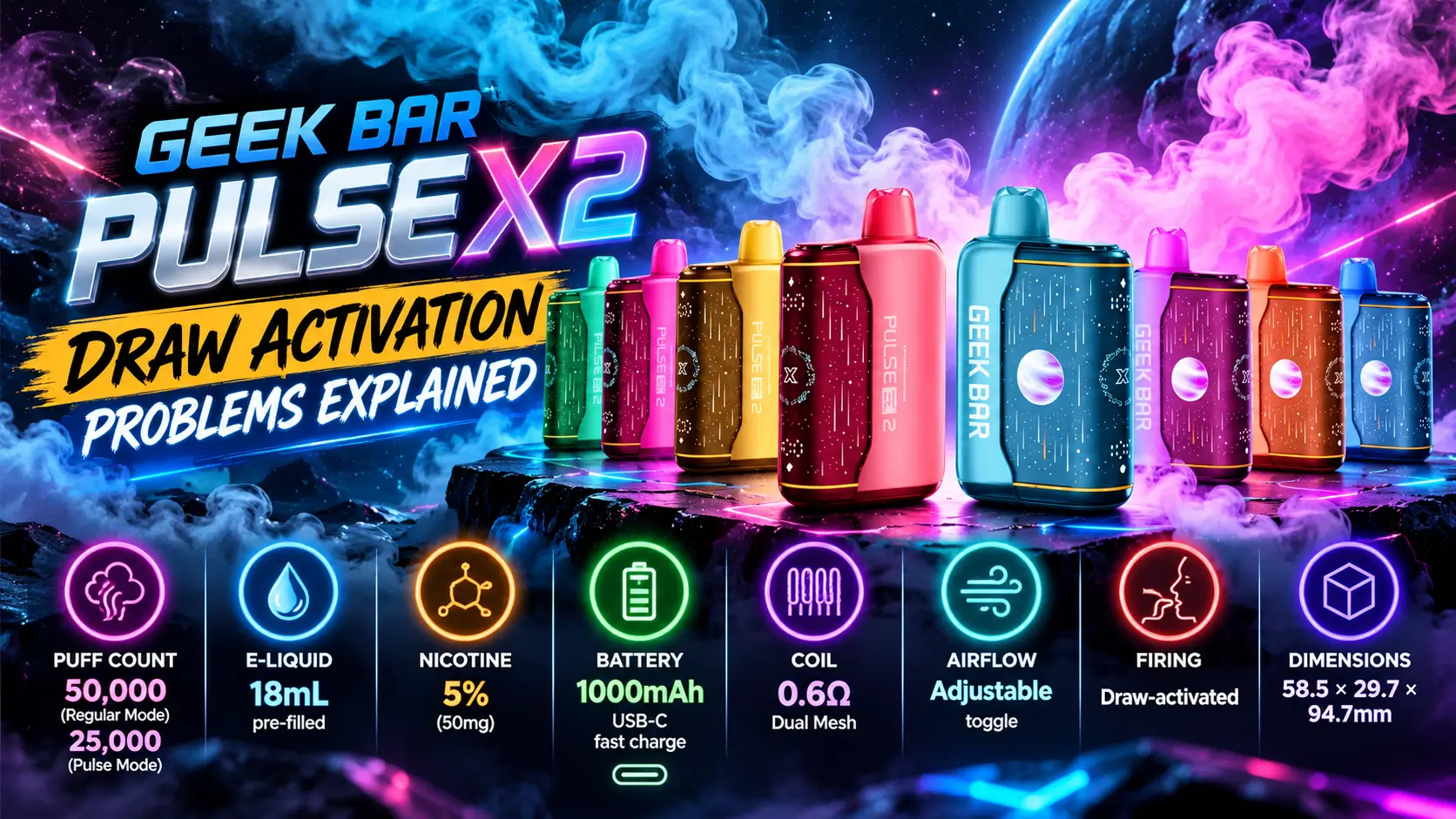
Here are the official specs for the device, so you know what you are working with:
| Spec | Detail |
|---|---|
| Puff Count | 50,000 (Regular) / 25,000 (Pulse) |
| E-Liquid | 18mL pre-filled |
| Nicotine | 5% (50mg) |
| Battery | 1000mAh, USB-C fast charge |
| Coil | 0.6Ω Dual Mesh |
| Airflow | Adjustable toggle |
| Firing | Draw-activated |
| Dimensions | 58.5 × 29.7 × 94.7mm |
One quick fact worth knowing: a 5% nicotine strength equals 50mg of nicotine per milliliter of liquid. That is a high-strength formula, so treat every device as a nicotine product and keep it away from kids and pets.
Common Causes of Geek Bar Pulse X2 Draw Problems
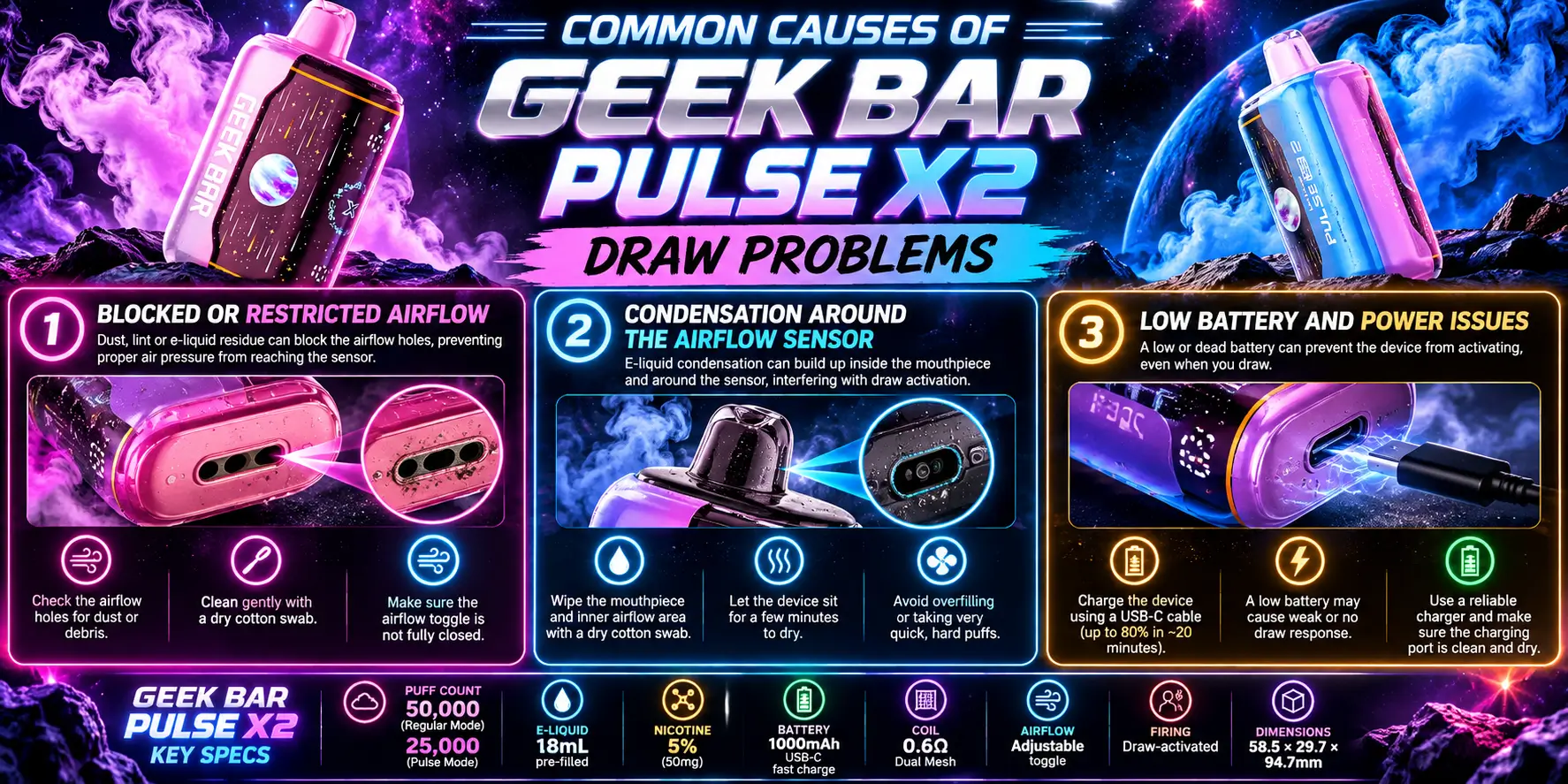
Most draw problems come from blocked airflow, condensation near the sensor, or low power. Hardware failure exists, but it is far less common than these everyday issues.
Check them in this order, from easiest to hardest. You will usually find the culprit before you reach the end of the list.
Blocked or Restricted Airflow
Anything that narrows the air path can stop the sensor from triggering. That includes debris, a clogged mouthpiece, or an airflow toggle set to a very tight position.
Even a partly blocked path can cause a weak or delayed hit. If the pull feels tight, treat it as an airflow problem first.
Condensation Around the Airflow Sensor
Vapor cools as it travels, and it can turn back into tiny liquid droplets inside the device. Those droplets can collect near the sensor and confuse it.
This happens more often after heavy chain use or if the device sits upside down. A little rest time usually lets the moisture settle or evaporate.
If you notice liquid in the mouthpiece, wipe it away and review our Geek Bar Pulse X2 e-liquid breakdown to understand how the 18mL reservoir and the coil work together.
Low Battery and Power Issues
A weak battery can fail to give the coil enough power, even when the sensor works perfectly. The device may feel faint, cut out, or stay silent.
If you moved up from the original model, the charging behavior is a little different. Our Geek Bar Pulse vs Pulse X2 charging comparison shows what changed.
Use this table to match your symptom to the likely cause:
| Symptom | Likely Cause | Quick Fix |
|---|---|---|
| No vapor, no response | Low or dead battery | Charge for 10–15 minutes and retest |
| Tight or hard pull | Blocked airflow | Clear the openings and check the airflow toggle |
| Gurgling or liquid in the mouthpiece | Condensation | Wipe the mouthpiece, rest the device upright |
| Fires only sometimes | Weak sensor response or low power | Charge fully, then draw slowly |
| Fires on its own or gets hot | Possible damage or fault | Stop using it and contact support |
How to Fix Geek Bar Pulse X2 Draw Activation Issues
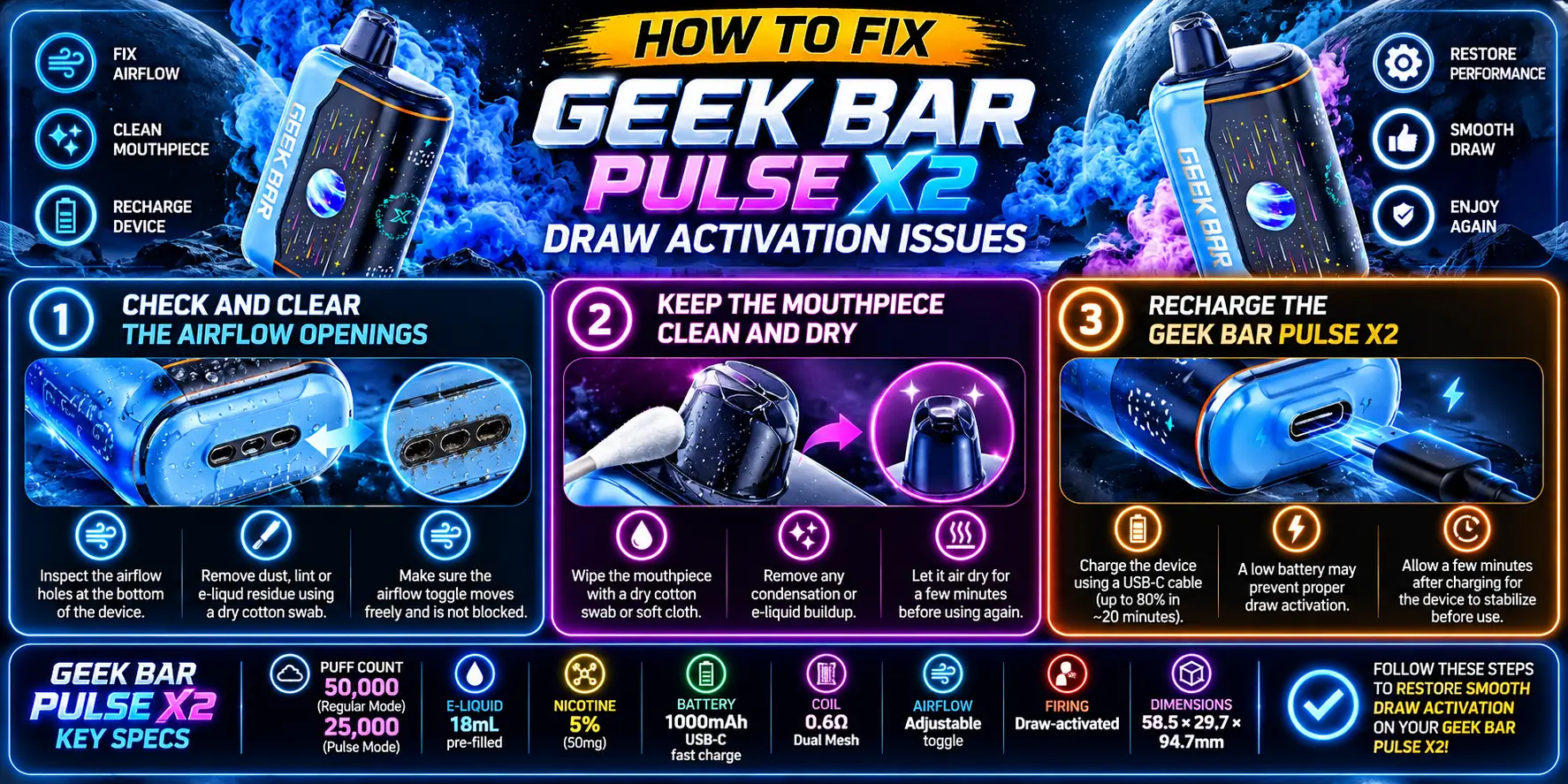
Clear the airflow openings, dry the mouthpiece, and charge the battery. Those three steps fix the majority of draw activation problems. Run through them in order and test after each one.
Check and Clear the Airflow Openings
- Look at the mouthpiece and the air intake. Remove visible lint or dust gently.
- Do not poke anything sharp inside. A pin can scratch internal parts or push debris deeper.
- Move the airflow toggle through its positions, then draw slowly to test.
If the device suddenly works, the toggle or a small blockage was the cause.
Keep the Mouthpiece Clean and Dry
Wipe the mouthpiece with a dry cloth. Hold the device upright for a few minutes so loose droplets can settle away from the sensor.
Avoid water, alcohol wipes, or any cleaning liquid inside the device. Liquid in the electronics can cause permanent damage.
Here is a simple reset routine that works well when the device acts stubborn. Set it upright for five minutes, wipe the mouthpiece, and check the airflow toggle. Then take one slow draw and listen for the soft click or feel the warmth that tells you the coil fired.
If nothing happens, do not pull harder. Hard pulls do not wake a sensor, and they can drag liquid into the airflow channel. Patience beats force every time with a draw-activated device, and a calm second try often works when the first one did not.
Recharge the Geek Bar Pulse X2
Plug the device into a USB-C cable and let it charge for at least 10 to 15 minutes before you test it again. If you are not sure about the process, follow our how to charge Geek Bar Pulse X2 guide.
Use the cable that came with the device when you can. The FDA advises vapers to use the charger the manufacturer provides and to never leave a charging device unattended, because lithium-ion batteries can overheat when mishandled.
USB-C is a widely adopted standard, managed by the USB Implementers Forum, so a quality USB-C cable is easy to find. Skip damaged or no-name cables, though. They cause more charging trouble than they save in money.
Can Airflow Problems Affect Draw Activation?
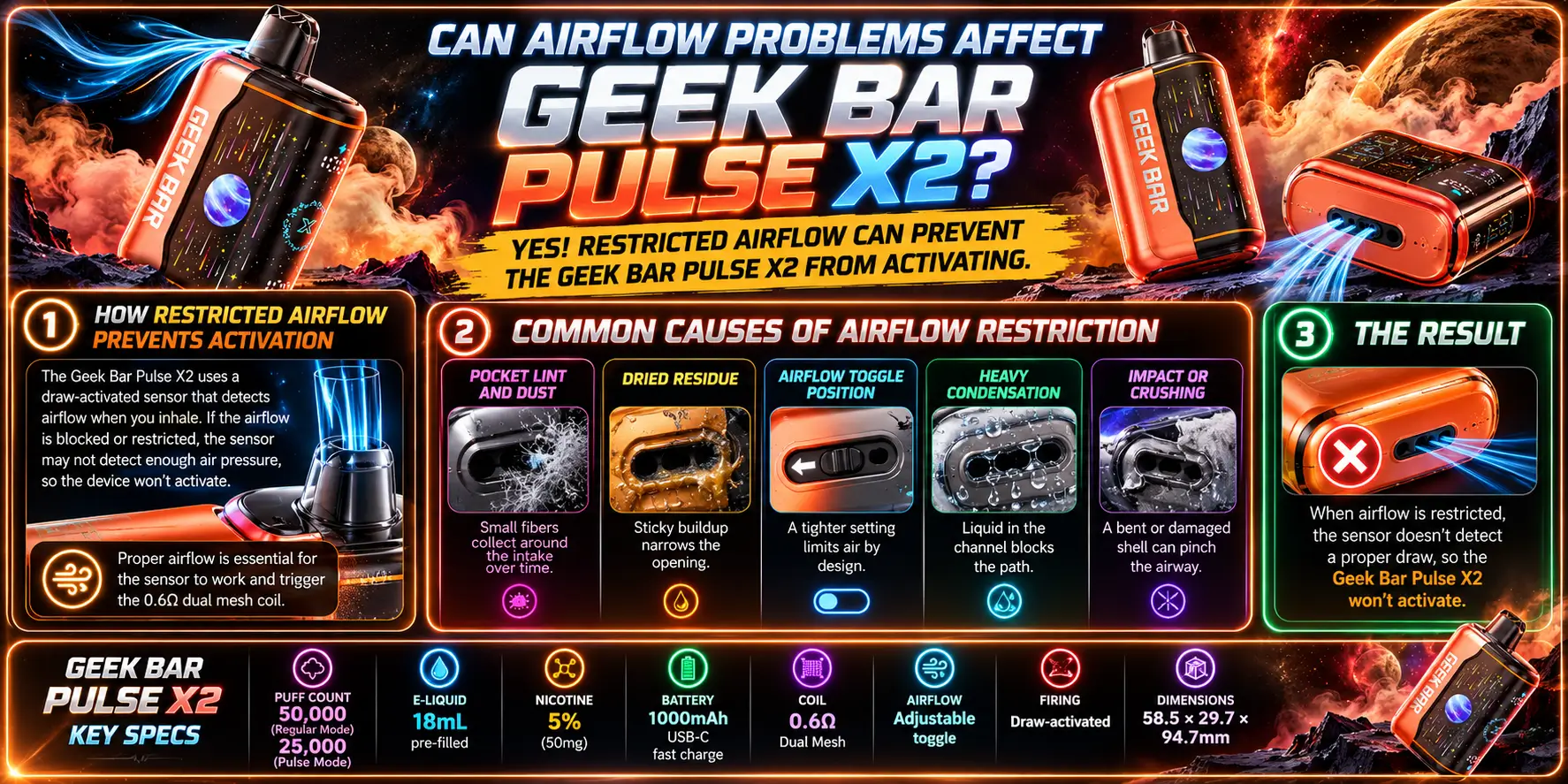
Yes. Airflow problems are the number one reason a draw-activated device fails to fire. If the air does not move, the sensor never gets its signal.
That is why the first fix is always about air, not electronics.
How Restricted Airflow Prevents Activation
The sensor needs a clear pressure change to trigger. A blocked path dampens that change, so the sensor does not register your inhale as a real draw.
The 0.6Ω Geek Bar Pulse X dual mesh coil also needs steady airflow to produce clean vapor. When air is restricted, you may get a muted hit even if the device fires.
Common Causes of Airflow Restriction
- Pocket lint and dust: Small fibers collect around the intake over time.
- Dried residue: Sticky buildup narrows the opening.
- Airflow toggle position: A tighter setting limits air by design.
- Heavy condensation: Liquid in the channel blocks the path.
- Impact or crushing: A bent or damaged shell can pinch the airway.
Flavor choice does not change how the sensor works. If you are curious about the lineup, our Geek Bar Pulse X2 flavors page covers every option, but a flavor will not fix or cause a draw problem.
When the Geek Bar Pulse X2 Sensor Stops Working
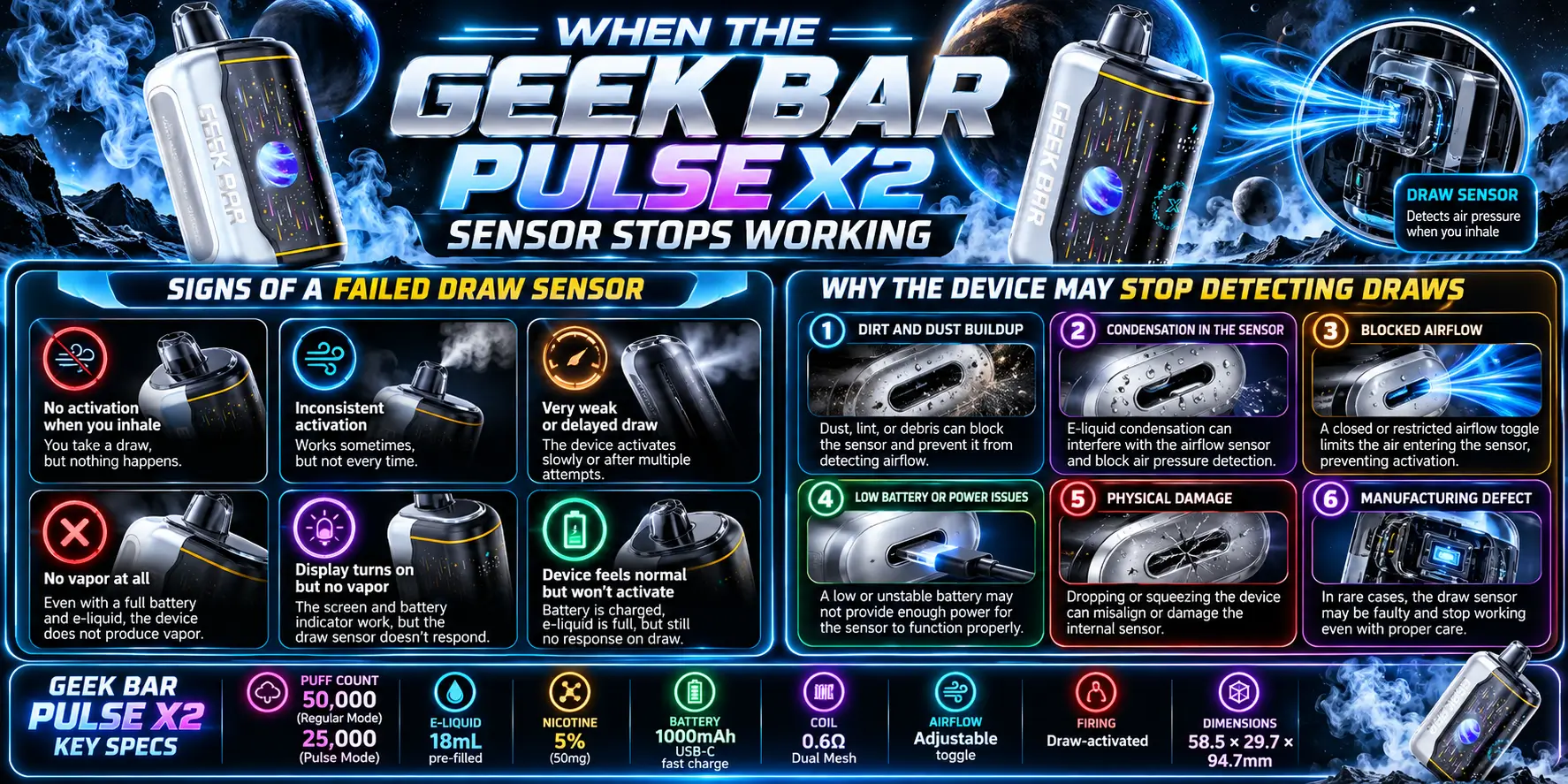
If you have cleared the airflow, dried the device, and fully charged it, but nothing happens, the sensor or internal circuit may have failed. At that point, home fixes run out.
Sensor failure is uncommon, but it does happen with any electronic device. Moisture damage, drops, and manufacturing faults are the usual causes.
Signs of a Failed Draw Sensor
- The device does not respond even after a full charge.
- It fires only once in a while, with no pattern.
- It fires without you drawing.
- The screen or indicators behave strangely.
- You can feel the device warming up when you are not using it.
One or two of these signs after a spill or a drop point strongly toward hardware damage.
Why the Device May Stop Detecting Draws
Liquid reaching the sensor is the biggest culprit. Tilting the device, shaking it, or blowing into the mouthpiece can push droplets where they do not belong.
Heat and rough handling also take a toll. Leaving a vape in a hot car or tossing it into a bag full of keys shortens the life of the electronics.
When Should You Replace a Geek Bar Pulse X2?
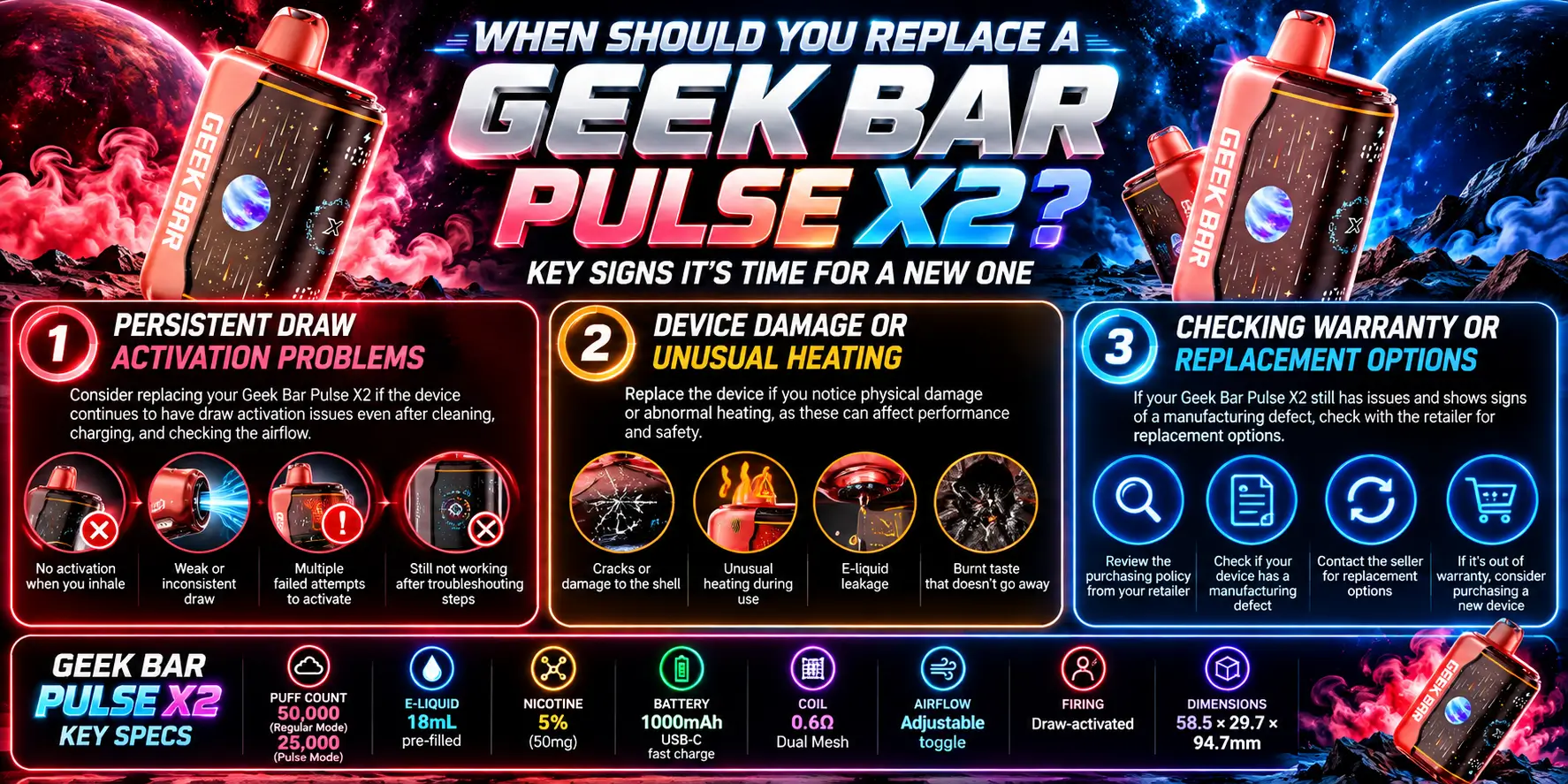
Replace it if the device still will not fire after you have cleaned, dried, and charged it, or if it shows any sign of damage or overheating. Safety comes before squeezing out the last few puffs.
The X2 carries a 50,000 puff rating in Regular mode and 25,000 in Pulse mode. Those numbers are manufacturer estimates, so real-world life varies with your habits. If you want a realistic picture, see how long a Pulse X2 lasts in daily use, and check our Geek Bar Pulse X2 puff count explainer for the details behind the rating.
Persistent Draw Activation Problems
If the problem comes back after every fix, the cause is probably internal. Repeated failures after cleaning and charging usually mean the sensor or the circuit has a fault.
Check whether you simply ran out of e-liquid or battery life. Our Geek Bar Pulse X2 review shows what normal performance looks like, which makes it easier to spot when something is off.
Device Damage or Unusual Heating
Stop using the device right away if it gets hot, swells, leaks heavily, or smells like burning plastic. Do not keep charging it.
The FDA has documented vape battery incidents linked to damaged or mishandled lithium-ion batteries. Do not take chances with a device that heats up on its own.
When it is time to dispose of it, do not toss it in the household trash. The U.S. EPA says lithium-ion batteries can start fires in trash trucks and recycling facilities, so take the device to a battery or e-waste drop-off.
Checking Warranty or Replacement Options
Contact the retailer where you bought the device and ask about their return or replacement policy. Keep your order number and a short description of the problem handy.
Buy only from verified sellers so you receive an authentic product with support behind it. Remember that federal law sets the minimum age to buy any tobacco or vapor product at 21, so expect an ID check.
FAQs
1. Why is my Geek Bar Pulse X2 not firing when I inhale?
Most often the cause is blocked airflow, moisture near the sensor, or a low battery. Clear the air openings, wipe the mouthpiece dry, and charge the device for 10 to 15 minutes. Then draw slowly for two to three seconds. If it still does nothing after a full charge, the sensor may have failed.
2. Does the Geek Bar Pulse X2 have a power button?
No. The X2 is draw-activated, which means it fires when you inhale through the mouthpiece. You do not press a button to start a puff. That design makes airflow the key trigger, so any blockage in the air path can stop the device from responding, even when the battery is full.
3. Can condensation stop my Pulse X2 from working?
Yes. Vapor can cool into droplets inside the device, and those droplets can interfere with the sensor. Wipe the mouthpiece with a dry cloth, hold the device upright for a few minutes, and try again. Never blow into the mouthpiece, because that pushes liquid deeper toward the electronics.
4. How long should I charge the Geek Bar Pulse X2 before testing it?
Give it at least 10 to 15 minutes on a USB-C cable before you test again, since a deeply drained battery may need a short head start. For a full charge, leave it plugged in until it finishes. Always use a good cable and never leave a charging device unattended.
5. When should I stop troubleshooting and replace my Pulse X2?
Replace it if the device stays dead after cleaning, drying, and a full charge, or if it gets hot, swells, leaks heavily, or fires on its own. Those signs point to internal damage. Stop using it, contact your retailer about a replacement, and dispose of the old unit at a battery or e-waste drop-off.
Looking to buy one? Browse the full range of authentic Geek Bar Pulse disposable vapes at Vapor Boss, a verified US retailer that ships only to legal states.