

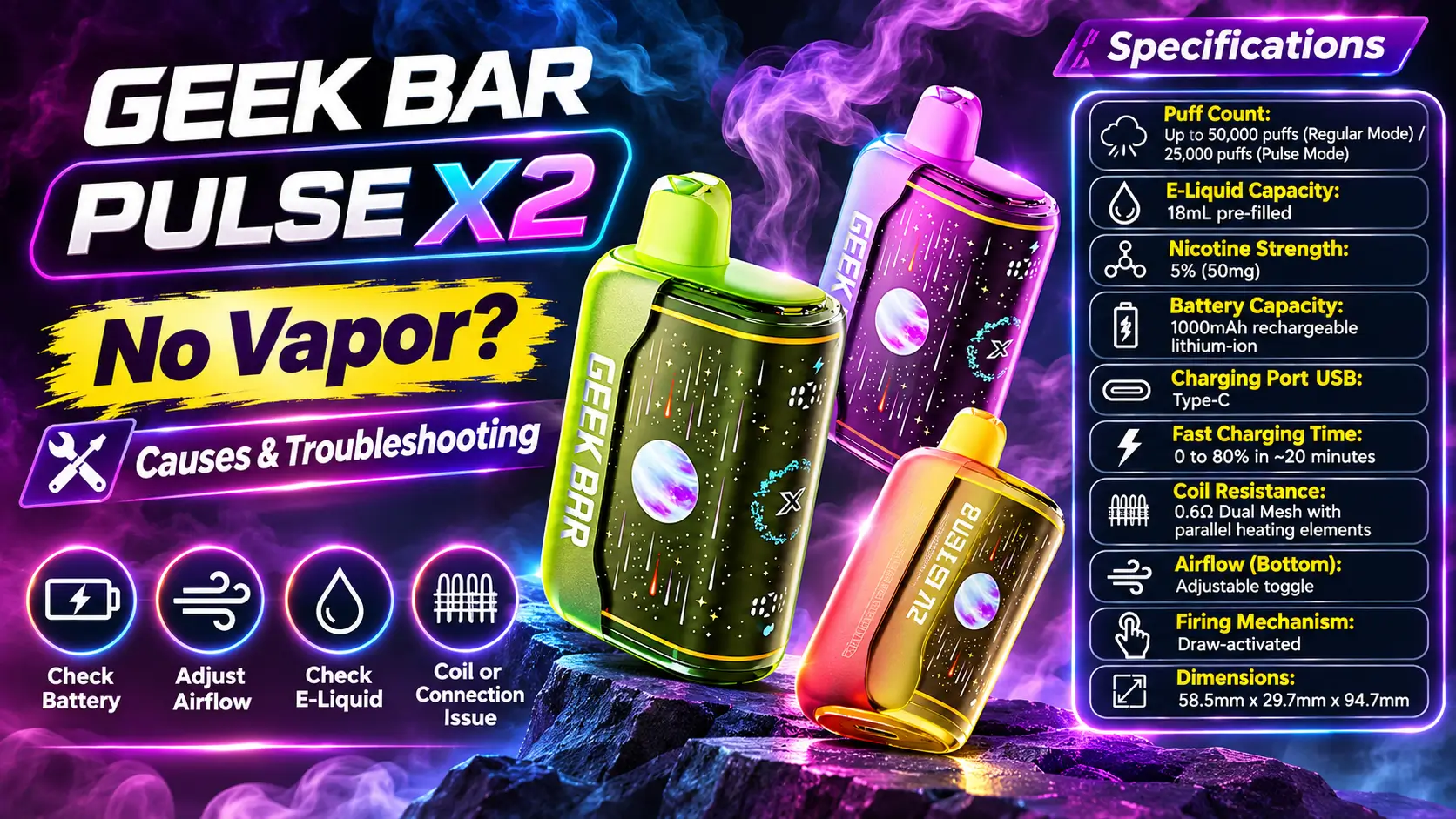
A Geek Bar Pulse X2 no vapor problem almost always traces back to one of five causes: a drained battery, blocked airflow, a draw sensor that is not triggering, empty e-liquid, or a damaged coil. You can check most of them in a few minutes without any tools.
This guide walks through each cause in plain English, explains what the display is telling you, and shows when to stop troubleshooting. If you want the full product background first, visit the Geek Bar Pulse X2 page.
Nobody enjoys pulling on a silent device, so expect a little humor along the way. A dead vape is annoying enough without a lecture.
Adults only (21+). Federal law sets the minimum age to buy tobacco and nicotine products, including vapes, at 21 in the United States. This product contains nicotine, which is an addictive chemical.
In This Guide
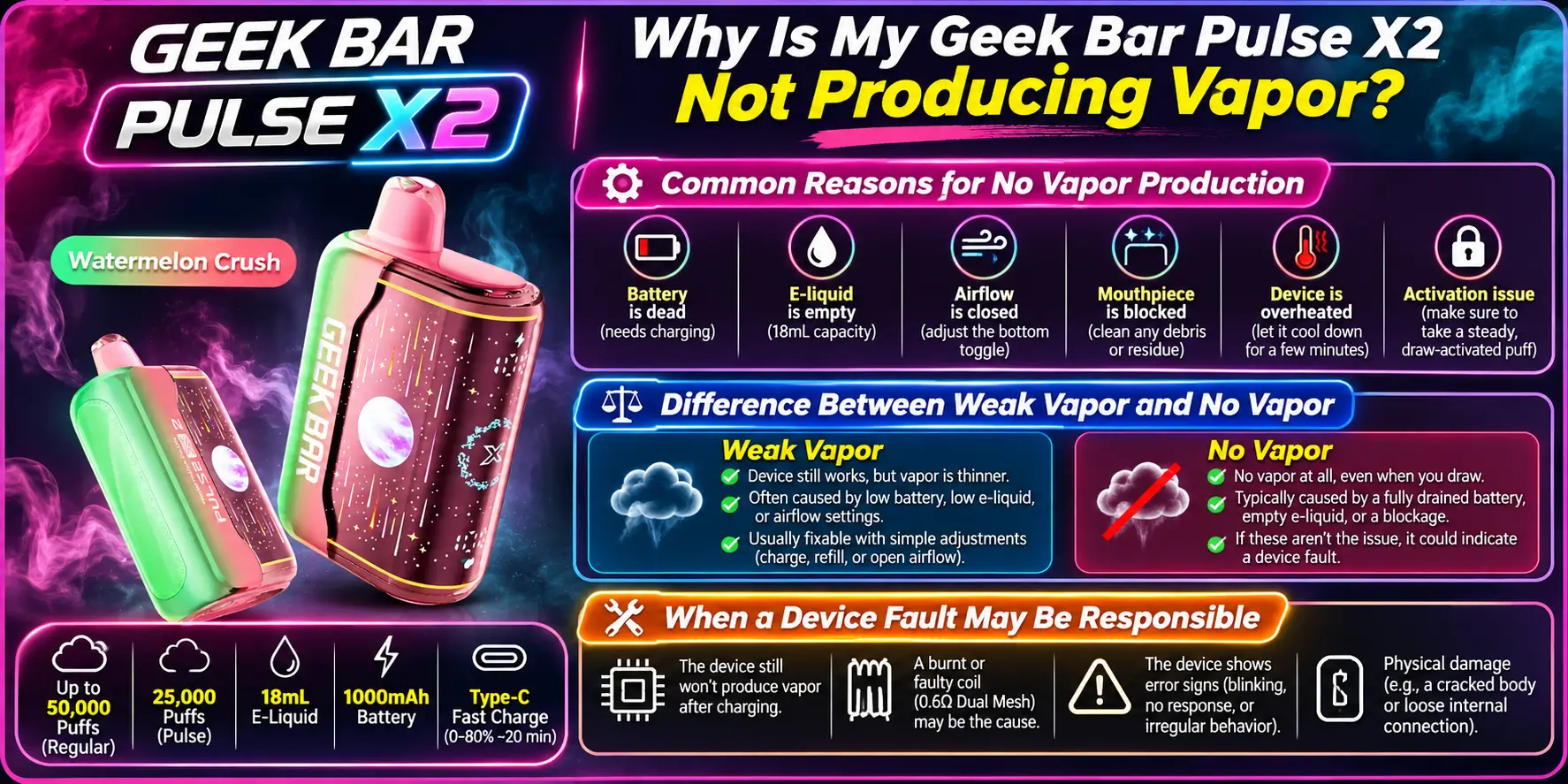
Your device is not producing vapor because something in the chain of battery, sensor, airflow, e-liquid, and coil has broken. Find the weak link and you usually find the fix. Start with the simplest cause and work your way up.
The most common reasons are a low battery, a blocked mouthpiece, a sticky draw sensor, depleted e-liquid, and a damaged coil. Each one produces slightly different symptoms, which helps you narrow things down fast.
The table below gives you a quick map. Use it as a first pass, then read the matching section for details.
| Symptom | Most Likely Cause | Quick Check |
|---|---|---|
| Display is blank, no response | Drained battery | Plug in USB-C and watch for charging activity |
| Display lights up, no vapor | Blocked airflow or draw sensor issue | Inspect the mouthpiece and airflow toggle |
| Weak, thin vapor | Low e-liquid or a tired coil | Check the e-liquid indicator |
| No vapor plus burnt taste | Coil damage or dry hits | Stop using the device |
| Fires on its own | Sensor fault | Read the auto-firing guide |
Weak vapor means the coil still heats but something limits the output. Common culprits are low e-liquid, restricted airflow, or a fading battery. You can often improve weak vapor with simple checks.
No vapor means the device is not heating at all, or the vapor never reaches your mouth. That points to power, sensor, or severe blockage problems. Treat the two cases differently, because a weak device may recover while a silent one often needs a closer look.
A fault becomes likely when you have charged the device, cleared the mouthpiece, and still get nothing. Disposable vapes are sealed units, so you cannot open or repair them safely. Do not try to take one apart.
The FDA warns that vape batteries can overheat and, in rare cases, fail dangerously. That is one more reason to leave internal repairs alone. If you suspect a real fault, jump to the "when to stop" section below.
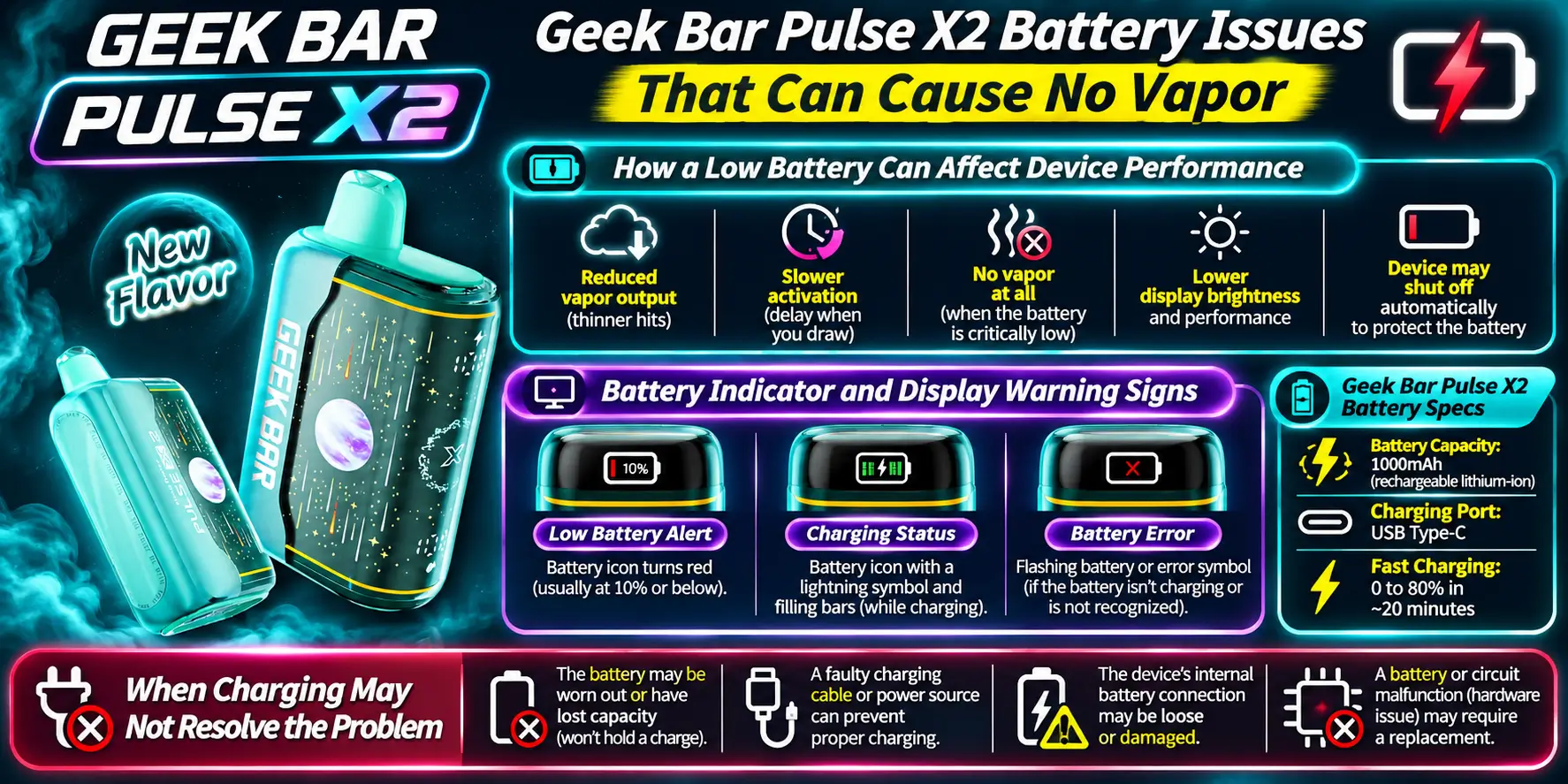
A low or fully drained battery is the single most common reason the device stops producing vapor. The listed battery is a 1000mAh cell with USB-C fast charging. Check the battery first, because it takes ten seconds and fixes more problems than any other step.
As the battery drains, the device struggles to heat the coil properly. You may notice weaker vapor first, then no response at all. This often happens before you finish the e-liquid, especially if you use the stronger mode often.
Heavy use also shortens the time between charges. If you want realistic expectations, our guide on how long Pulse X2 lasts explains the factors that change battery and e-liquid life.
The display shows a battery indicator, so check it before anything else. A very low reading, a flashing icon, or a display that will not wake all suggest the battery needs attention. Treat a blank screen as a drained battery until proven otherwise.
If you are unsure how the screen behaves, the Geek Bar Pulse X2 settings guide covers what each indicator and mode means.
Charging should bring a drained device back within a short time. If you charge it and still get no vapor, the battery is probably not the only issue. Try a different USB-C cable and a different power source before you blame the device.
Our how to charge Geek Bar Pulse X2 guide shows the right steps. You can also read the Geek Bar Pulse vs Pulse X2 charging comparison if you are used to the older model.
Keep the device away from heat while it charges. Battery University notes that lithium-ion cells age faster when they sit in hot conditions, so a warm car dashboard is a bad charging spot.
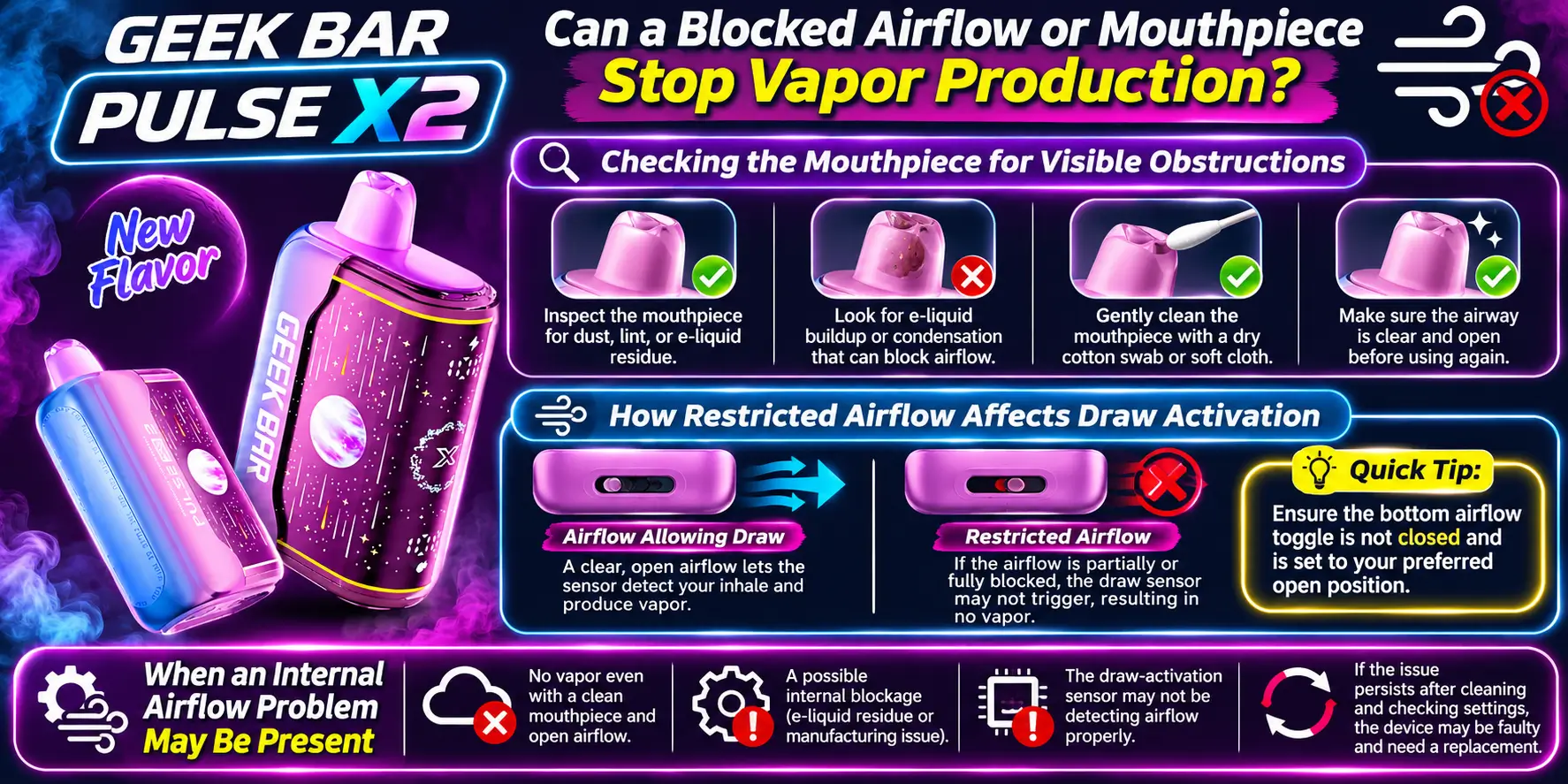
Yes, a blocked airflow path or mouthpiece can stop vapor completely. When air cannot flow, the draw sensor may never trigger, and vapor cannot travel to your mouth. This is one of the easiest problems to check and fix.
Look at the mouthpiece opening in good light. Lint, dust, or a bit of dried residue can sit right in the opening, especially if you carry the device in a pocket or bag. Remove anything you see gently, using a clean dry tissue.
Never push a pin, needle, or other sharp object into the opening. You can damage the internal parts and make the problem worse. For a deeper walkthrough, see our guide on a Geek Bar Pulse X2 mouthpiece blocked issue.
The X2 has an adjustable airflow toggle. If you set it too tight, the draw may feel hard and the sensor may not trigger on a gentle inhale. Slide the toggle to a more open position and try a slightly longer, steadier pull.
Think of it like drinking a thick milkshake through a coffee stirrer. The device works, but you are asking too much of it.
If the mouthpiece is clear and the toggle is open, but you still feel heavy resistance, the blockage may sit inside the device. Condensation or leaked e-liquid can clog the internal path over time. You cannot fix this at home safely.
Wipe away any visible moisture on the outside, let the device sit upright for a short time, and test again. If the resistance stays, move on to the draw sensor checks.
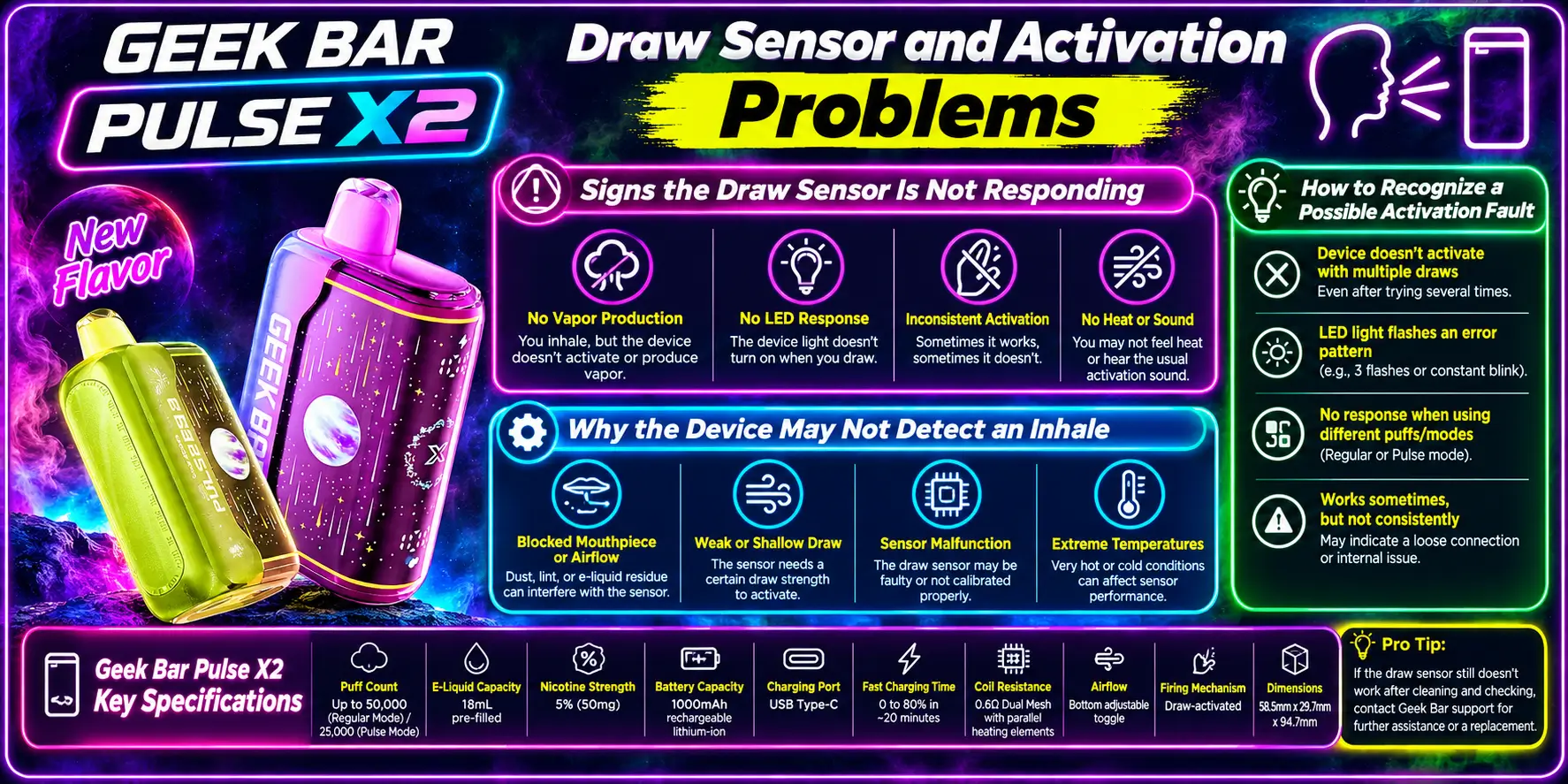
The Pulse X2 is draw-activated, which means it fires when you inhale. It has no button to press. If the sensor does not detect your pull, the coil never heats and you get no vapor.
The clearest sign is a lit display that does nothing when you inhale. The device wakes up but never fires, no matter how hard you pull. Some users also see an inconsistent response, where it works on one pull and fails on the next.
Test it a few times with firm, steady draws before you decide the sensor has failed. A single weak pull proves nothing.
The most common cause is a pull that is too soft or too short. Blocked airflow and a very low battery can also stop the sensor from triggering. A tight airflow setting makes the problem worse.
Check the basics in order: battery, airflow toggle, mouthpiece, then try again. Our Geek Bar Pulse X2 draw activation article explains how the sensor works in more detail.
A true activation fault shows up as a device that stays silent after you fix the battery, clear the mouthpiece, and open the airflow. The opposite fault exists too. If the device fires without you inhaling, read about Geek Bar Pulse X2 auto-firing.
Either fault points to the sensor, and you cannot repair that yourself. Stop using a device that fires unpredictably, because uncontrolled heating wears down the coil and battery.
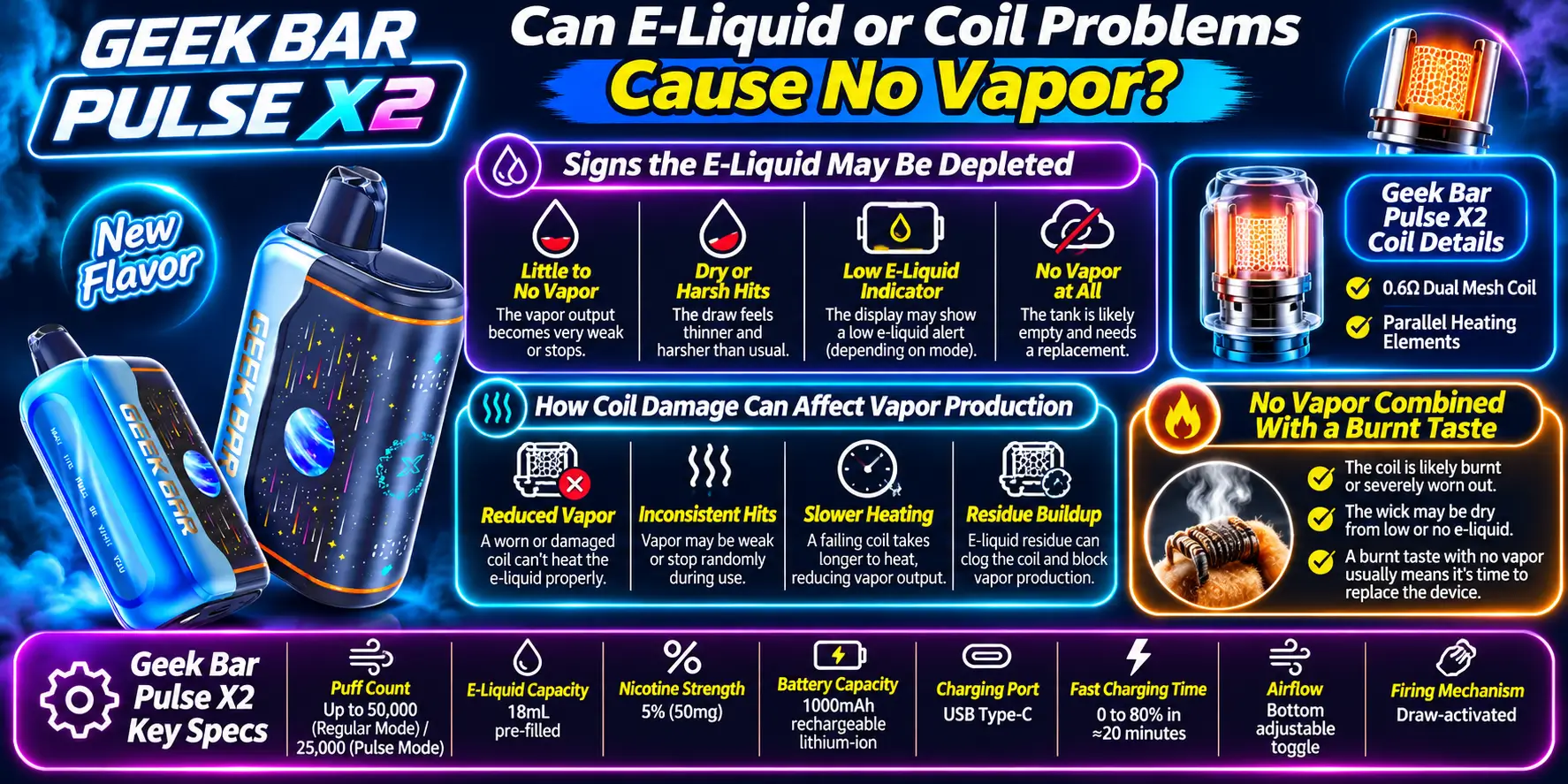
Yes, an empty tank or a damaged coil will stop vapor even when the battery and sensor work perfectly. The Pulse X2 holds 18mL of pre-filled e-liquid and uses a 0.6Ω dual mesh coil. Both parts wear out with use.
Watch the e-liquid indicator on the display. Thin vapor, a muted taste, and a crackling sound all suggest the liquid is running low. Once the tank empties, the coil has nothing to vaporize.
The listed puff counts give you a rough guide. The X2 lists 50,000 puffs in Regular mode and 25,000 in Pulse mode. These are manufacturer estimates, so your real numbers will vary with your puff length and habits. You can see more detail on the Geek Bar Pulse X2 puff count page.
A mesh coil has a large surface area, which helps it heat the liquid evenly. Over time, residue can build up, or the coil can dry out if the wick does not get enough liquid. Either problem cuts vapor output sharply.
You can learn more about this part in our Geek Bar Pulse X dual mesh coil guide. Because the coil is sealed inside, you cannot swap it out.
No vapor with a burnt taste is a warning sign. It usually means the coil is firing dry, and a dry hit tastes harsh and unpleasant. Stop using the device right away, because continued firing can damage it further.
Do not push through a burnt taste hoping it clears. Let the device rest, then test it once. If the taste returns, the coil is finished and replacement is the sensible move.
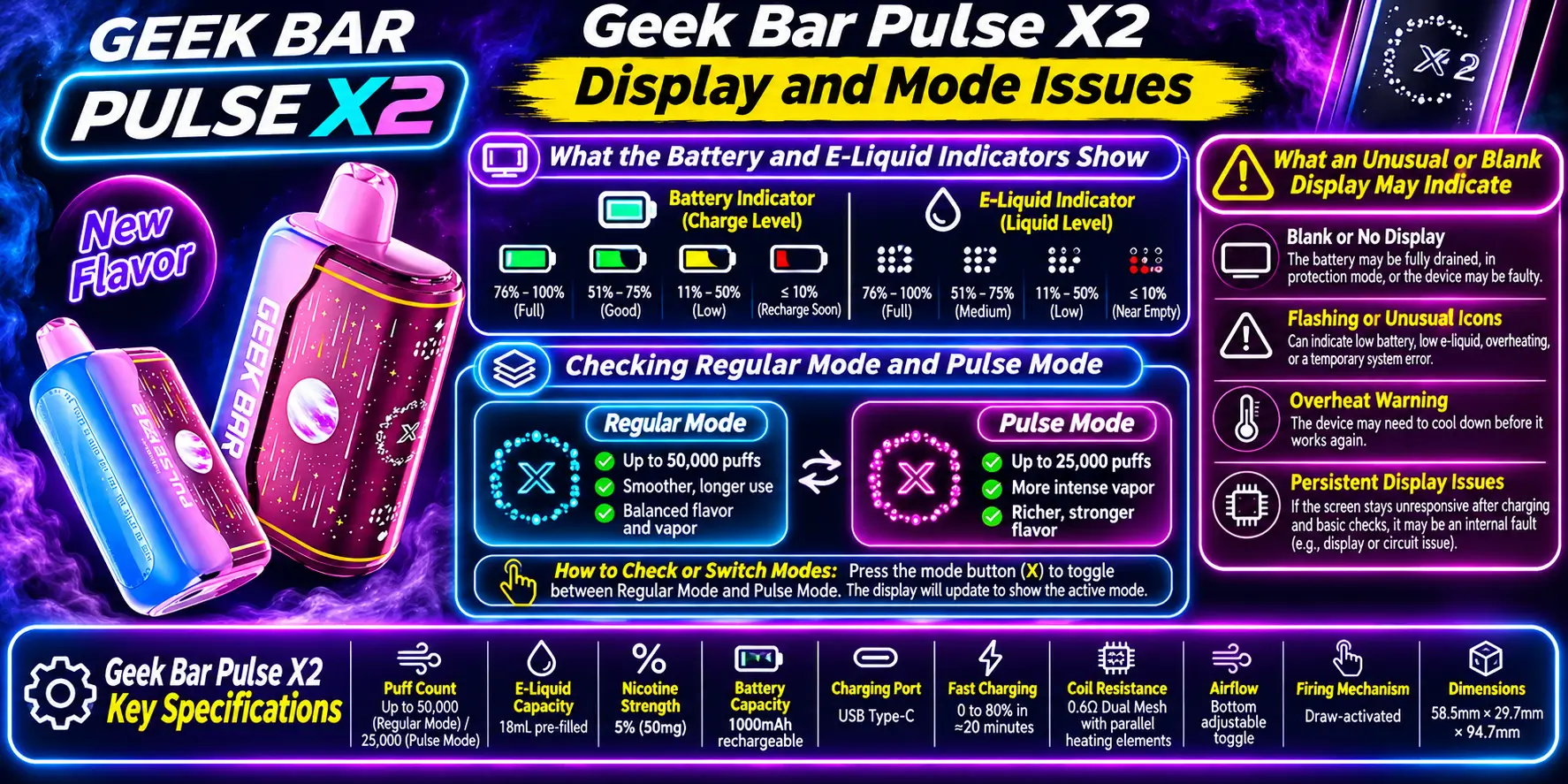
The display is your best diagnostic tool. It tells you about battery, e-liquid, and mode, so a quick look often answers the question before you try anything else. A blank or odd display tells its own story.
The battery indicator shows how much charge remains, and the e-liquid indicator shows how much liquid is left. If either one reads very low, you have likely found your cause. Fix the low reading first and test again.
Do not rely on the indicators alone. They give an estimate, not a lab measurement, so combine them with how the device actually feels and tastes.
The X2 has two modes, Regular and Pulse. The puff counts listed for each mode suggest that Pulse mode uses e-liquid faster, so it can drain the tank and battery sooner than you expect. Switch back to Regular mode and test the device.
If you want to compare how the modes feel, our Geek Bar Pulse X2 review covers real-world performance. Flavor intensity can also change how strong the vapor seems, which our Geek Bar Pulse X2 flavors guide explains.
A blank display usually means a drained battery, so charge the device first. A flickering display, flashing symbols, or a screen that shows odd behavior may point to a power or electronics fault. Try a charge, wait a few minutes, and check again.
If the display stays blank after a proper charge with a known-good cable, treat that as a possible device fault.
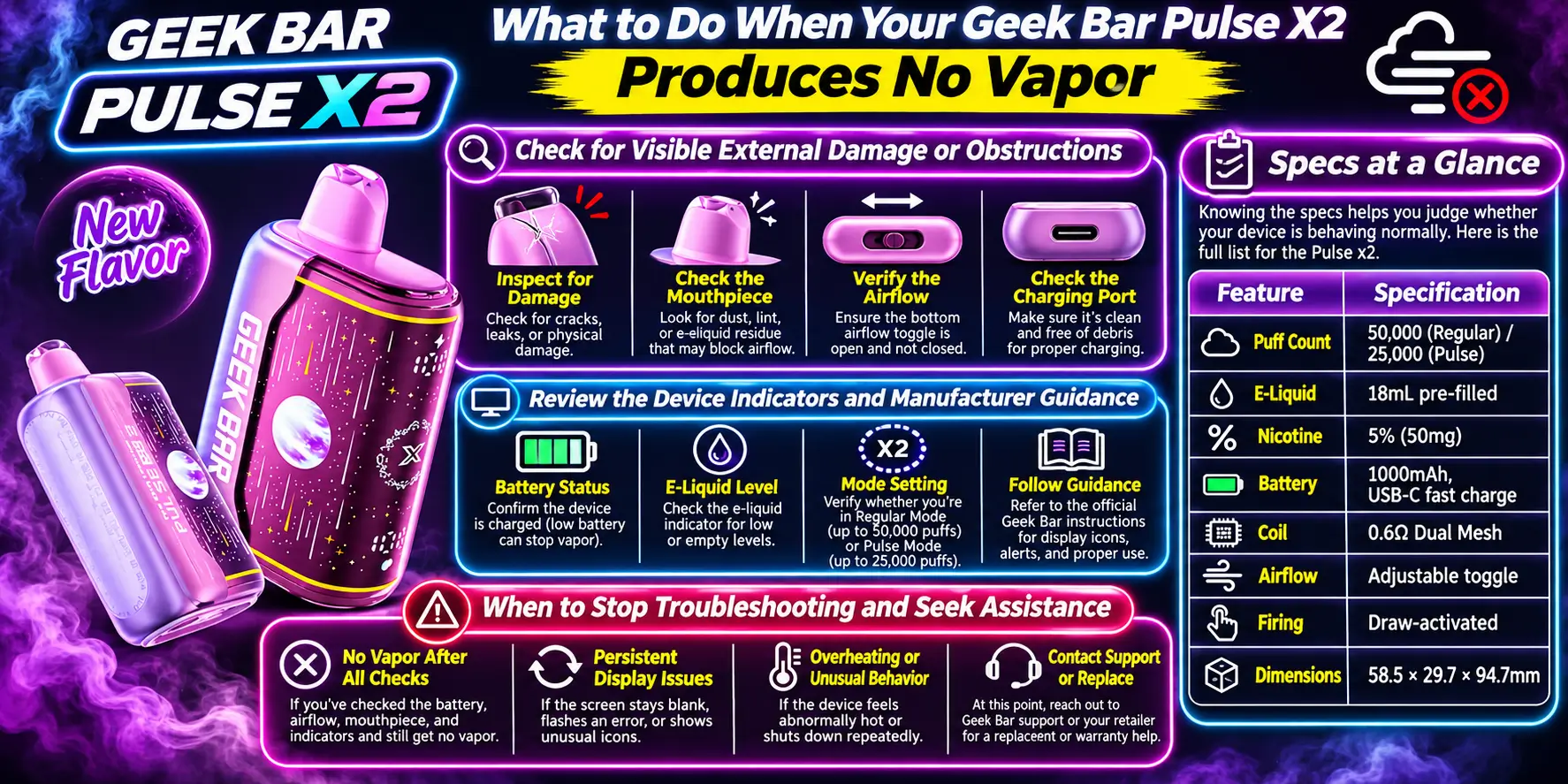
Work through a simple checklist in order: charge, check the mouthpiece, open the airflow, test the draw, then read the indicators. Most problems end somewhere on that list. If nothing works, stop and look at replacement options.
Turn the device over and look for cracks, dents, leaks, or swelling. Check the USB-C port for lint or bent contacts. Clear anything you can reach safely, then test again.
If you see swelling or a hot casing, stop at once. The FDA reports that damaged or overheating vape batteries can fail, so do not charge or use a device that looks physically damaged.
Read the display, check the packaging, and follow the manufacturer's guidance on use and charging. Many "dead" devices simply need a longer charge or a firmer draw. Rule those out before you decide the unit has failed.
Here is a quick troubleshooting order you can follow:
Stop when you have completed the checklist and the device still gives no vapor, or when you notice heat, swelling, leaking, or a burnt smell. At that point, further tinkering gains you nothing and adds risk.
Contact the seller or the manufacturer about a possible defect. The FDA also accepts reports about overheating or battery problems through its Safety Reporting Portal. If e-liquid leaks onto skin or someone swallows any, call Poison Help at 1-800-222-1222 in the United States.
Knowing the specs helps you judge whether your device is behaving normally. Here is the full list for the Pulse X2.
| Feature | Specification |
|---|---|
| Puff Count | 50,000 (Regular) / 25,000 (Pulse) |
| E-Liquid | 18mL pre-filled |
| Nicotine | 5% (50mg) |
| Battery | 1000mAh, USB-C fast charge |
| Coil | 0.6Ω Dual Mesh |
| Airflow | Adjustable toggle |
| Firing | Draw-activated |
| Dimensions | 58.5 × 29.7 × 94.7mm |
A quick math note: a 5% nicotine strength equals 50mg of nicotine per milliliter of e-liquid. That is a strong concentration, which is another reason to handle leaks carefully and keep the device away from children and pets.
1. Why Does My Geek Bar Pulse X2 Light Up but Produce No Vapor?
A lit display means the device has some power, but power alone does not guarantee vapor. The usual causes are blocked airflow, a draw that is too soft, empty e-liquid, or a damaged coil. Check the mouthpiece, open the airflow toggle, and try three firm draws before you assume the unit failed.
2. Can a Low Battery Stop the Pulse X2 From Producing Vapor?
Yes, a low battery can stop vapor production even when plenty of e-liquid remains. The coil needs enough power to heat, and a nearly drained cell cannot supply it. Charge the device with a USB-C cable for a while, then test again. If the problem stays, look at airflow and the sensor next.
3. Why Is My Pulse X2 Not Hitting Even With E-Liquid Remaining?
E-liquid in the tank does not guarantee the coil can reach it. A dried-out or clogged coil, a tight airflow setting, or a sensor that misses your inhale can all stop the hit. Switch to Regular mode, loosen the airflow, and draw steadily. A burnt taste means the coil is likely damaged.
4. Should I Replace a Pulse X2 That Produces No Vapor?
Replace it if you have charged it, cleared the mouthpiece, opened the airflow, and still get nothing. Replace it right away if it shows heat, swelling, leaking, or a burnt taste. The X2 is a sealed disposable, so no safe home repair exists. Contact your seller if you suspect a defect.
5. Why Does My Geek Bar Pulse X2 Get Hot and Stop Working?
A warm device after heavy use can be normal, but a very hot device is not. Heat can come from continuous firing, a sensor fault, or a battery problem. Stop using it, let it cool in a safe place, and do not charge it. If it overheats again, treat it as faulty and stop using it.
If your device is beyond saving, you can browse the Geek Bar Pulse X2 Disposable collection at VaporBoss for a replacement.
Geek Bar Pulse — Disposable Vape
🛒 Where to Buy Online
Choose from our verified partner stores — all carry 100% authentic Geek Bar Pulse products sourced directly from official US distributors.


Twelve Tribes
Wide Selection • Best Prices


Raven Route
Fast Delivery • All Flavors

Zippyzz
Quick Shipping • Great Deals
🔒 All partner stores are verified, age-gated, and ship only to legal US states. Purchases are made directly with the retailer — not geekbarpulse.com.
⚠️ Must be 21+ to purchase.