

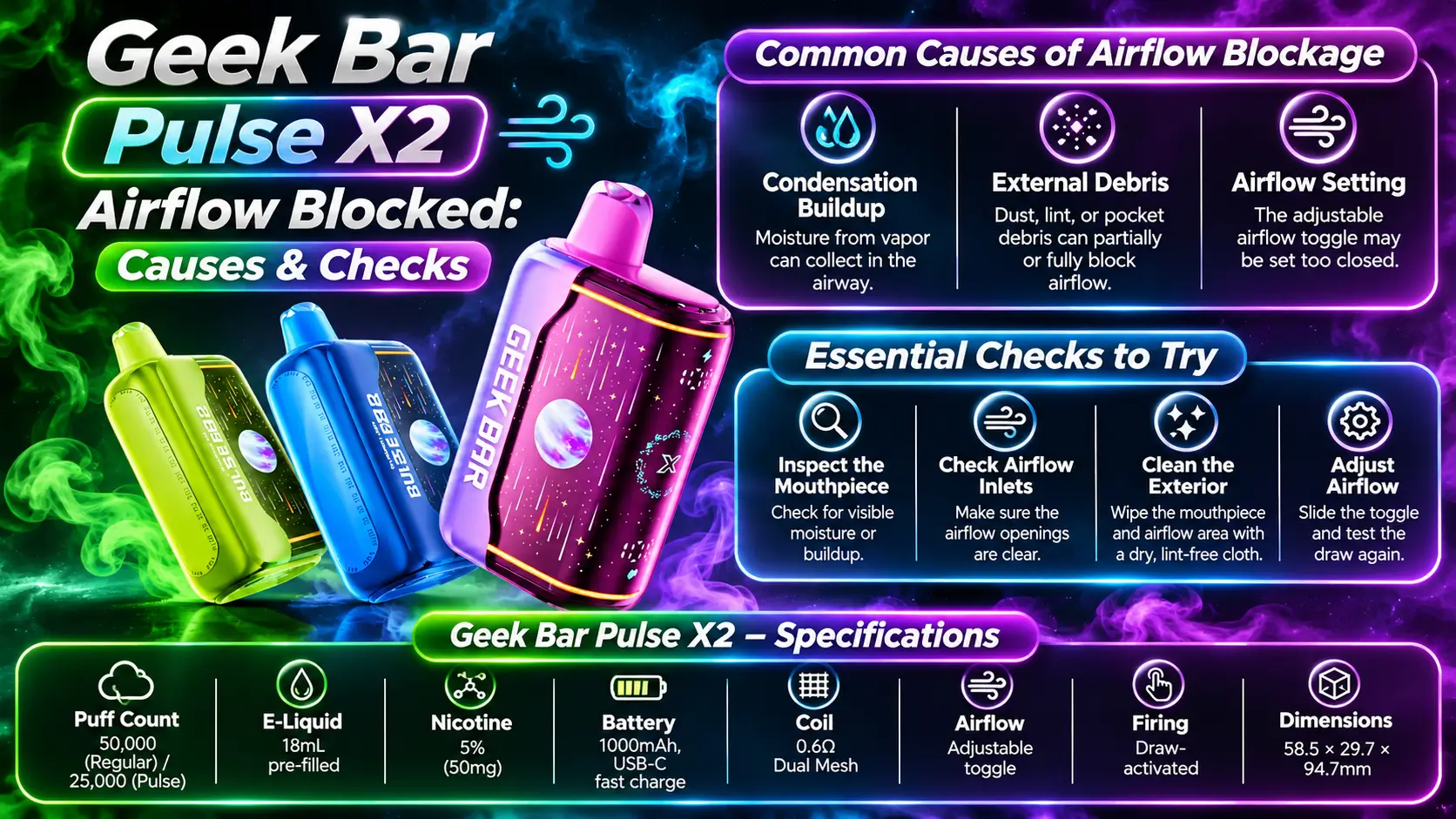
A Geek Bar Pulse X2 airflow blocked problem feels like pulling a thick milkshake through a coffee stirrer. The draw turns tight, the vapor thins out, and the session stops being fun.
This guide shows you what causes the restriction, how to check your Geek Bar Pulse X2 safely from the outside, and when to stop poking around. Every step stays external, because a sealed disposable is not meant to be opened.
This guide is for adults only. Federal law sets the minimum age to buy any tobacco product, including vapes, at 21, according to the FDA.
Table of Contents
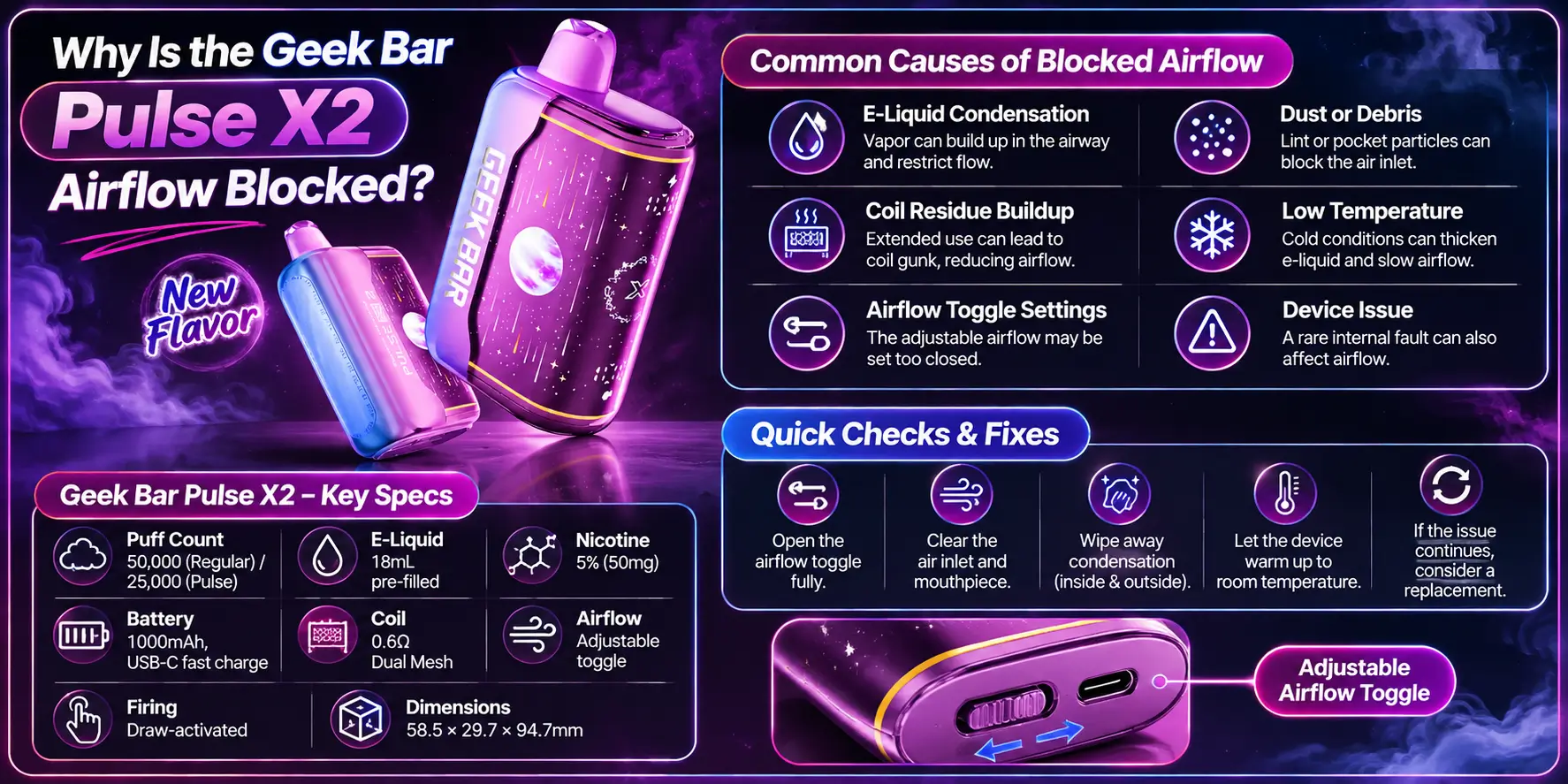
Airflow blocks when something sits in the air path. That something is usually dust at an opening, a film of condensation, or a toggle set too tight. Most causes are external, so you can spot them in under a minute.
Four culprits cause most complaints: lint or debris at an opening, moisture in the airway, a tight airflow toggle, and a worn or faulty internal part. You can fix the first three at home. The fourth usually means it is time to swap devices.
The X2 fires when it senses your inhale, a feature covered in our Geek Bar Pulse X2 draw activation guide. That means any restriction hits both the draw and the firing. A blocked path can look like a dead device even when the battery is fine.
Before you blame the hardware, slide the adjustable airflow toggle toward a more open position and take one gentle draw. A setting on the tight end feels a lot like a blockage.
Pockets, bags, and cup holders collect lint, crumbs, and grit. Those bits drift into openings, especially when the device rides loose next to keys and coins.
A single fiber across an opening can change the draw. It sounds minor, but small airways react to small blockers.
Checking is quick: look, do not probe. Jabbing a pin or toothpick into an opening can bend internal parts and turn a five-minute fix into a replacement.
Vapor is warm, and the airway is not. When warm aerosol meets a cooler surface, droplets form, and those droplets can collect near the mouthpiece and narrow the path.
E-liquid usually contains nicotine, flavorings, and a base of propylene glycol and vegetable glycerin, as the FDA's e-cigarette overview explains. Those bases are thick, so condensed droplets cling and slow the airflow instead of draining away.
Here are the specs that matter when you troubleshoot your device:
| Specification | Details |
|---|---|
| Puff Count | 50,000 (Regular) / 25,000 (Pulse) |
| E-Liquid | 18mL pre-filled |
| Nicotine | 5% (50mg) |
| Battery | 1000mAh, USB-C fast charge |
| Coil | 0.6Ω Dual Mesh |
| Airflow | Adjustable toggle |
| Firing | Draw-activated |
| Dimensions | 58.5 × 29.7 × 94.7mm |
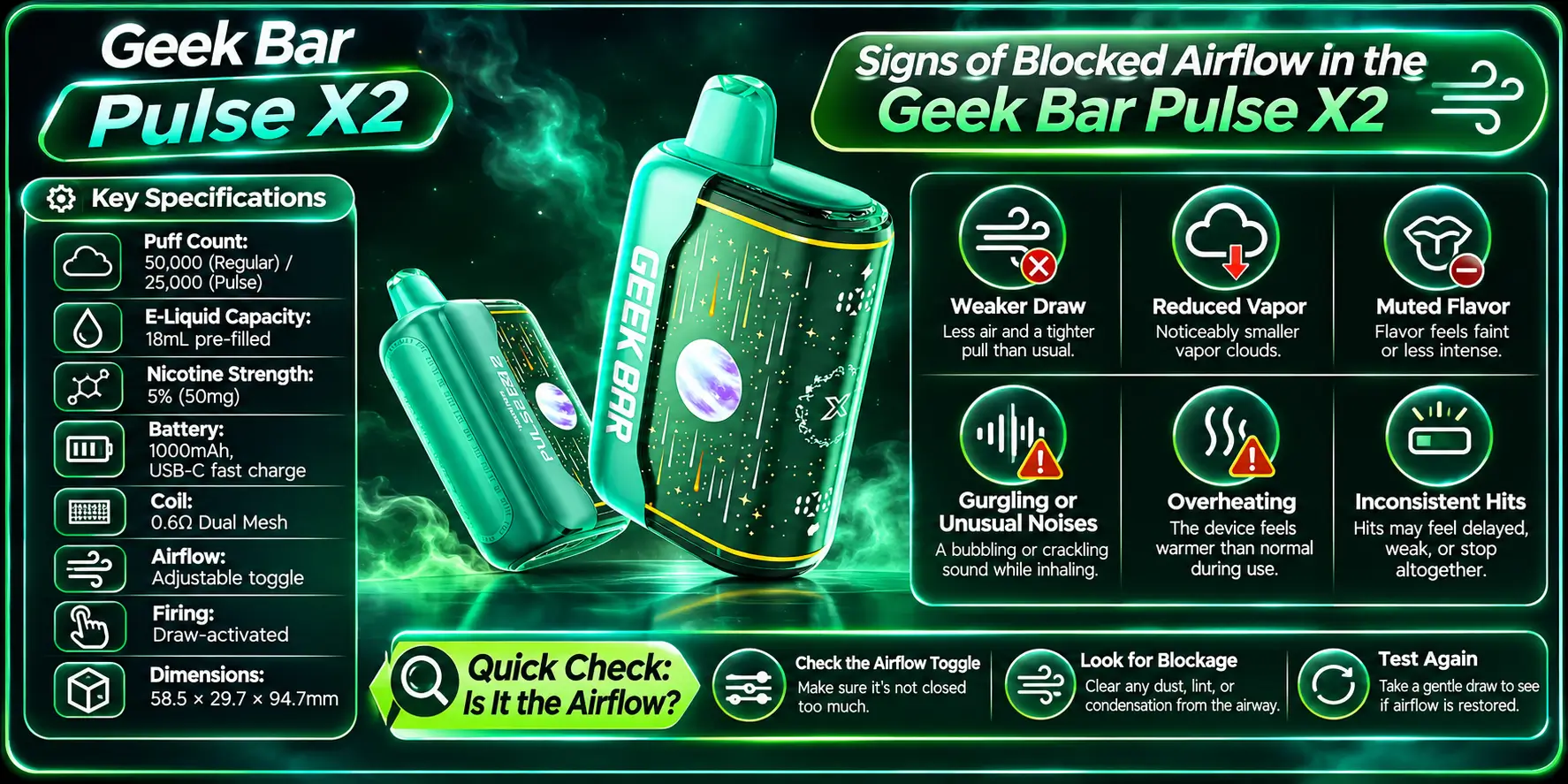
Three signs show up first: a tight draw, thin or missing vapor, and a gurgling sound when you inhale. One sign alone can have another cause. Two or three together point strongly at restricted airflow.
A healthy draw feels smooth and steady. A restricted draw feels like pulling against a pinched straw, and you have to inhale much harder than usual.
Notice whether the tightness holds at every toggle position. If it only appears at one setting, you found a settings quirk, not a blockage.
Also compare today to yesterday. A sudden change points to debris or moisture. A slow change over weeks often means the device is nearing the end of its life, so check how long Pulse X2 lasts and compare it with your own usage.
Blocked air starves the coil of the steady airflow it needs, so vapor thins out even when the battery is strong. The Geek Bar Pulse X dual mesh coil works best with a smooth, unrestricted draw.
If vapor drops but the draw feels normal, airflow probably is not your problem. Our Geek Bar Pulse X2 no vapor guide covers that case.
Keep the puff count in mind too. The X2 lists 50,000 puffs in Regular mode and 25,000 in Pulse mode, and our Geek Bar Pulse X2 puff count breakdown explains the difference. A device near the end of its rated life can behave like a blocked one.
Gurgling means liquid sits where air should travel. Pooled e-liquid or heavy condensation near the airway creates the bubbling noise.
Stand the device upright for a few minutes and try one gentle draw. Do not force a hard pull to clear it, because a hard pull can drag liquid toward your mouth.
If liquid shows up at the mouthpiece itself, read our Geek Bar Pulse X2 mouthpiece blocked guide for that specific problem.
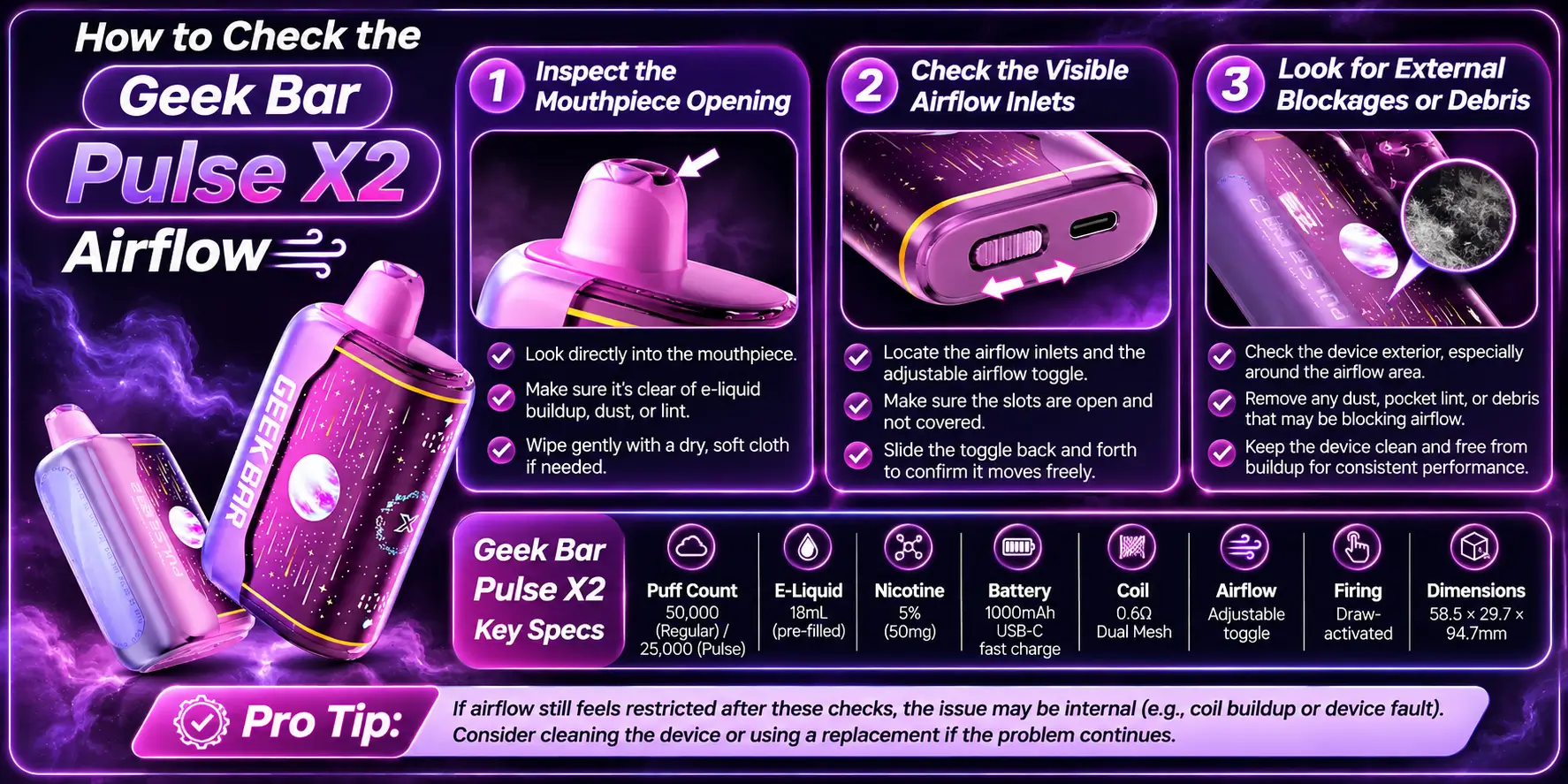
Run three checks in order: the mouthpiece opening, the visible airflow inlets, then the outside of the body. Use bright light and a clean, dry cloth. Never open the casing.
Hold the mouthpiece under a lamp and look straight in. You want a clear opening with no lint, no hardened residue, and no bead of liquid.
If you see a droplet, wipe the outer rim with a dry cloth and leave the device upright for a few minutes. Skip blowing into the mouthpiece, because blowing can push moisture deeper into the device.
Find the airflow toggle and the openings around it. Confirm the toggle sits where you want it, then scan each opening for lint or grime.
Opening locations differ between models, so trust what you can see rather than guessing. If an opening looks packed, touch it lightly with the corner of a dry microfiber cloth.
Skip compressed air. A strong blast can push debris deeper instead of out.
Roll the device slowly under the light and check the full body. Pocket lint tends to cling around seams and openings.
If you carry the device in a case or pouch, shake that out too. The case is often the real source of the lint.
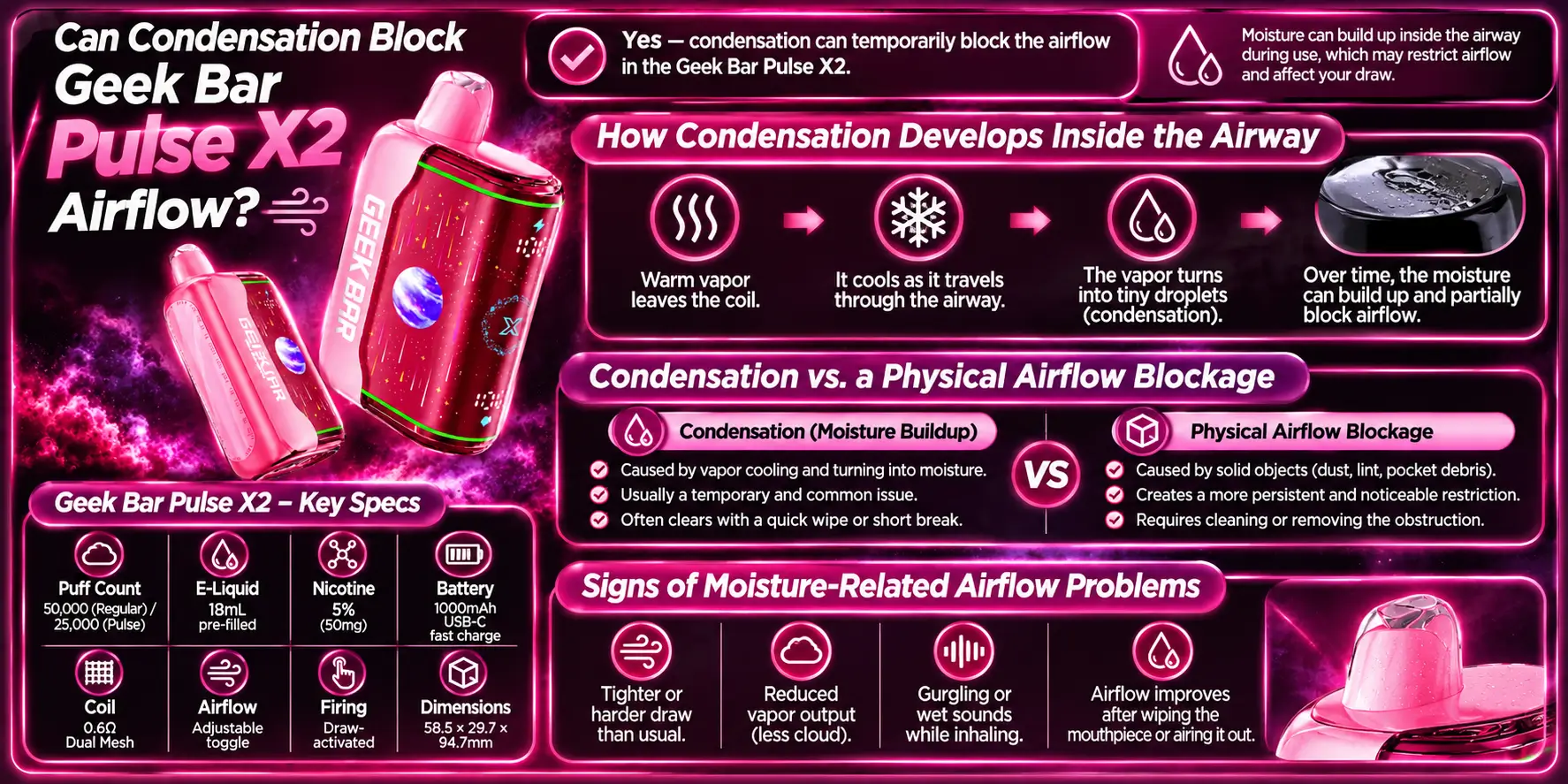
Yes. Condensation can restrict airflow, mostly near the mouthpiece and inside the airway. It usually clears with rest and a dry wipe, while a true blockage does not.
Every puff pushes warm aerosol through a cooler path. Some of that aerosol turns back into liquid on the walls.
Long, back-to-back sessions add more warm vapor than the airway can shed. Cold weather speeds the effect, because cold surfaces pull heat out of the vapor faster.
Condensation comes and goes. A physical blockage stays put until you remove it. This table shows how to tell the two apart, and how both differ from an internal fault.
| Check | Condensation | Physical Blockage | Internal Fault |
|---|---|---|---|
| How it starts | Builds during a session | Appears after storage or carrying | Appears suddenly, often with other symptoms |
| What you see | Droplets near the mouthpiece | Lint or grime at an opening | Often nothing visible |
| Gurgling | Common | Rare | Possible |
| After resting upright | Draw improves | Draw stays tight | No change |
| Best next step | Wipe dry and wait | Clear the opening gently | Stop and replace |
Moisture problems follow a pattern: the draw gets worse during a session, then improves after a rest. You may also hear gurgling, and the mouthpiece may look wet.
If the same pattern returns within a few puffs after resting, moisture may be reaching somewhere you cannot see. Treat that as a possible internal issue and stop using the device.
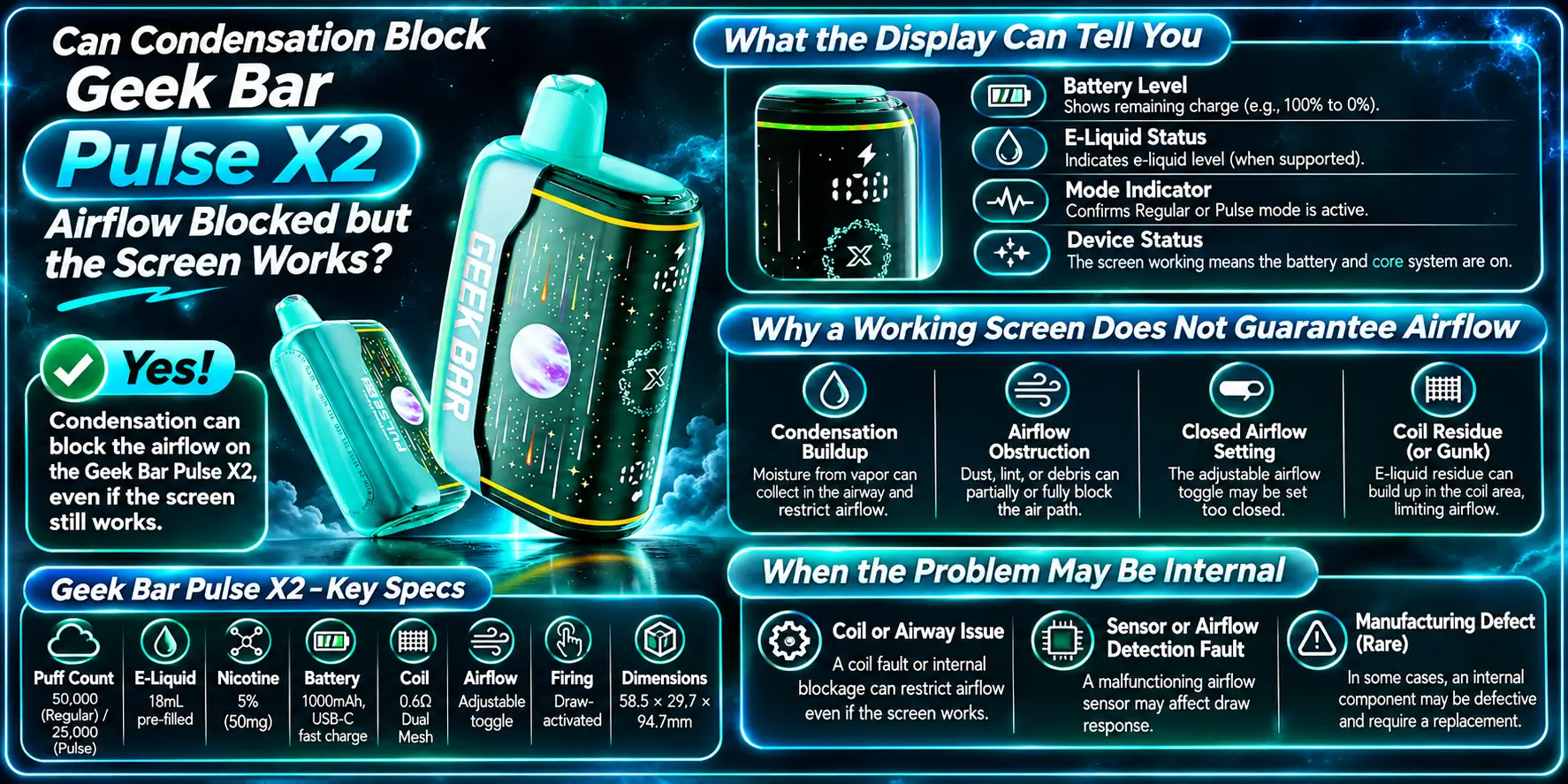
A working screen does not prove the airway is clear. The display reports device status, not the condition of the air path. You can have a bright, healthy-looking screen and still have a blocked draw.
The screen shows status information such as battery and mode details. Use it to rule out the simple stuff first.
A low battery can weaken vapor, so charge the device and test again. Our how to charge Geek Bar Pulse X2 guide walks through USB-C charging, and the Geek Bar Pulse vs Pulse X2 charging comparison explains how the two devices differ.
Also review your Geek Bar Pulse X2 settings. A mode or setting you forgot about can change how the device feels.
The screen and the airway are separate systems. The display runs on the battery, while airflow depends on open passages and a clear path to the coil.
A blocked opening, a wet airway, or a stuck draw sensor can leave the screen untouched. That is why a lit display can still come with a dead or weak draw.
Suspect an internal fault when the toggle is open, the openings are clean, the device has rested upright, the battery is charged, and the draw is still tight.
At that point you cannot fix it from the outside. If the device fires on its own, our Geek Bar Pulse X2 auto-firing guide covers that separate issue.
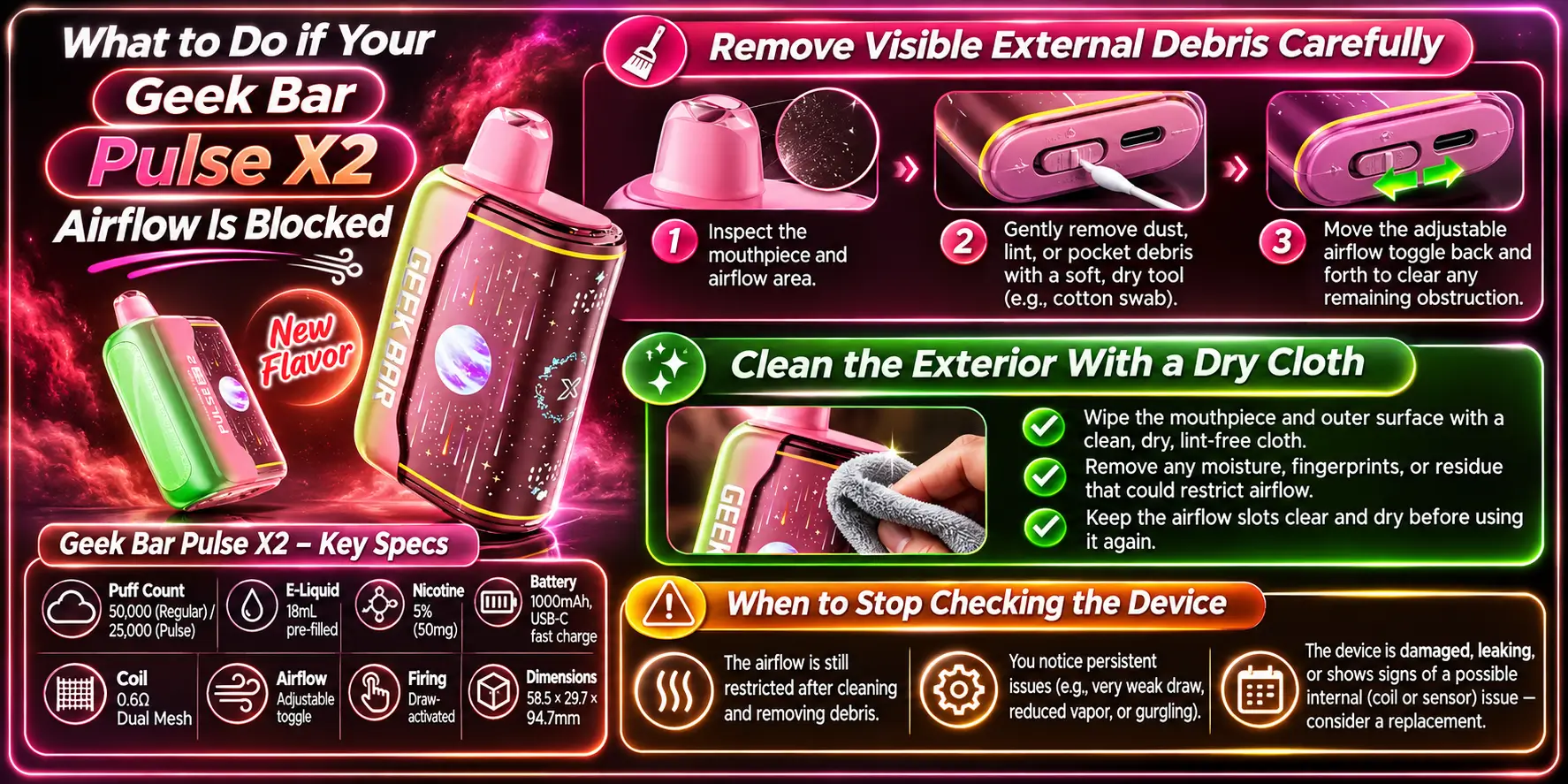
Work through simple fixes first, and stop the moment anything looks unsafe. Most blocked-airflow cases clear with a gentle external clean and a short rest. Anything beyond that calls for a replacement.
Wipe away what you can see with a dry cloth. Use light pressure and move slowly.
Never push a pin, needle, or paper clip into an opening. You can damage the airflow path or the internal parts, and you cannot see what you are hitting.
A dry microfiber cloth handles the body, mouthpiece rim, and openings. Avoid water, alcohol wipes, and cleaning sprays, because liquid near the openings can make the problem worse.
After cleaning, stand the device upright for a few minutes and test with one gentle draw. A good result means you fixed it. A bad result means you move on to the next step.
Stop right away if the device leaks, smells burnt, or swells. Stop too if the casing feels hot when you are not using it. If your Geek Bar Pulse X2 gets hot during normal use, put it down and let it cool.
Safety first: the FDA's battery safety tips advise against using damaged batteries or leaving a charging device unattended. Never keep trying a device that shows heat, swelling, or leaking.
When you retire a device, do not toss it in household trash. The EPA says lithium-ion batteries belong in dedicated recycling or household hazardous waste programs.
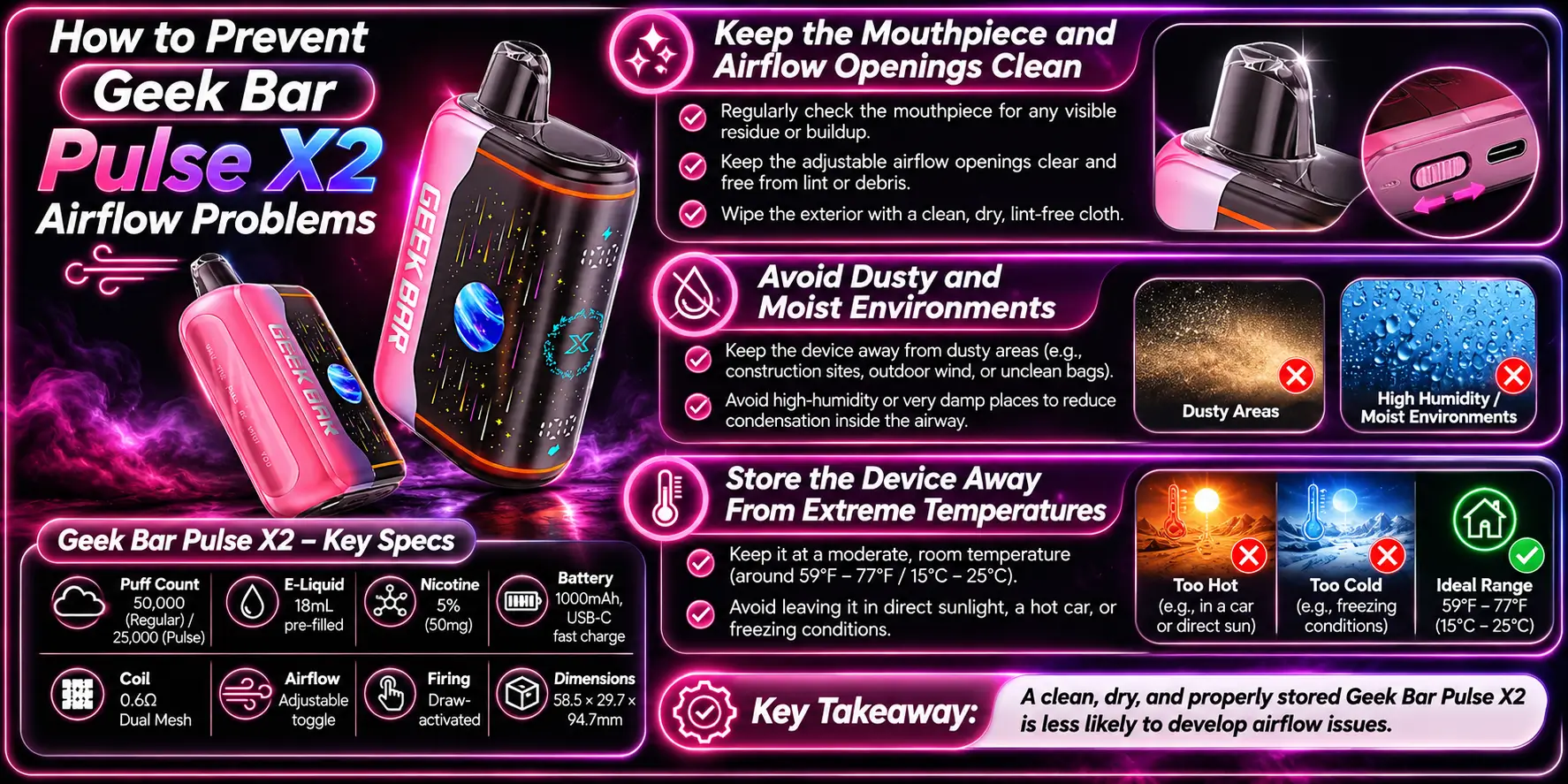
Prevention comes down to three habits: keep the openings clean, avoid dusty or damp places, and keep the device away from heat and cold. They take seconds and save you a replacement.
Wipe the mouthpiece and the body with a dry cloth every few days. Do it more often if the device lives in a pocket or bag.
Keep the airflow toggle at a setting you like and avoid constant tight settings. That keeps the draw predictable, so you notice a real change faster.
Dust loves workshops, cars, and gym bags. Moisture loves bathrooms, damp pockets, and rainy days.
Store the device upright in a clean spot. Upright storage keeps the Geek Bar Pulse X2 e-liquid, a pre-filled 18mL supply, away from the airway.
Heat stresses lithium-ion batteries, and cold speeds condensation. A parked car in summer or winter is the worst place to leave it.
Room temperature works best. If the device spent time in the cold, let it warm up before you use it.
A hard draw usually comes from a tight airflow toggle setting, debris at an opening, or condensation in the airway. Check the toggle first, then inspect the mouthpiece and openings under bright light. If the draw stays tight after a dry wipe and some rest, the cause may be internal, and replacement is the safer move.
Yes. Warm vapor condenses on cooler surfaces and can narrow the airway, mostly near the mouthpiece. Stand the device upright for a few minutes, wipe the outside dry, and try one gentle draw. If gurgling or tightness returns within a few puffs, treat it as a possible internal problem.
Restricted airflow starves the coil of the steady air it needs, so vapor thins out even with a good battery. A low battery can also cause weak vapor. Charge the device, clear any external blockage, and compare the draw before you decide on anything else.
No. Stop using it until you clear the cause. Forcing hard draws through a blockage can pull liquid toward the mouthpiece and stress the device. If the airway stays restricted after external checks, or the casing gets hot or leaks, stop and replace it.
A dead battery usually brings a low-battery indication or little response at all, while a blocked airway brings a tight draw or gurgle even with the screen working. Charge the device for a while and test again. If the draw stays hard on a full charge, airflow is the problem.
A blocked airway is annoying, but the fix is usually simple and external. Check the toggle, clear visible debris, give condensation time to settle, and stop if anything looks or smells wrong.
Still deciding on your next device? Read the Geek Bar Pulse X2 review and browse the Geek Bar Pulse X2 flavors guide. Nicotine is addictive, and this content is for adults 21 and older.
Want to compare retailer options for this model? Browse Pulse By Geek Br X2 in the full collection.
Geek Bar Pulse — Disposable Vape
🛒 Where to Buy Online
Choose from our verified partner stores — all carry 100% authentic Geek Bar Pulse products sourced directly from official US distributors.


Twelve Tribes
Wide Selection • Best Prices

Raven Route
Fast Delivery • All Flavors

Zippyzz
Quick Shipping • Great Deals
🔒 All partner stores are verified, age-gated, and ship only to legal US states. Purchases are made directly with the retailer — not geekbarpulse.com.
⚠️ Must be 21+ to purchase.