

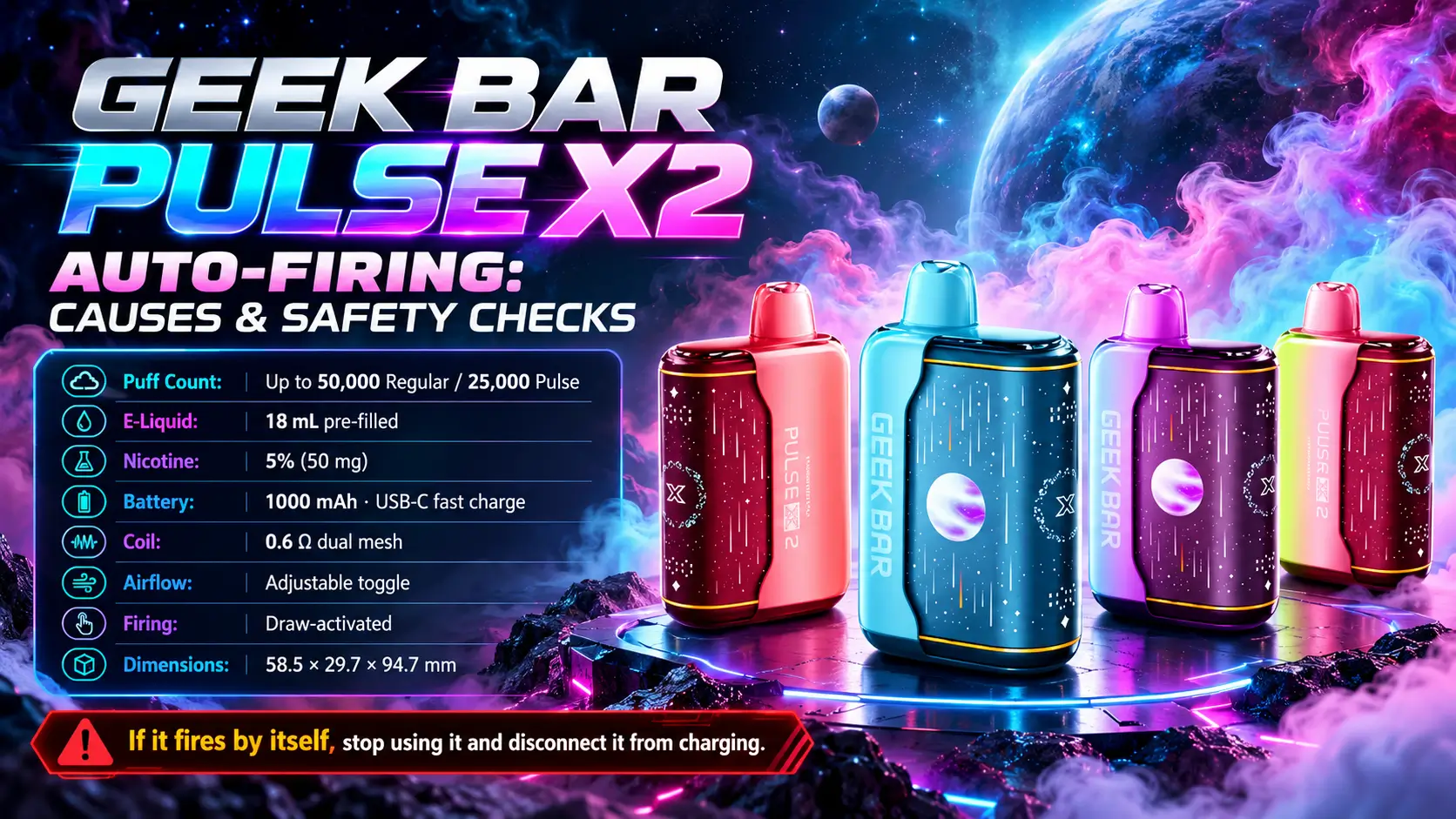
A Geek Bar Pulse X2 auto firing problem means the device heats up without a puff. That is not a quirk to shrug off. Unexpected activation can point to a sensor fault, trapped moisture, or an electrical problem, and the safest response is to stop using the device.
This guide explains what auto-firing looks like, what usually causes it, and what to do next. It also covers how to cut the risk going forward. Everything here is for adults aged 21 or older, which is the federal minimum age to buy tobacco products in the United States.
📋 Table of Contents
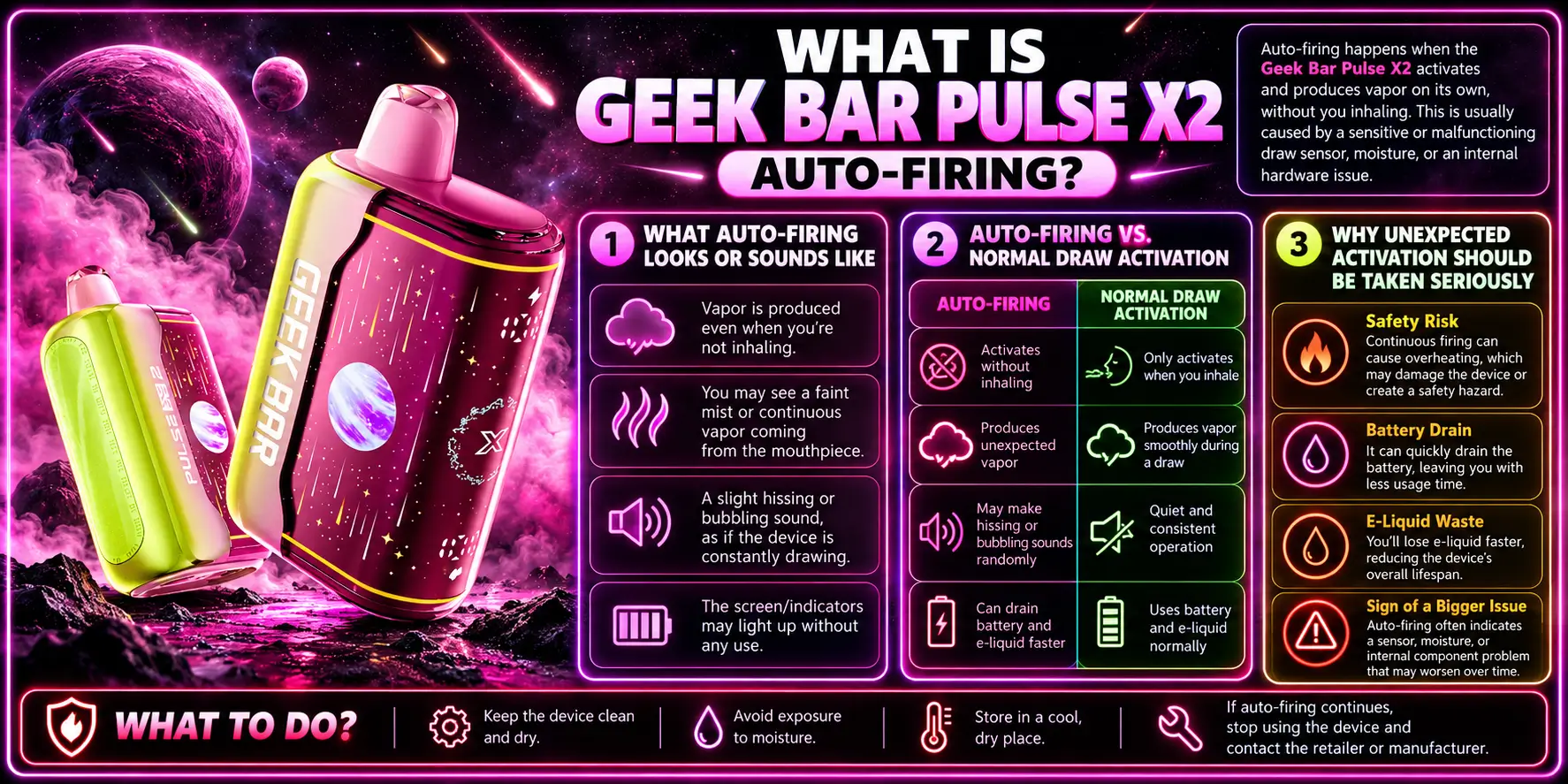
Auto-firing is when the heating coil activates with no one drawing on the mouthpiece. The device behaves as if you inhaled, even though you did not.
The Geek Bar Pulse X2 is built to fire only on a draw, so any activation without one signals that something is off.
You may notice the display or indicator lighting up while the device sits on a desk. Some users report a faint warm smell, a warm mouthpiece, or vapor drifting out with no puff taken.
Pay attention to repetition. One odd flicker after a bumpy bag ride is different from the device lighting up every few minutes.
Normal activation has a clear trigger: you inhale, the sensor detects airflow, and the coil heats. Our guide on Geek Bar Pulse X2 draw activation walks through that normal sequence step by step.
Auto-firing breaks that chain. The coil heats with no airflow, or it keeps heating after you stop inhaling.
The X2 carries a 1000mAh lithium-ion battery, and lithium-ion cells do not forgive faults. The U.S. Food and Drug Administration states that e-cigarette batteries can overheat, catch fire, or explode, and it has received reports of burns and injuries.
A device that heats on its own is a device you cannot predict. Treat it the way you would treat a phone that gets hot in your pocket.
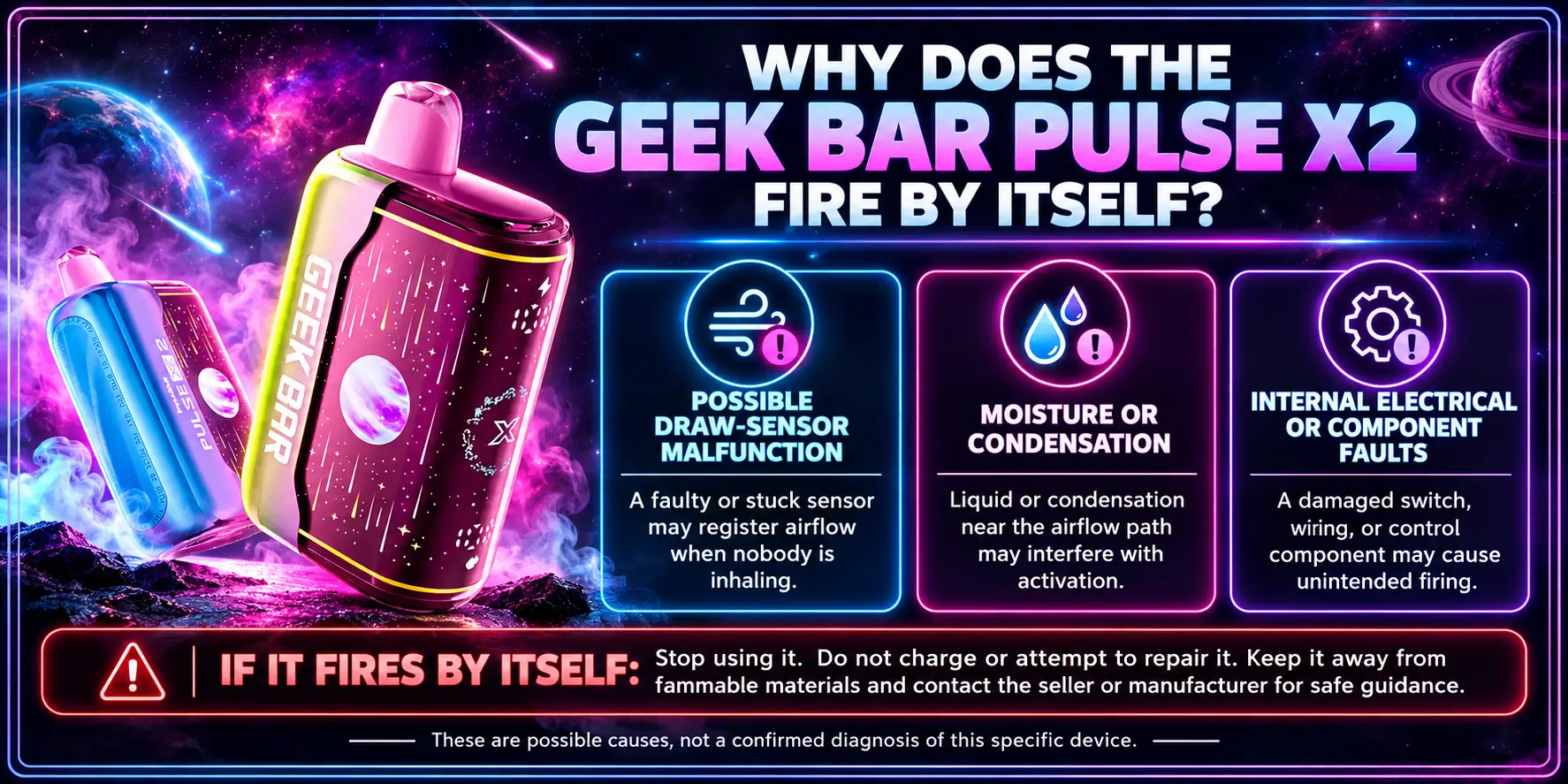
The three most likely causes are a draw-sensor malfunction, moisture inside the device, or an internal electrical fault. All three call for the same response: stop using it.
You cannot reliably tell them apart from the outside, and that is exactly why guessing is risky.
A draw-activated vape uses a small sensor that detects the pressure change when you inhale. If that sensor sticks, misreads, or fails, it can send a fire signal with no real puff.
Manufacturing defects and rough handling are the usual suspects. Dropping a device or leaving it in a hot car can both stress the sensor.
Disposable vapes work with e-liquid, heat, and electronics packed into one small body. When liquid or condensation reaches the wrong place, it can interfere with how the sensor reads airflow.
We cover this in detail in the next section.
A faulty circuit board or damaged battery connection can also trigger the coil. This is the most serious category because it involves the battery directly.
Warning signs include unusual heat, swelling, a burning smell, or a casing that looks warped. If you see any of them, jump to the safety steps below.
Quick rule: If the device fires with no puff, treat it as a hardware fault until proven otherwise. No flavor is worth a battery incident.
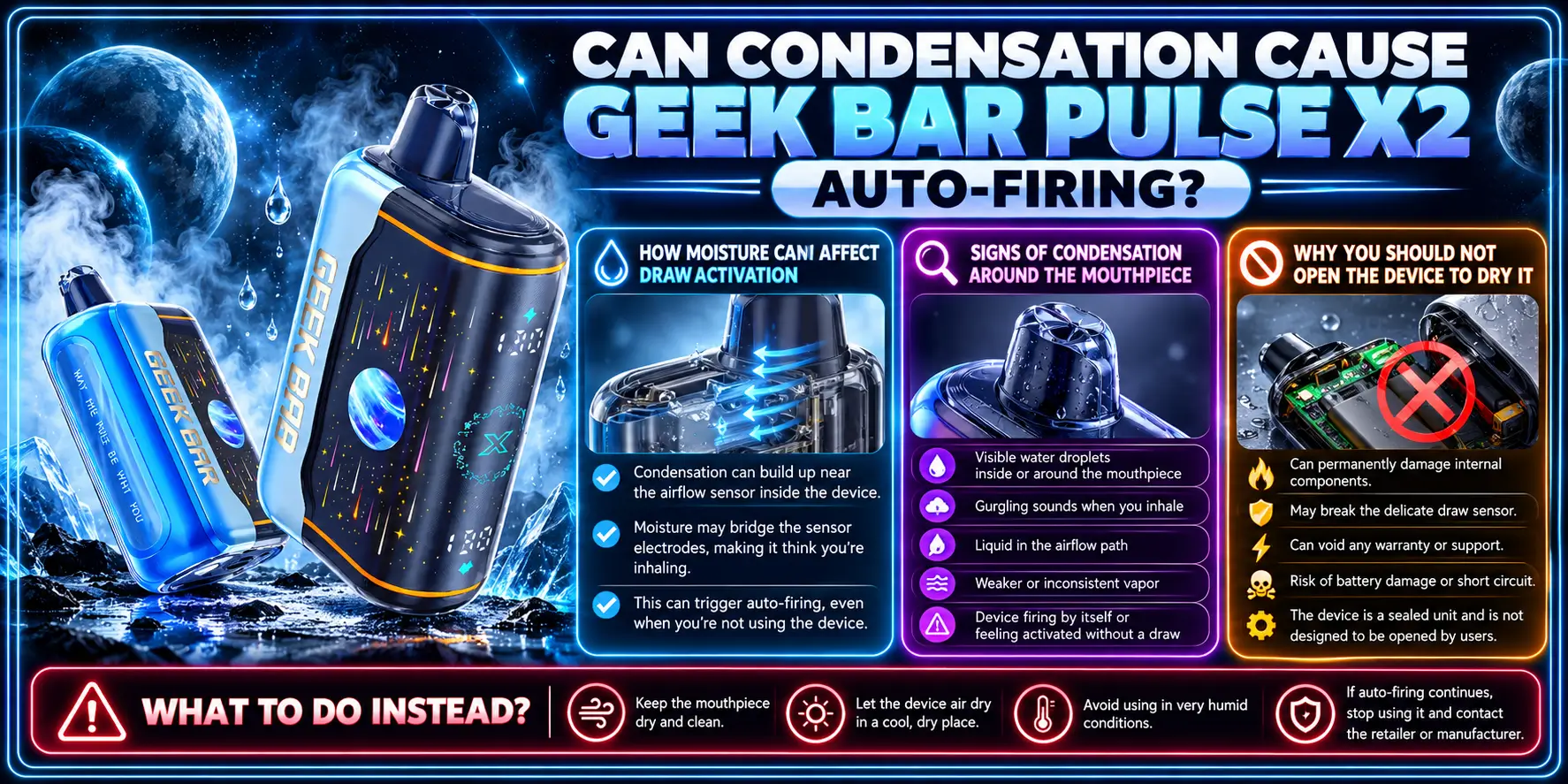
Possibly, yes. Moisture can interfere with draw detection, though it is only one of several explanations.
If the device was exposed to humidity, sweat, or a sudden temperature swing, condensation is worth considering.
The draw sensor depends on small air-pressure changes. Liquid near the sensor path can block, shift, or mimic those changes, which may produce a false trigger.
This is the same reason pocket carry and gym bags are rough on disposables. Humid pockets and tossed bags give condensation plenty of chances.
Look at the mouthpiece and airflow area. Visible droplets, a damp feel, or a gurgling sound when you tilt the device suggest excess liquid.
Leaking e-liquid is a related problem, and it also often shows up as a sticky residue or a burnt taste. If that sounds familiar, our Geek Bar Pulse X2 e-liquid guide explains how the 18mL pre-filled reservoir behaves and what normal wear looks like.
Do not pry the device open, and do not use a hair dryer, oven, or microwave. Opening a sealed disposable can damage the battery and expose you to e-liquid with 5% (50mg) nicotine strength.
If moisture is the problem and the device keeps misfiring after sitting in a cool, dry spot, retire it. Do not experiment.
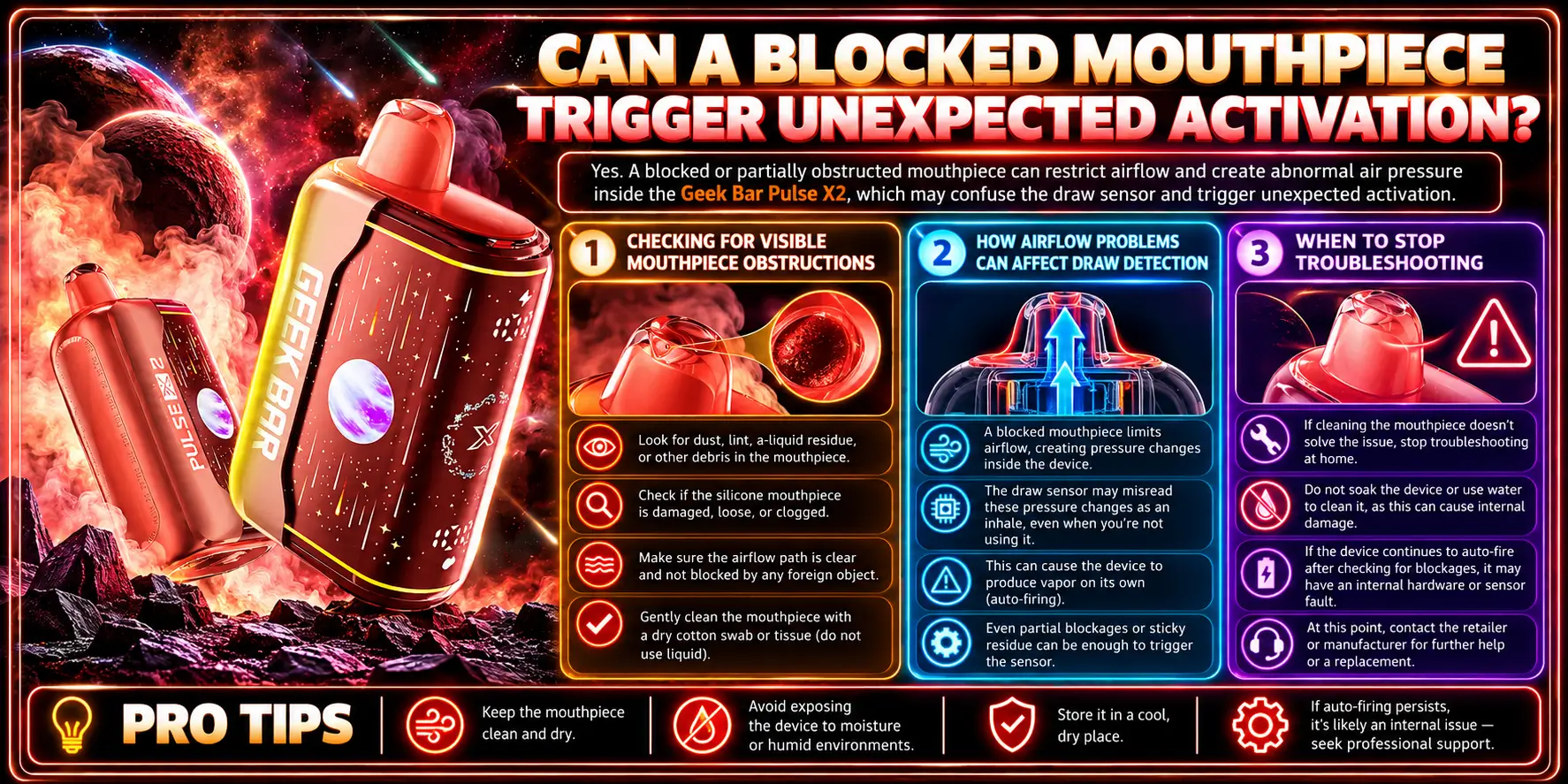
A blockage more often causes weak vapor or no vapor than auto-firing. Still, airflow problems can confuse draw detection, so check it before you assume the worst.
Keep the check external and gentle. No tools, no poking.
Hold the device under good light and look into the mouthpiece opening from outside. Lint, debris, or dried e-liquid residue are the common culprits.
Never insert a pin, paperclip, or needle. You could hit internal parts or damage the airflow path.
The X2 has an adjustable airflow toggle. If the toggle sits in an odd position or collects debris, the air path changes, and that can change how the sensor responds.
Our Geek Bar Pulse X2 settings page explains the toggle and the available modes. Set it to a normal position and see if behavior changes. If it does not, move on.
Stop when you have checked the mouthpiece, the toggle, and for moisture, and the problem remains. More fiddling will not fix a hardware fault, and it may make things worse.
Troubleshooting should take minutes, not an afternoon.
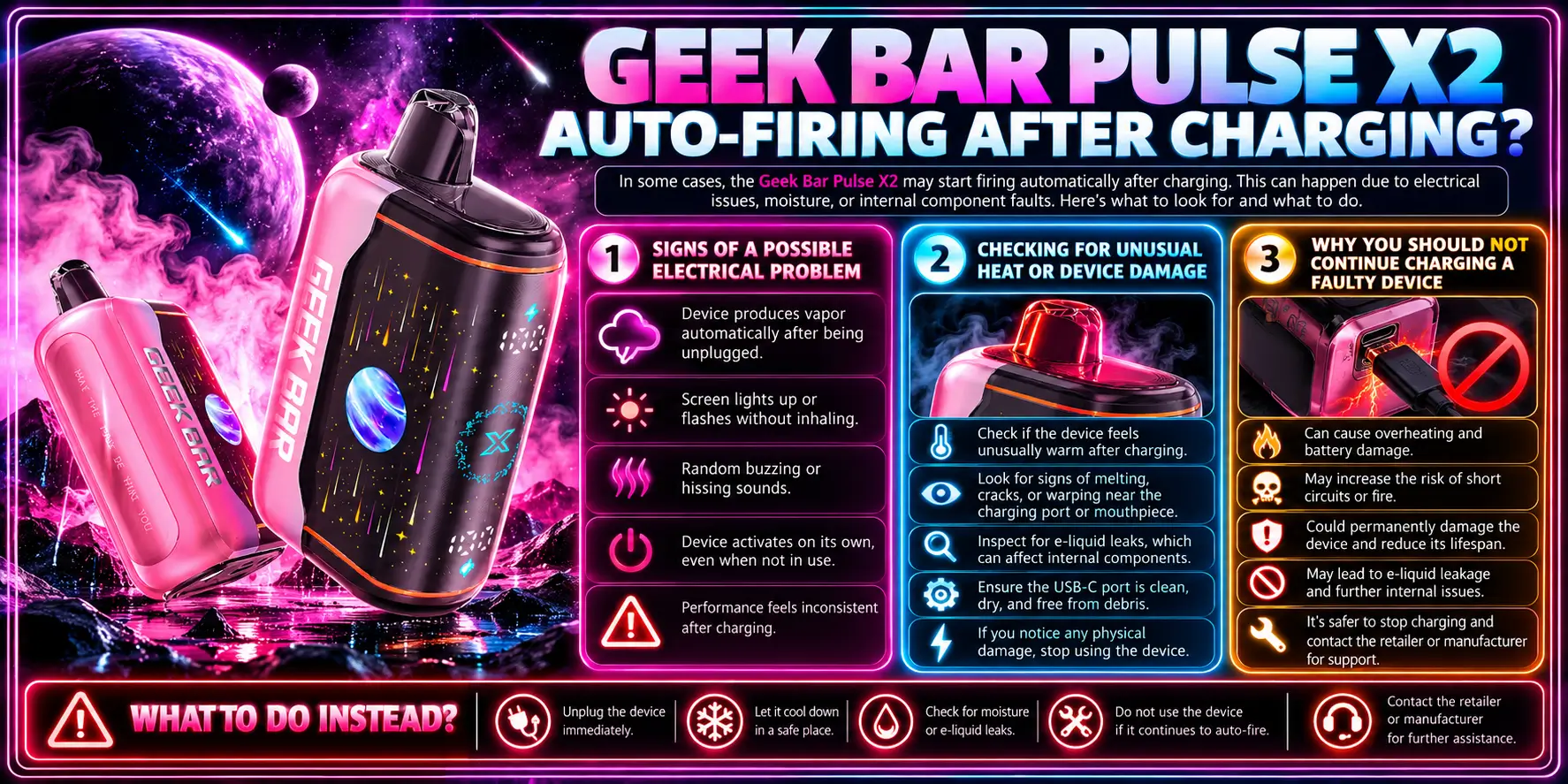
If auto-firing starts right after you charge the device, suspect an electrical issue. Stop charging, unplug, and put the device on a hard, non-flammable surface.
The X2 uses USB-C fast charging, which is convenient but puts real demands on the battery and the circuit.
Watch for a device that fires with the cable connected, an indicator that behaves strangely, or heat that builds while it charges. Any of these suggests a fault in the charging circuit or battery.
If you are unsure what normal charging looks like, read how to charge Geek Bar Pulse X2 to compare against the expected behavior.
Some warmth during fast charging can be normal. Heat that feels uncomfortable to hold is not, and our Geek Bar Pulse X2 gets hot article helps you separate ordinary warmth from a warning sign.
Also look for a swollen body, cracked casing, or a bent USB-C port. Damage means retire the device.
Charging adds energy to a battery that may already be compromised. The U.S. Fire Administration has documented hundreds of e-cigarette fires and explosions in the United States, and charging is one of the situations where they occur.
Charging differences between models matter too. If you swapped between devices, check Geek Bar Pulse vs Pulse X2 charging so you are not guessing about cables or habits.
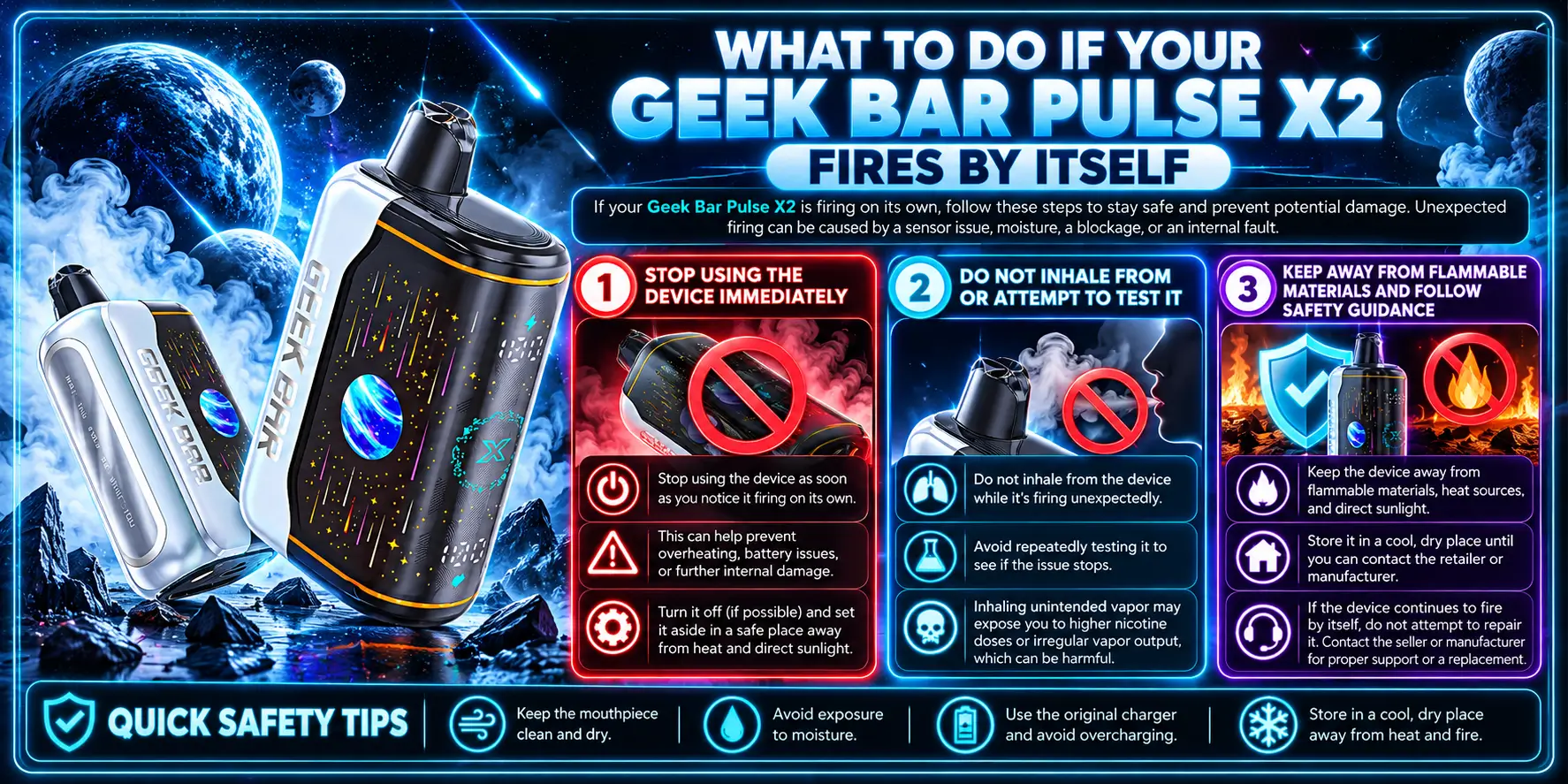
Stop using it right away, keep it away from anything flammable, and do not test it. Those three steps handle most situations safely.
Move calmly. Panic helps nobody, including the carpet.
Put the device down on a hard surface like tile, metal, or a ceramic dish. Unplug any charging cable.
Do not carry it in a pocket or bag while it behaves this way.
Do not take a puff to see if it "feels normal." A device that fires on its own may also deliver unpredictable heat to the coil, which can mean harsh or overheated vapor.
Testing is how a small fault becomes a trip to urgent care.
Keep the device away from paper, fabric, car seats, and bedding. If it gets very hot, smokes, swells, or smells like burning, move people away and call your local emergency number.
Disposal tip: Do not toss a damaged vape in household trash or curbside recycling. Lithium-ion batteries need proper handling, so check your local household hazardous waste program or a battery drop-off site.
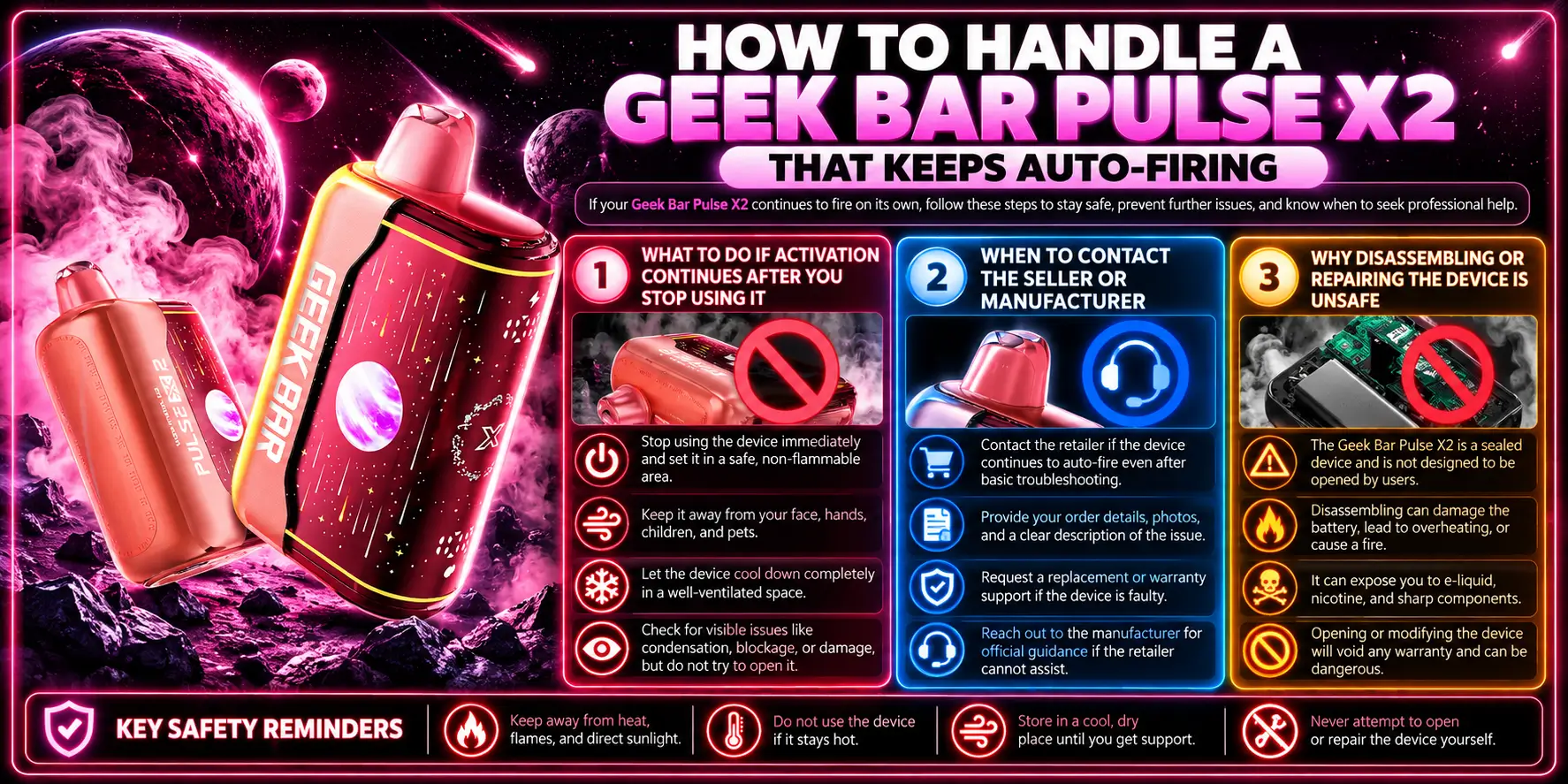
If it keeps activating, stop trying to fix it. Contact the seller, document the problem, and replace the device.
Repeated misfires rule out a one-time bump or a damp afternoon.
Keep the device somewhere safe and visible, like a metal tray on a table, while you decide what to do. Check on it periodically instead of tossing it in a drawer.
If it activates even when untouched, the fault sits in the electronics, not in how you use it.
Contact the seller as soon as you rule out simple causes. Have your order details ready, and take clear photos or a short video of the behavior and the device's condition.
Check the return or replacement terms for your purchase before you send anything back, and ask about the right way to ship or dispose of a battery-powered product.
Disposables are sealed for a reason. Cutting one open exposes a live battery, a printed circuit board, and concentrated nicotine e-liquid.
No home repair is worth the risk, and the repair will almost certainly void any replacement option.
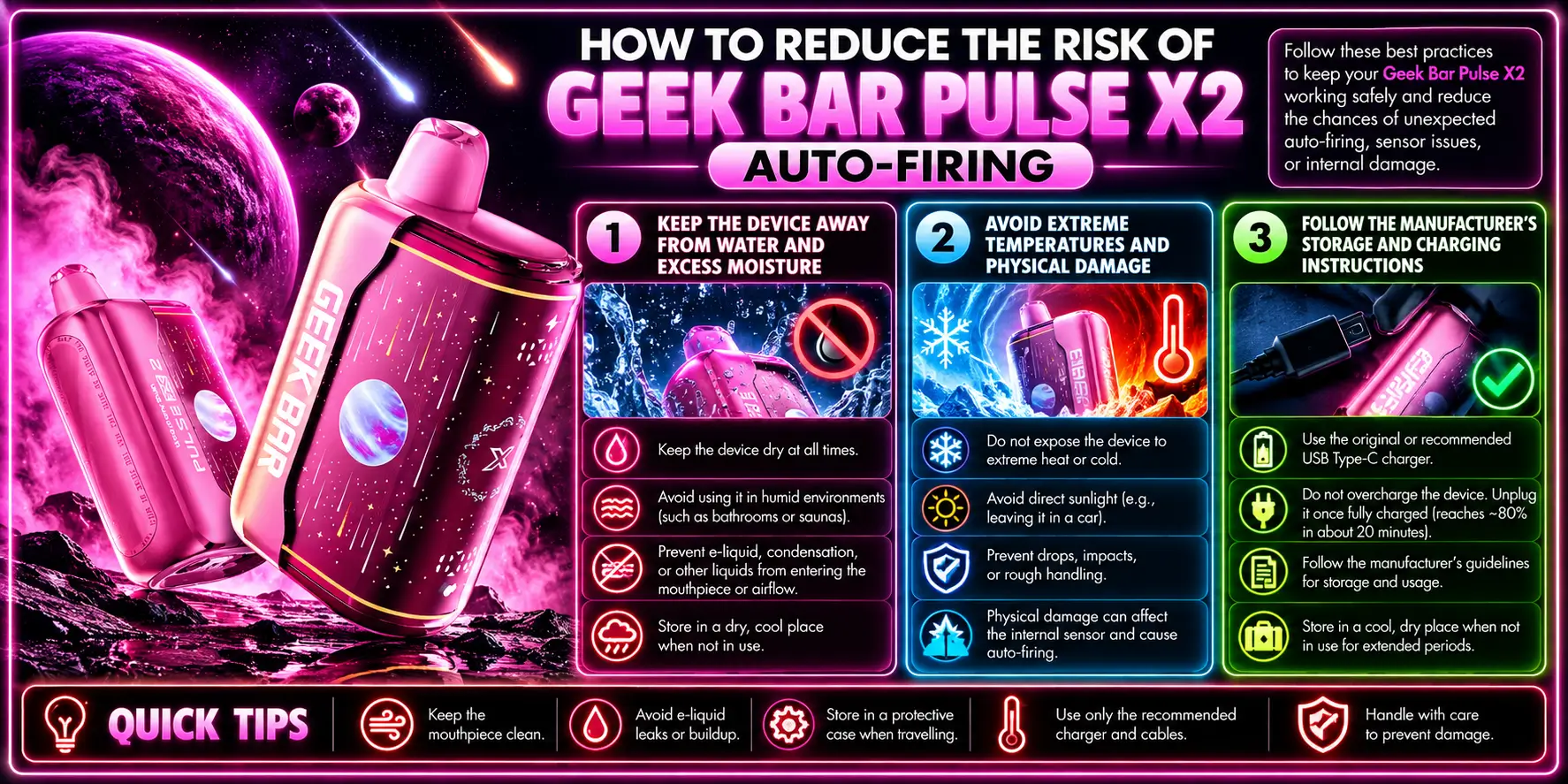
Most prevention comes down to storage, temperature, and gentle handling. Small habits cut a lot of avoidable faults.
None of this guarantees a defect-free device, but it removes the common triggers.
Skip bathrooms, pools, rain, and sweaty gym pockets. Wipe the mouthpiece gently with a dry cloth if it gets damp.
Store the device upright when you can, since leaning or laying it down encourages liquid to pool near the airflow path.
Never leave it in a parked car, in direct sun, or near a heater. Heat stresses the battery, and cold can cause condensation when the device warms up again.
Drops matter, too. A cracked casing or a bent port is a reason to retire the device, not just a cosmetic issue.
Use a quality USB-C cable, charge on a hard surface, and unplug when the device is full. Do not leave it charging overnight on a bed or couch.
It also helps to know what to expect from the battery and the vapor. Our Geek Bar Pulse X2 puff count and how long does Pulse X2 last guides give realistic expectations, so a normal fade never gets mistaken for a fault.
Here are the manufacturer specs that matter for troubleshooting. Knowing the baseline helps you notice when something deviates.
| Feature | Specification |
|---|---|
| Puff Count | 50,000 (Regular) / 25,000 (Pulse) |
| E-Liquid | 18mL pre-filled |
| Nicotine | 5% (50mg) |
| Battery | 1000mAh, USB-C fast charge |
| Coil | 0.6Ω Dual Mesh |
| Airflow | Adjustable toggle |
| Firing | Draw-activated |
| Dimensions | 58.5 × 29.7 × 94.7mm |
Next, use this comparison table to match what you see with the likely cause and the right action.
| What You Notice | Likely Cause | Safe Action |
|---|---|---|
| Fires once after a bag ride or drop | Sensor jolted or sticking | Set it down, wait, and watch. Retire it if it repeats. |
| Damp mouthpiece, gurgling, or sticky residue | Condensation or e-liquid leaking | Wipe the outside with a dry cloth. Do not open the device. |
| Visible debris at the mouthpiece | Airflow obstruction | Check gently from outside. Never insert tools. |
| Fires while charging or right after | Possible electrical or battery fault | Unplug, move to a hard surface, and stop using it. |
| Heat, swelling, or burning smell | Battery or circuit fault | Keep away from flammables. Call emergency services if it worsens. |
| Keeps firing with no puff | Hardware defect | Contact the seller and replace the device. |
Want to know whether your new device is worth keeping? Our Geek Bar Pulse X2 review covers performance, and our Geek Bar Pulse X2 flavors guide helps you pick a flavor once you have a working device in hand.
For the full picture of the lineup, read the Geek Bar Pulse X guide to specs and flavors.
1. Why does my Geek Bar Pulse X2 activate without inhaling?
The most common reasons are a draw-sensor fault, moisture near the airflow path, or an internal electrical problem. You cannot confirm which one from the outside, so the safe move is to stop using the device and contact your seller about a replacement.
2. Can condensation cause a vape to fire by itself?
It can. Moisture near the draw sensor may mimic the pressure change of a real puff and trigger the coil. Wipe the outside dry and keep the device in a cool, dry place, but never open it to dry it. If it still misfires, replace it.
3. Is it safe to use a device that auto-fires?
No. A vape that heats without a puff has a fault you cannot see, and the battery is lithium-ion. The FDA warns that vape batteries can overheat or explode, so stop using the device, keep it away from flammables, and arrange a replacement.
4. Should I replace a Pulse X2 that keeps activating?
Yes. Repeated activation points to a hardware defect that no home fix can safely address. Photograph the problem, contact the seller with your order details, and ask about replacement terms. Dispose of the faulty battery through a local hazardous waste or battery drop-off program.
5. Can a drop or rough handling make a Pulse X2 auto-fire?
Yes. Impact can shift the sensor, loosen internal connections, or crack the casing, and any of those can cause false activations. After a hard drop, inspect the casing, set the device down on a hard surface, and retire it if it behaves oddly at all.
Ready to replace a faulty device? Browse the full Pulse X2 Disposable vape collection at VaporBoss.
Geek Bar Pulse — Disposable Vape
🛒 Where to Buy Online
Choose from our verified partner stores — all carry 100% authentic Geek Bar Pulse products sourced directly from official US distributors.


Twelve Tribes
Wide Selection • Best Prices


Raven Route
Fast Delivery • All Flavors


Zippyzz
Quick Shipping • Great Deals
🔒 All partner stores are verified, age-gated, and ship only to legal US states. Purchases are made directly with the retailer — not geekbarpulse.com.
⚠️ Must be 21+ to purchase.